New2001
36
4
BASIC OPERATION
4
SelectingtheModeandtheDRfunction ■
VFOmode D
Push[V/MHz] q .
•Push[V/MHz] selectsthe1MHzor10MHzQuickTuning
function step, or turns it OFF.
Rotate[DIAL]tosettheoperatingfrequency. w
Memory/Callchannel/Weatherchannel*mode D
IntheVFOmode,push[M/CALL] q to select the Mem-
ory mode.
•“
” and the selected Memory channel number appear.
Push[M/CALL] w again to select the Call channel mode,
and then push again to select the Weather channel mode.
•The Memory mode, Call channel mode or Weather channel
mode* are alternately selected.
•In the Call channel mode, the selected Call channel number
(“C0” to “C3”) appears.
•IntheWeather channel mode*, the selected weather channel
number (“WX-01” to “WX-10”) appears.
Rotate[DIAL]toselectadesiredchannel. e
*Appears in only the U.S.A. version transceivers.
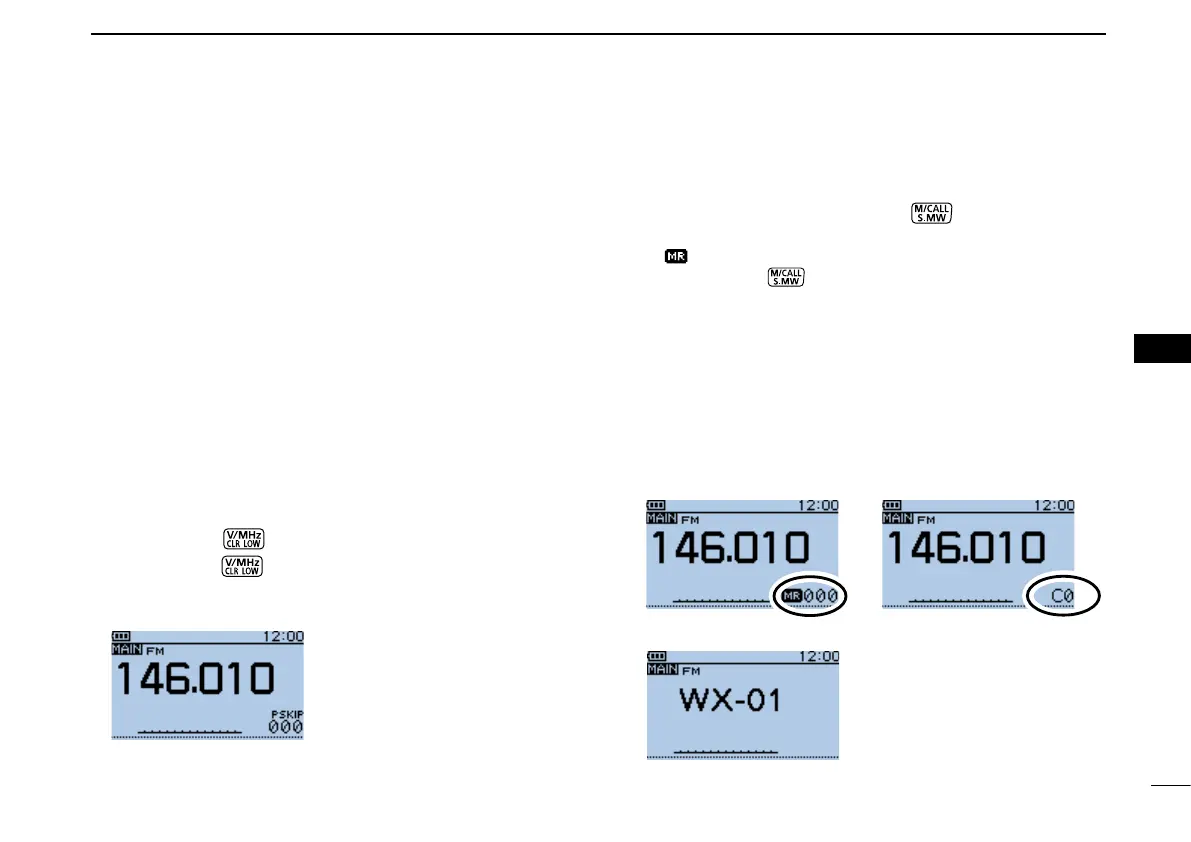
•VFOmode
The VFO mode is used to set the desired frequency.
•Memorymode
The Memory mode is used for operation on Memory chan-
nels, which store programmed frequencies and other param-
eters.
•Callchannelmode
Call channels are used for quick recall of most-often used
frequencies.
•Weatherchannelmode*
Weather channels are used for monitoring weather channels
from the NOAA (National Oceanographic and Atmospheric
Administration) broadcasts.
VFOmode
Memorymode Callchannelmode
Weatherchannelmode*
BASIC OPERATION


 To Next Page
 Loading...













