New2001
42
5
MEMORY CHANNEL OPERATION
New2001
5
MEMORY CHANNEL OPERATION
■ SelectingtheMemorychannel
In the memory mode, you can select the programmend mem-
orychannelsbyrotating[DIAL].
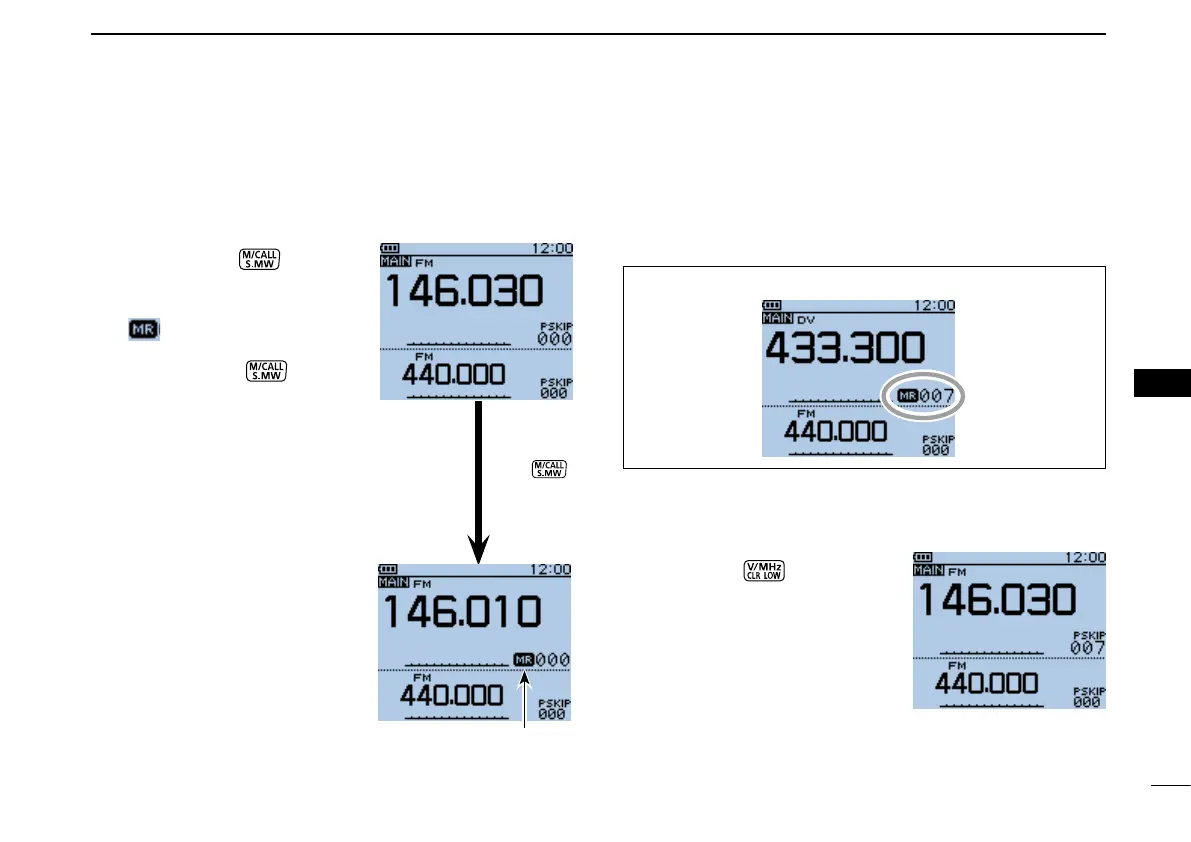
Push [M/CALL] q
one or
more times to enter the Mem-
ory mode.
•“ ” appears when the Mem-
ory mode is selected.
•Push [M/CALL] again
to select the Memory mode
or Weather channel mode*.
The Memory mode, Call chan-
nel mode or Weather channel
mode* are alternately selected.
* Appears only for the U.S.A. ver-
sion transceivers.
Example: Selecting the Memory channel 7
Rotate[DIAL]toselectade- w
sired memory channel.
•Memorychannels:
“000” ~ “499”
•Scanedgechannels:
“0A/0B” ~ “24A/24B”
•Only programmed memory
channels can be selected.
•Seepreviouspageformemory
programming details.
Push [CLR] e to exit the
Memory mode.
Push .
Appears
Rotate[DIAL]toselectchannel7.


 To Next Page
 Loading...













