New2001
68
6
D-STAR OPERATION
New2001
6
■ Updatingtherepeaterlist
For easy operation, repeater list is preloaded into your trans-
ceiver.
This section describes how to manually update the repeater
list using a microSD card.
The latest setting files can be downloaded from the Icom
website.
Downloadingthelatestsettingle(ICFle)1.
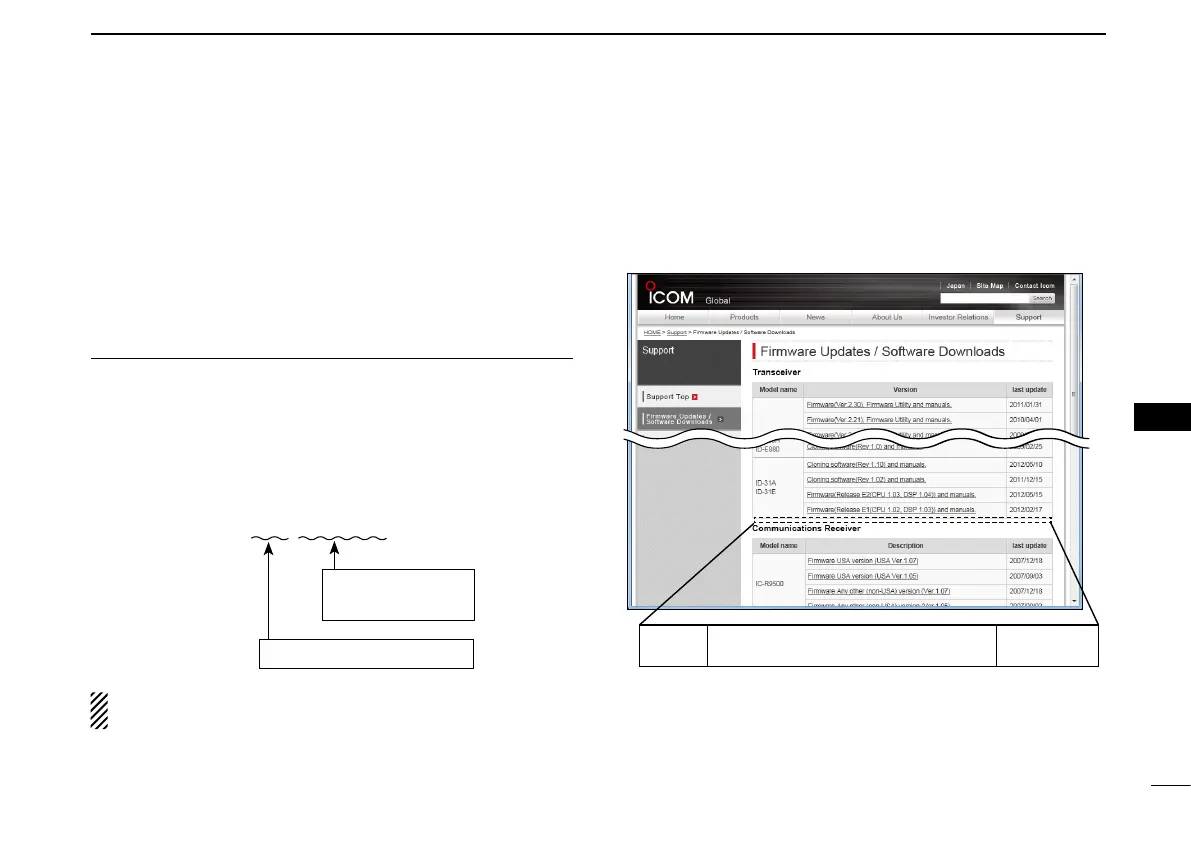
q Access the following URL to download the latest data.
http://www.icom.co.jp/world/support/download/firm/index.
html
•Thelatestsettingsles(ICFle)andrepeaterlist(CSV;Comma
SeparatedValuesle)arecontainedinthedownloadedZIPle.
FileName: 51P_USA_140820.zip
This instruction manual describes when the file name is
“51P_USA_140820.zip,” for example.
w Decompress the compressed file that is downloaded from
the Icom website.
“51P_USA_140820” folder will be created on the same
place where the downloaded file is saved.
Depending on the
updated file date.
Depending on the version.
ID-51A
ID-51E
Cloning software(Rev. MM) and manuals
20MM/MM/MM
ID-51A/E’s latest setting file is uploaded to “Clon-
ing software(Rev. MM) and manuals” in the Icom
website screen.
•Thedisplayedcontentsmaydiffer.
D-STAR OPERATION


 To Next Page
 Loading...













