69
6
D-STAR OPERATION
New2001 New2001
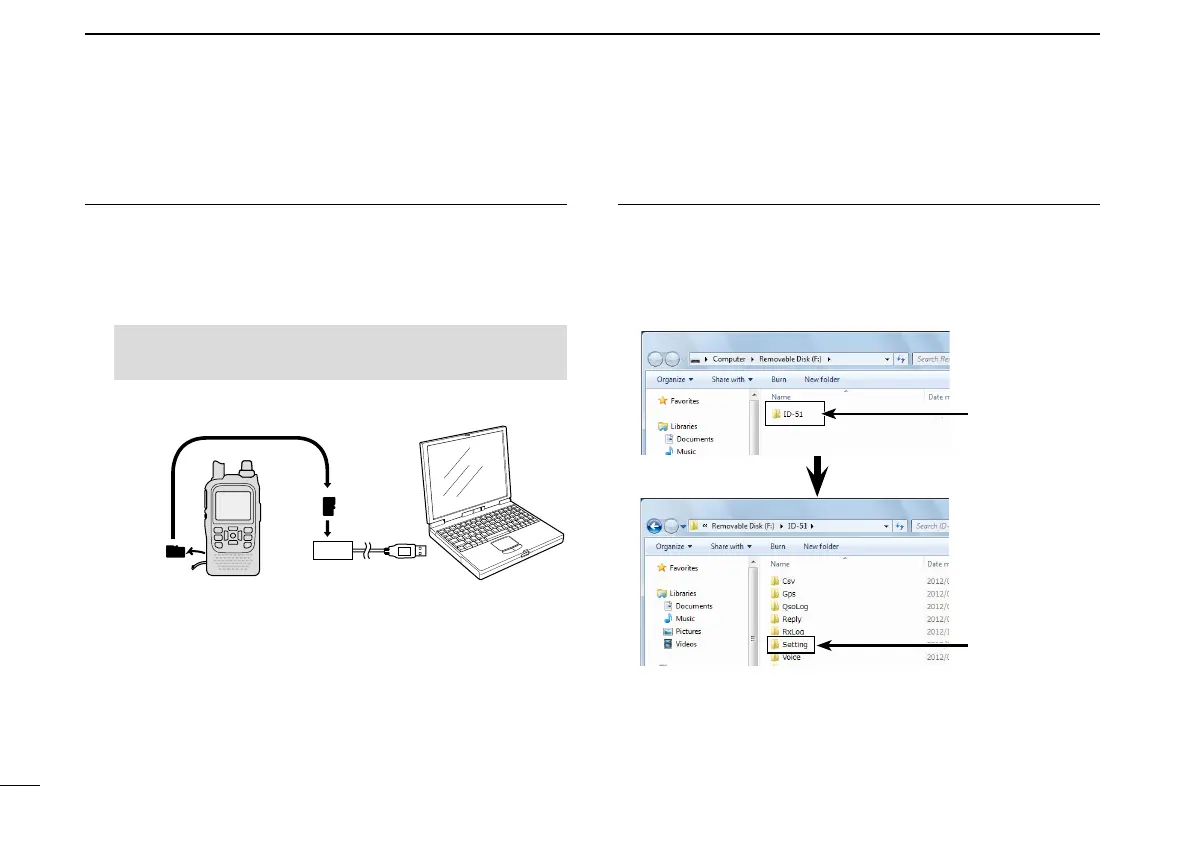
InsertingthemicroSDcardintoaPC2.
e Insert the microSD card into the microSD card drive on
your PC.
•IcomrecommendsthatyouformatallmicroSDcardstobeused
with the ID-51A/E, even preformatted microSD cards for PCs or
other uses.
See pages 10, 75 and 76 for details of inserting and re-
moving the microSD card.
microSD
card
Transceiver
to the Card
reader
PC
CopyingthelatestICFletothemicroSDcard3.
r Double-click the “51P_USA_140820” folder created on the
same place where the downloaded file is saved.
t Copy the ICF file (Example: “51P_USA_140820.icf”) in the
folder to the “Setting” folder in the “ID-51” folder of the mi-
croSD card.
Click
Click
Updating the repeater list (Continued) ■


 To Next Page
 Loading...













