New2001
44
6
D-STAR OPERATION
New2001
6
■ D-STARIntroduction
•IntheoriginalD-STAR(DigitalSmartTechnologiesforAma-
teur Radio) plan, JARL envisioned a system of repeaters
groupedtogetherintoZones.
•The D-STAR repeater enables you to call a HAM station
near you, or around the world.
•You can transmit and receive digital voice, including low-
speed data, at the same time. You can transmit and receive
position data from the built-in GPS receiver.
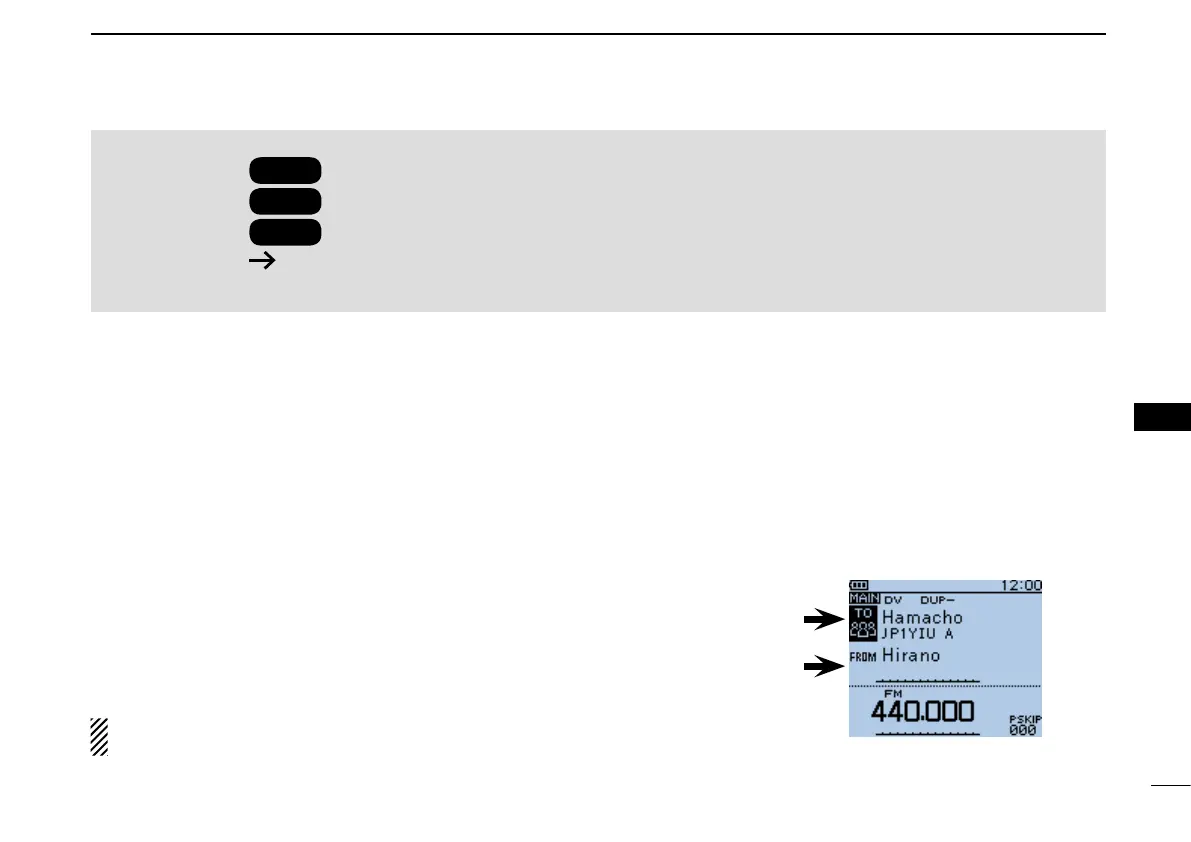
You can easily use D-STAR repeaters with the DR (D-STAR
Repeater) function. With this function, you can select the pro-
grammed repeater or frequency in “FROM” (the access re-
peater or simplex), and Your call sign in “TO” (destination), as
shown to the right.
NOTE: If the repeater set in “FROM” (Access Repeater) has
no Gateway call sign, you cannot make a gateway call.
IMPORTANT!
Before starting D-STAR, the following steps are needed.
STEP 1
Entering your call sign (MY) into the transceiver.
STEP 2
Registering your call sign (MY) to a gateway repeater.
STEP 3
Entering your D-STAR equipment into your registration form.
You have completed the steps!!
See pages 13 to 16 for details.
■ AbouttheDR(D-STARRepeater)function
Destination
(Repeater/Station)
Accessrepeater
orSimplex
IntheDRscreen
D-STAR OPERATION


 To Next Page
 Loading...













