Chapter 3 Welder Operation Description 49
Ehave Series Full Digital IGBT CO
2
/MAG/MMA Multifunctional Inverter Welder User Manual
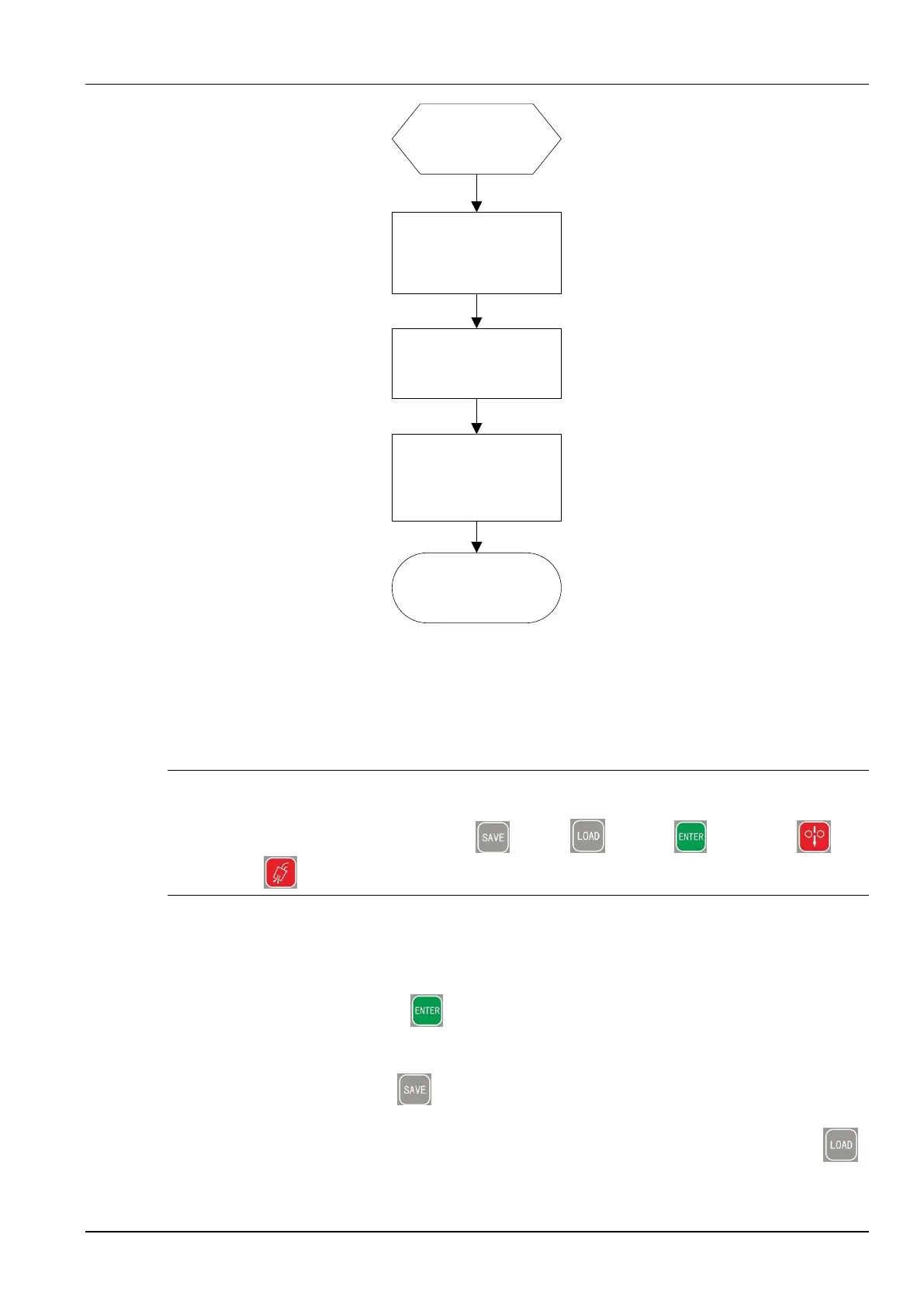
Select welding
parameters.
Press and hold the
ENTER button for 3
seconds.
(The common locking
function is enabled.)
Common lock mode
(Welding can be
performed.)
Press and hold the
ENTER button for 3
seconds.
(The common locking
function is disabled.)
The parameters are
unlocked.
(Normal parameter state)
Figure 3-25 Procedure for using the common lock
Password Lock
The password lock involves password setting and parameter range locking.
Note
In password lock mode, the current and voltage adjusting knobs on the wire feeder can be used, and
all the buttons and knobs (expect the SAVE , LOAD , ENTER , Inch wire , and
Detect gas buttons) on the control panel of the welder cannot be used.
Setting a password
The procedure is as follows:
1. Press and hold the ENTER button. When the left screen displays L, the common
lock function is enabled. See Figure 3-23.
2. Press and hold the SAVE button. When the first screen displays o, the middle and
right screens display -, use the knob on the control panel to enter the original 6-character
password according to the flashing indication on the screens and press the LOAD
button. See Figure 3-26.



 To Next Page