36 Image Vault
®
PRO Command
An NT Server is often used on corporate networks to provide a variety of network services including
dynamic IP assignment, Host Name services, and many other network services. When the network
is tied to the internet a router is typically used to interface the network. The ISP may provide
specialized equipment, but for smaller applications a DSL modem may be used between the router
and the incoming DSL line.
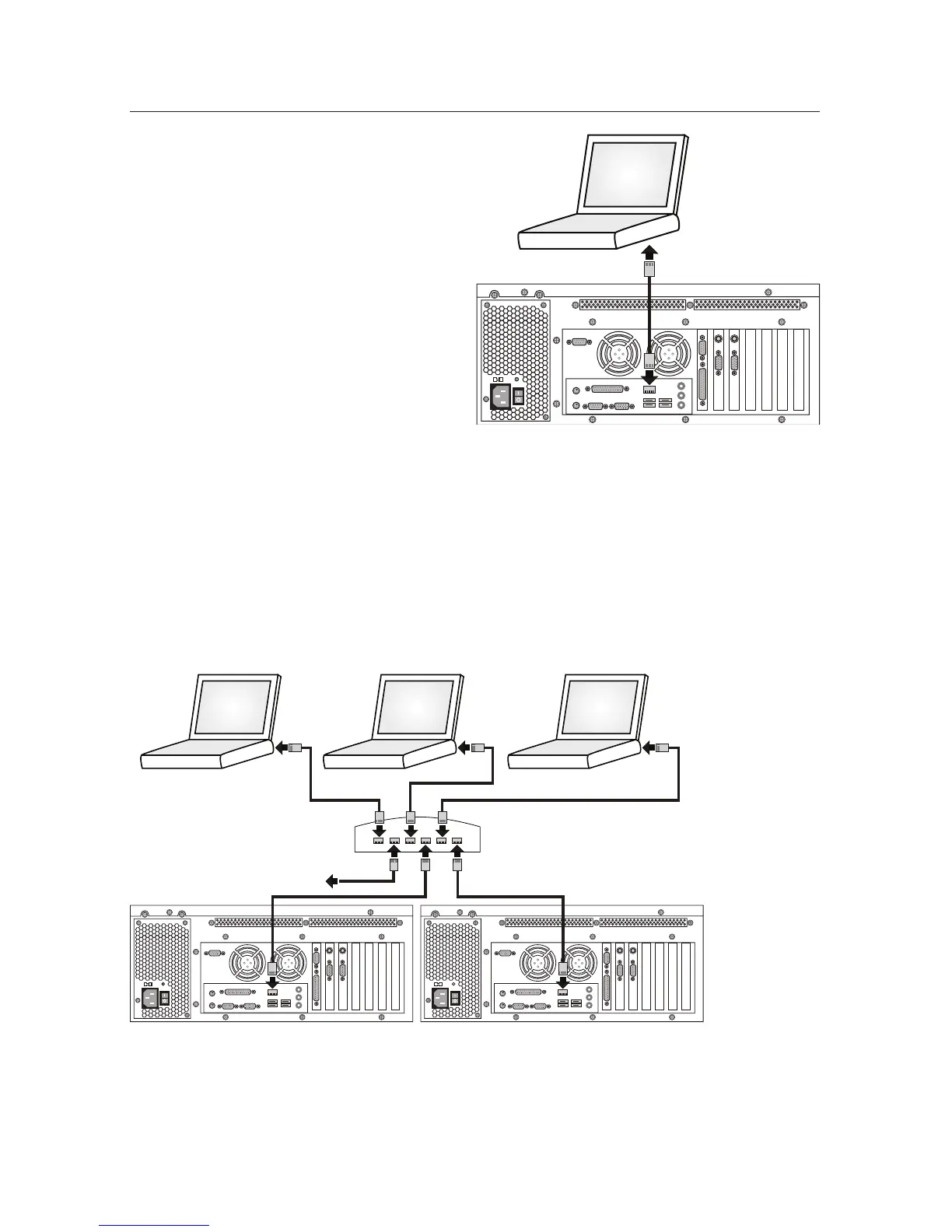
A Peer-to-Peer network allows immediate con-
nection of a PC to a DVR using a cable provided
with the DVR. Less software setup and no ad-
ditional or special hardware is required (assumes
your PC has a network interface card installed).
This application restricts the user to a short
distance with direct wire connection.
Crossover
CAT-5 Cable
YOUR
PC
NETWORK
PC 1
NETWORK
PC 2
NETWORK
PC 3
ETHERNET HUB
OTHER NETWORK DEVICES
DVR 1 DVR 2
Network Communication
Peer-to-Peer and LAN are two classic
forms of network communication.
Peer-to-Peer is where one PC commu-
nicates directly with another PC without
any hubs or other network hardware.
Only a Cat-5 Ethernet crossover cable is
used. One of these network crossover
cables is provided with each DVR.
A LAN (Local Area Network) utilizes
Ethernet hubs to allow an almost un-
limited number of PCs to communicate.
LANs are often connected through
server hardware or other special hard-
ware to internet trunk lines. This allows
remote network communication from
nearly anywhere worldwide. These ap-
plications are typically set up as WAN
or VPN connections, though the DVR
could be accessed directly via the open
internet.



 To Next Page