MICRO S automatic Cutter motor
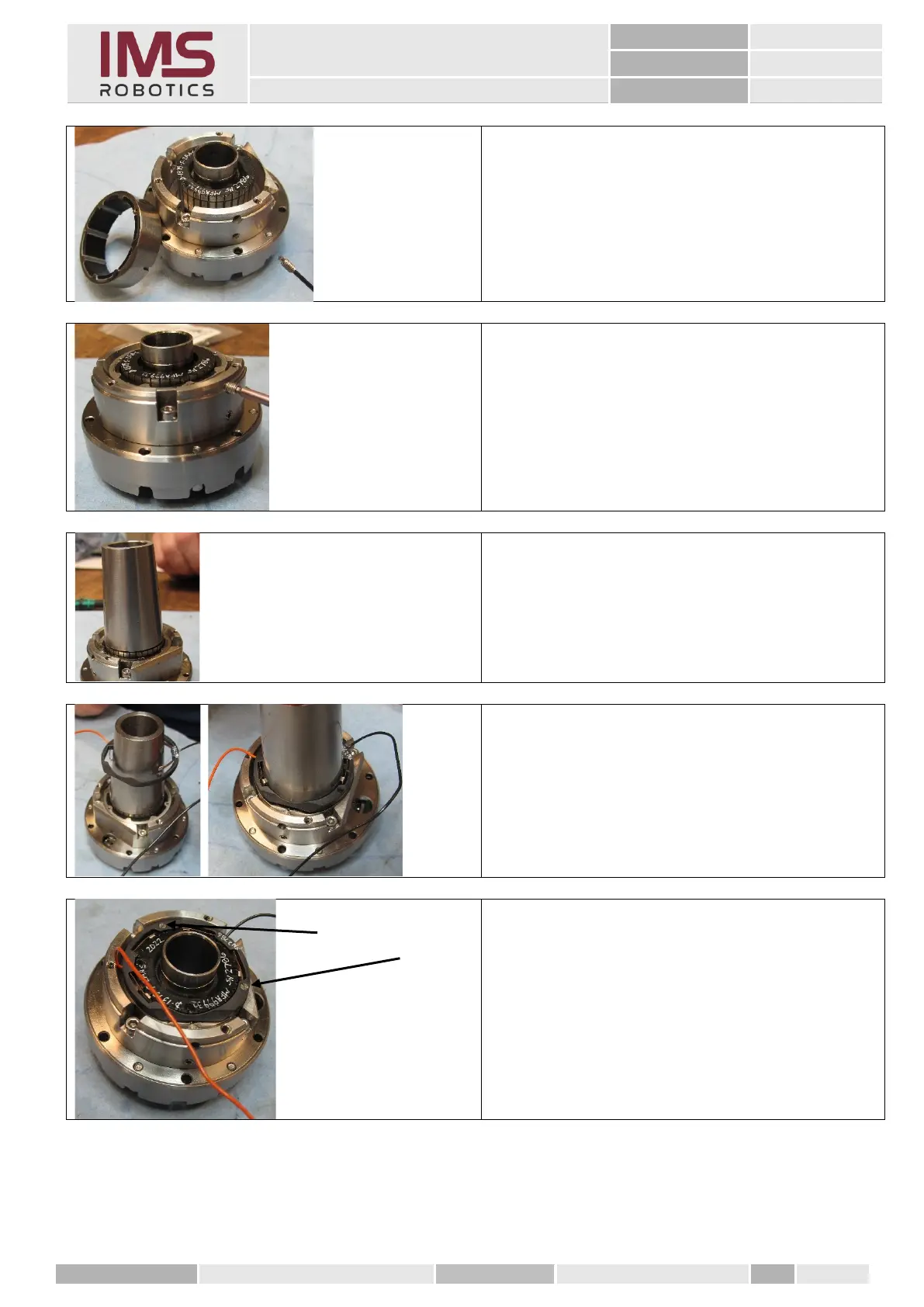
6. Insert the stator ring into the motor
adapter and fix it using a special
M2.5x6mm threaded pin.
It should fit exactly into the slot in the
stator.
Mount the threaded pin with Loctite
"blue".
7. Now insert a M3x5mm threaded with
Loctite "blue" into the upper threaded
hole which presses the stator down.
8. Once it reaches the correct position,
tighten the M2.5mm threaded pin.
1. To mount the brush ring, place the
tapered tool on the rotor and align it
exactly using its outer edges.
2. Then slide the brush ring over the
tapered tool...
...till it is in the correct position.
(the flat part on the ring has to point
exactly to the hold-down device)
3. If the brush ring fits correctly, then
mount the two brush ring screws.
Apply Loctite "blue" to it beforehand.



 To Next Page