38
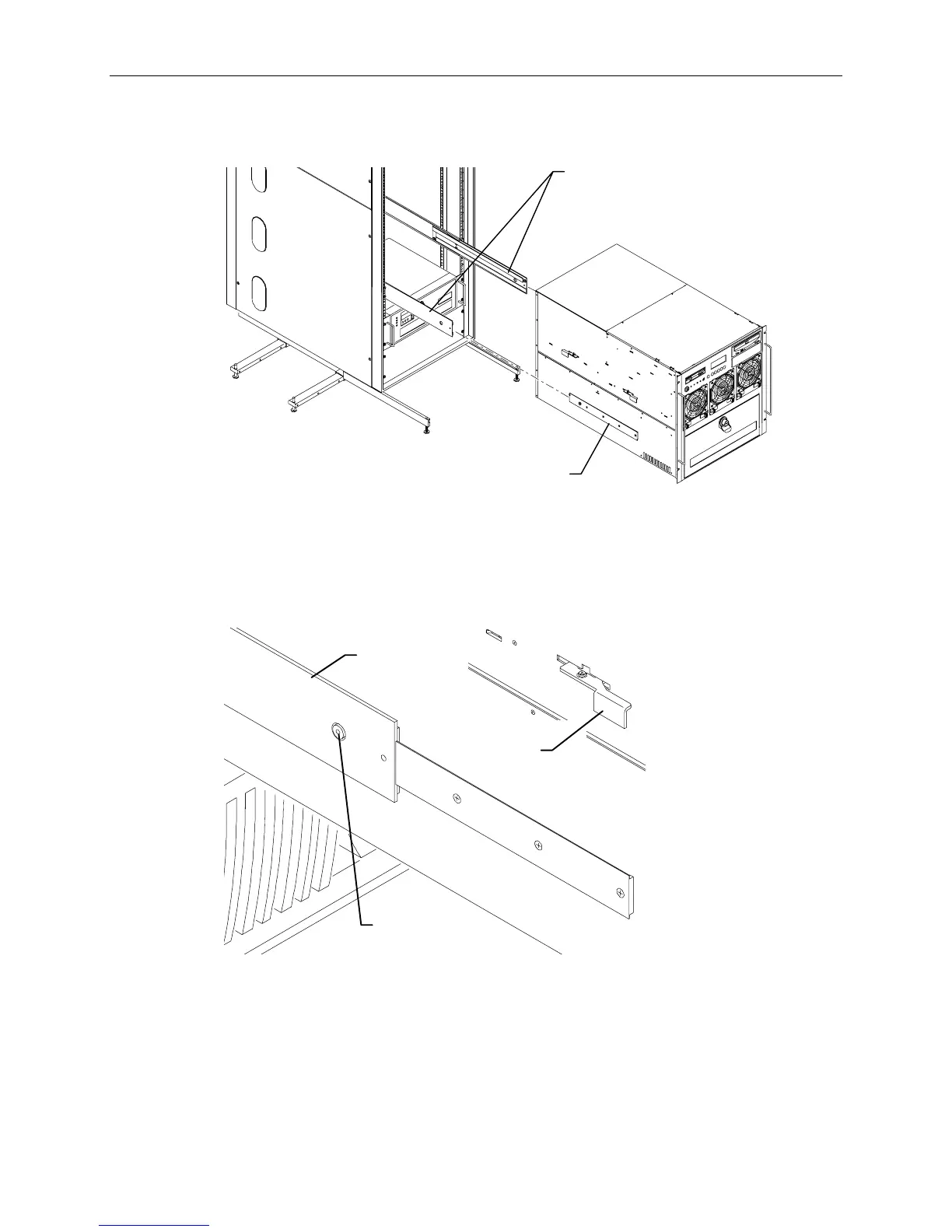
5. With a person on either side, lift the base unit and align the base unit rails in the rack with the rail
guides mounted on the side of the base unit.
Rails
Rail Guide
(Each Side)
7. Slide the base unit into the rails and push the base until it stops. The metal rail button in the rail
guides hits against the base unit rail. Press the rail buttons on both sides and continue pushing the
base unit. The base unit will stop again and the metal rail button appears in the hole of the base
unit rails. Refer to the following figure.
CAUTION Ensure the board ejectors on both sides of the base unit are closed. They will interfere with the
mounting rails if not fully closed.
Rail
Button
Board
Ejector
Base Unit
Rail
6. Press the rail buttons on both sides and push the base unit into the rack.



 To Next Page