Wireless Access Point
User Guide
11.6 Diagnostics Tool
If the network connection fails, you can use the diagnostics tool included in the AP to locate the faulty
node.
11.6.1 Locating the faulty node
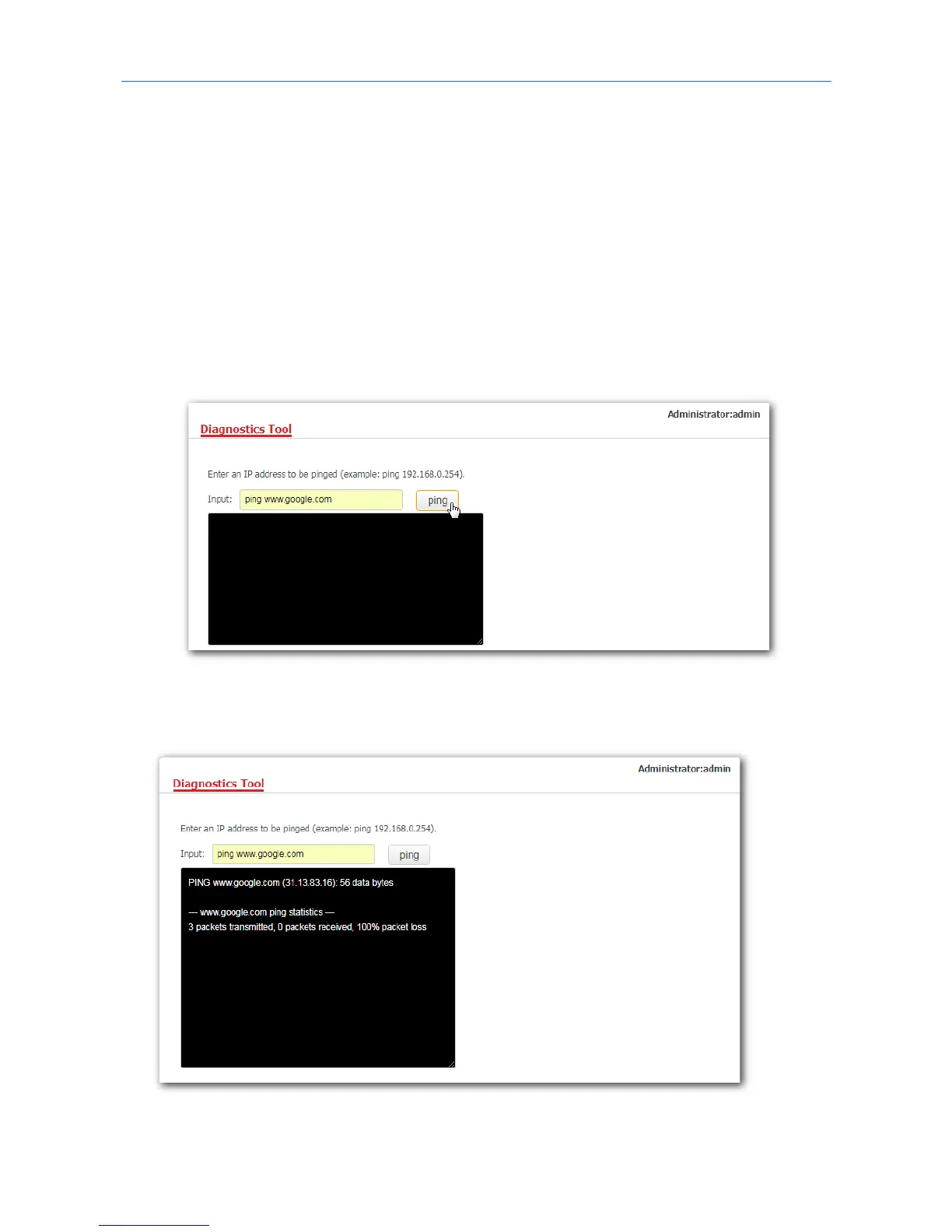
The link www.google.com is used as an example.
1. Click Tools > Diagnostics Tool.
2. Enter the IP address or domain name to be pinged in the Input box, which is ping www.google.com in
this example.
3. Click Ping.
---End
The diagnosis result will be displayed in a few seconds in the black text box below the Input box. See the
following figure.



 To Next Page