Wireless Access Point
User Guide
5.2 Wireless status
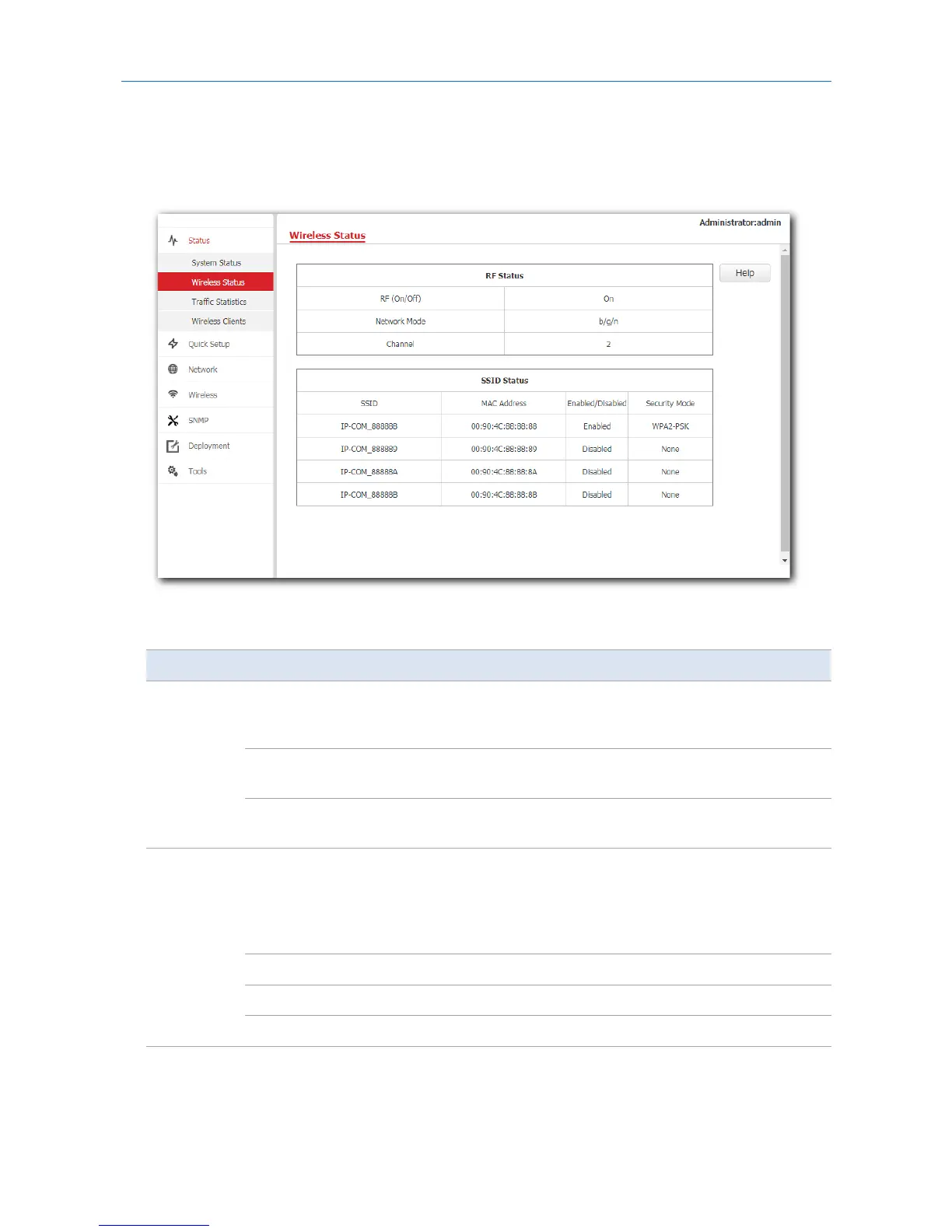
This page displays radio frequency and SSID status of the AP. To access the page, click Status > Wireless
Status.
Parameter description
Parameter Description
RF Status
RF(On/Off)
It specifies whether the RF (radio frequency) function of the AP is
enabled. On represents the RF is enabled, and Off is disabled. You
can change the RF status on the Wireless > RF page.
Network Mode
It specifies the current network mode of the AP. You can change the
network mode on the Wireless > RF page.
Channel
It specifies the current working channel of the AP. You can change
the working channel on the Wireless > RF page.
SSID Status
SSID
It specifies the names of all WiFi networks of the AP. The AP supports
four WiFi networks at most. The first SSID in the SSID status table is
the primary SSID. By default, the WiFi network corresponding to the
primary SSID is enabled, and the other three WiFi networks are
disabled.
MAC Address It specifies the physical address of the corresponding SSID.
Enabled/Disabled It specifies whether the corresponding WiFi network is enabled.
Security Mode It specifies the security mode of the corresponding WiFi network.
20



 To Next Page