Wireless Access Point
User Guide
11.4 Configuration
This module enables you to back up the current configuration of the AP, restore a previous configuration
of the AP, and restore the AP to factory settings.
11.4.1 Backup and restoring configurations
The backup function enables you to back up the current configuration of the AP to a local computer. The
restoration function enables you to restore the AP to previous configuration.
If the AP enters the optimum condition after you greatly change the configuration of the AP, you are
recommended to back up the new configuration, so that you can restore it after upgrading or resetting
the AP.
If you need to apply same or similar configuration to many APs, you can configure one of the APs, back up
its configuration, and use the backup configuration file to restore the configuration of other APs.
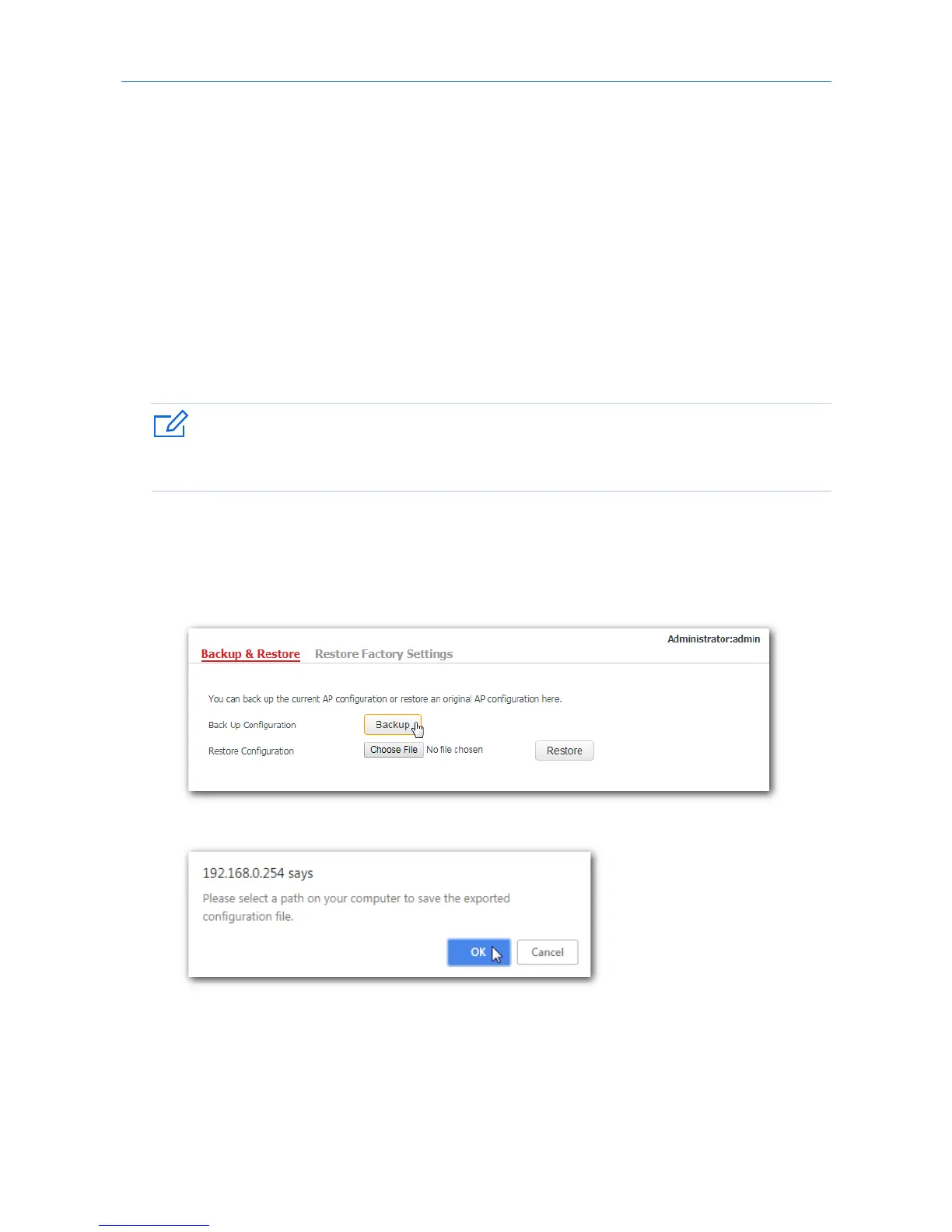
Backup the current configuration
1. Click Tools > Configuration > Backup & Restore.
2. Click Backup and follow the on-screen instructions to perform operations.
3. Click OK.
---End
Verification
A configuration file called as APCfm.cfg will be downloaded.
92



 To Next Page