Wireless Access Point
User Guide
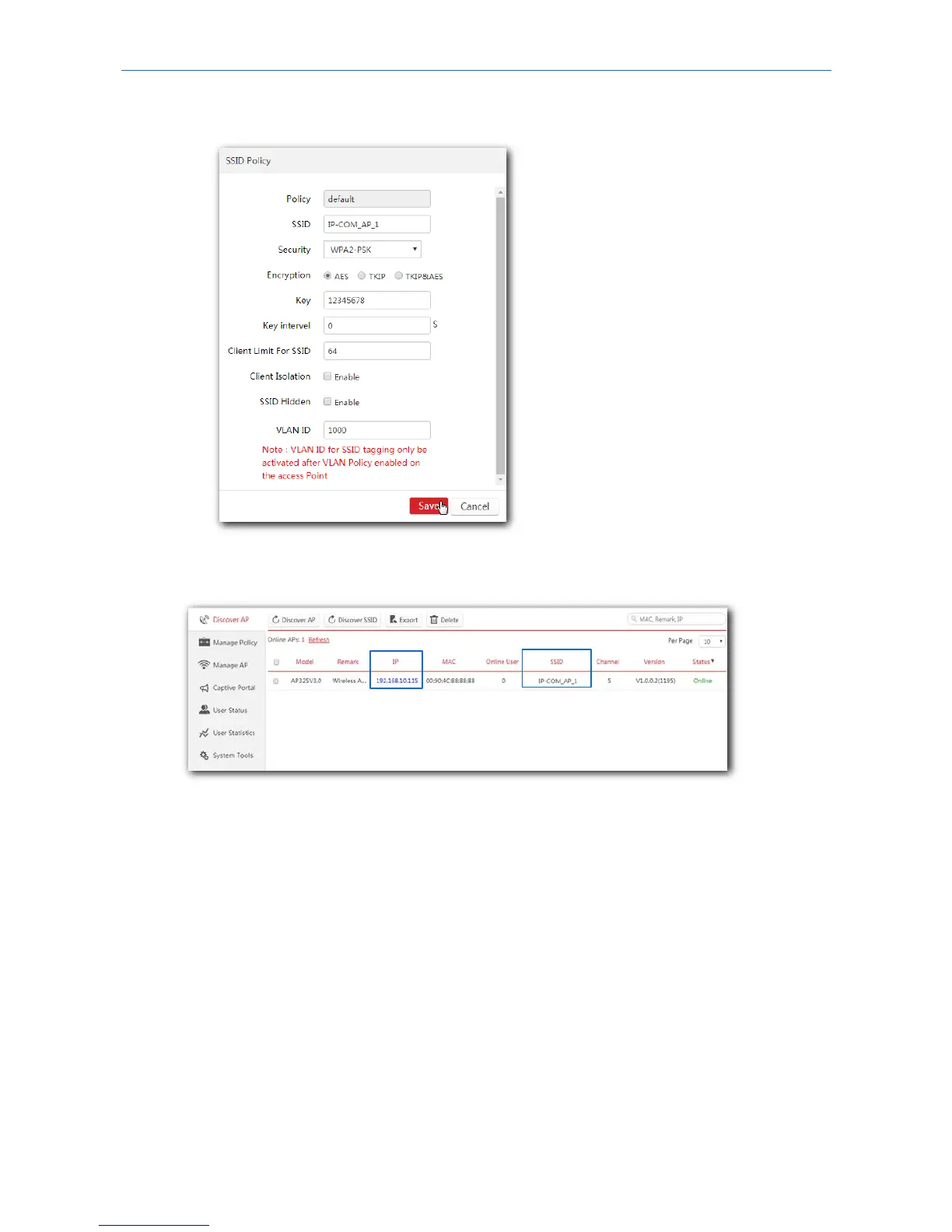
(2) SSID, Security and Key: Set an SSID (WiFi name), security, key (WiFi password) for your AP, and
click Save to apply the settings.
Wait a minute. The AP will obtain the WiFi settings from the AC automatically. You can view your AP’s
new SSID and IP address on the Discover AP page.
5. Connect your wireless devices like smart phones to your AP’s WiFi network using the WiFi name and
password you set in step 4.
---End
13



 To Next Page