Wireless Access Point
User Guide
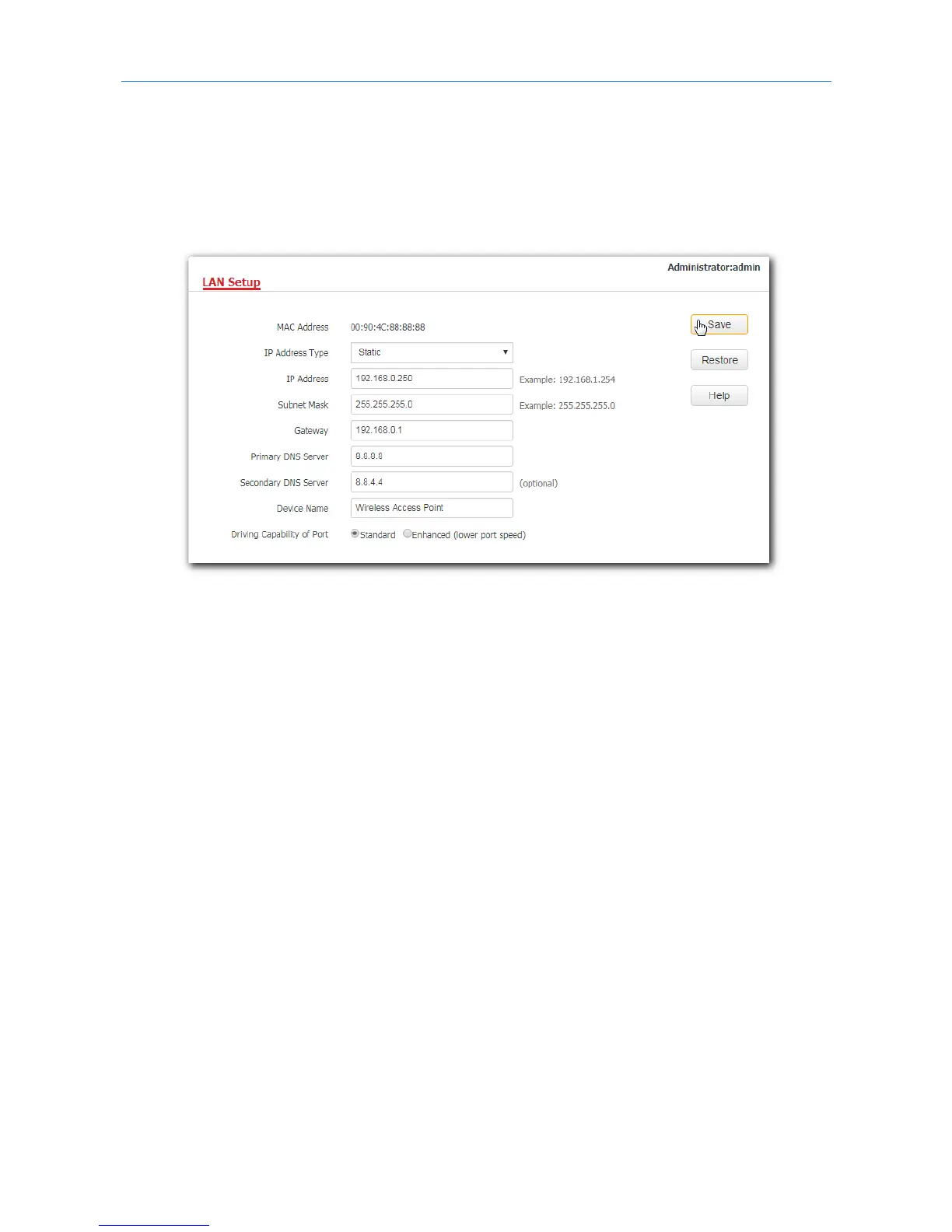
4. Subnet Mask: Enter the subnet mask for your AP, which is 255.255.255.0 in this example.
5. Gateway: Enter the gateway for your AP, which is 192.168.0.1 in this example.
6. Primary DNS Server: Enter the primary DNS server for your AP, which is 8.8.8.8 in this example.
7. Secondary DNS Server: If this parameter is available, enter the secondary DNS server for your AP,
which is 8.8.4.4 in this example. Otherwise, leave this box blank.
8. Click Save.
---End
After the configuration, if the new IP address of the AP belongs to the same network segment as the IP
address of your management computer, you can log in to the web UI of the AP directly using the new IP
address. Otherwise, before logging in to the AP’s web UI using the new IP address, assign your computer
an IP address that belongs to the same network segment as the new IP address.
30



 To Next Page