Wireless Access Point
User Guide
---End
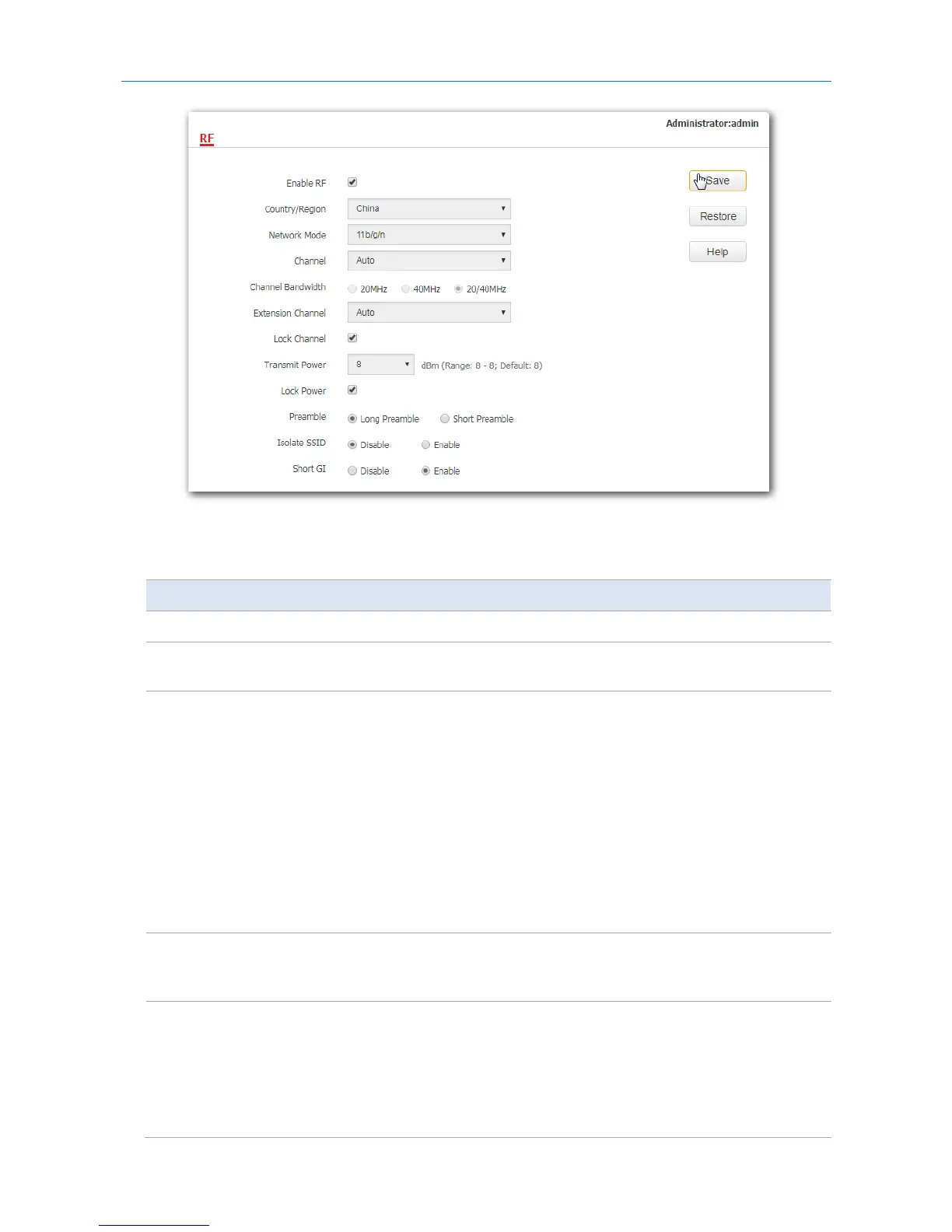
Parameter description
Parameter Description
Enable RF It specifies whether to enable the radio function of the AP.
Country/Region
It specifies the country or region where the AP is used. This parameter helps comply
with channel regulations of the country or region. The default value is China.
Network Mode
It specifies the WiFi network mode of the AP, which includes 11b, 11g, 11b/g, and
11b/g/n. This parameter can be set if Lock Channel is not selected.
−
11b: The AP works in 802.11b mode and only wireless devices compliant with
802.11b can connect to the WiFi networks of the AP.
−
11g: The AP works in 802.11g mode and only wireless devices compliant with
802.11g can connect to the WiFi networks of the AP.
−
11b/g: The AP works in 802.11b/g mode and only wireless devices compliant
with 802.11b or 802.11g can connect to the WiFi networks of the AP.
−
11b/g/n: The AP works in 802.11b/g/n mode. Wireless devices can connect
to the WiFi networks of the AP if they are compliant with 802.11b or
802.11g, or they work at 2.4 GHz and compliant with 802.11n.
Channel
It specifies the operating channel of the AP. This parameter can be set if Lock
Channel is not selected. If you select Auto from the drop-down-list box, the AP
adjusts its operating channel automatically according to the ambient environment.
Channel Bandwidth
It specifies the wireless channel bandwidth of the AP. This parameter can be set if
the AP works in 802.11 b/g/n mode and Lock Channel is not selected.
−
20: It indicates that the AP can use only 20 MHz channel bandwidth.
−
40: It indicates that the AP uses 40 MHz channel bandwidth first, and
changes to 20 MHz channel bandwidth if severe channel competition occurs
in the ambient environment.
59



 To Next Page