UMG 804 www.janitza.com
50
14.1.1 Date and Time Reference
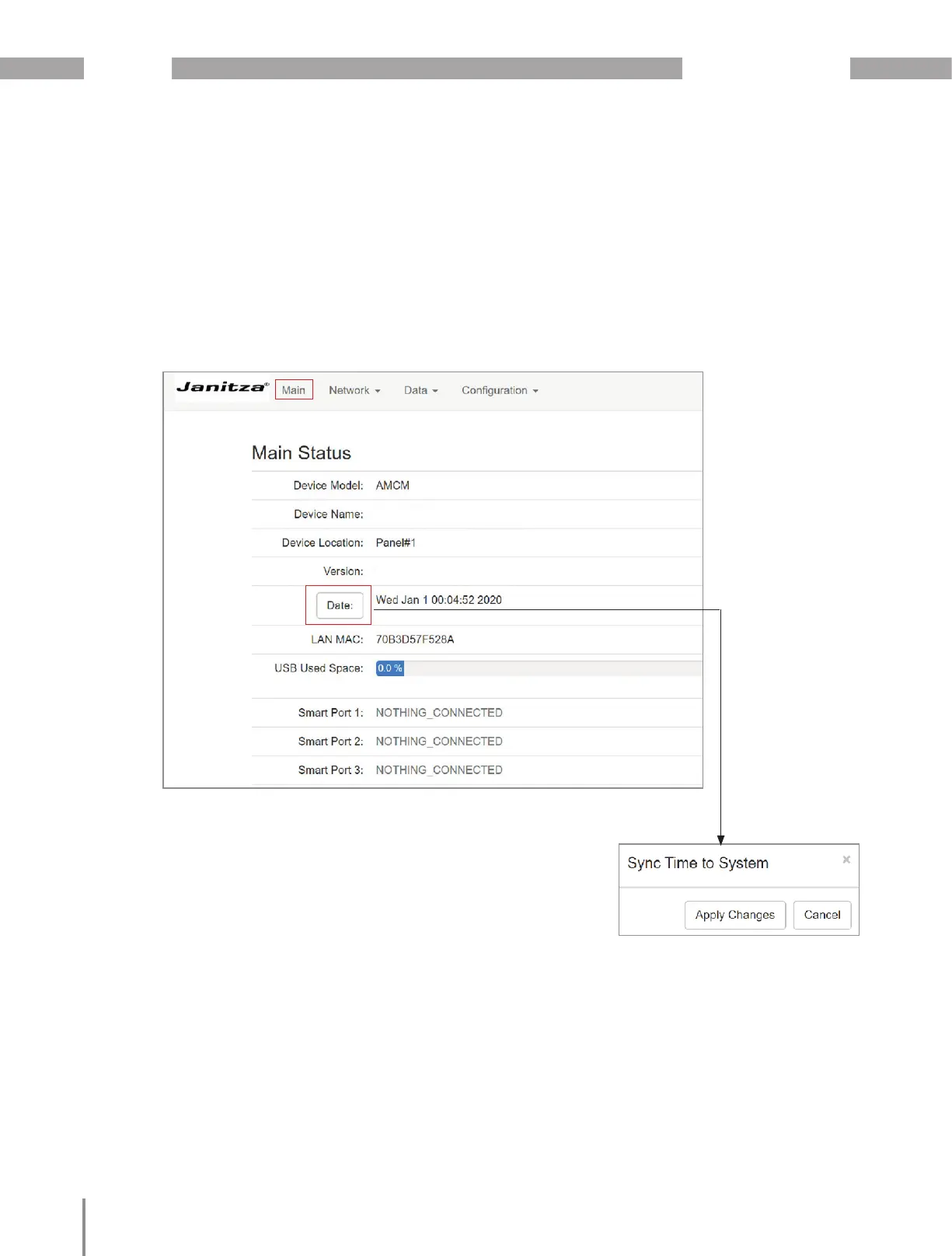
· The Date and Time can be synchronized by
clicking on the Date button in the Main Status
page.
· This reference may be changed in the config.csv
file or on the Homepage to reference the desired
NTP server.
BCMS Main Hall
BCMS Main Hall
Note:
· This will synchronize to the time reference with
the default going to time.google.com.
1.126



 To Next Page