66
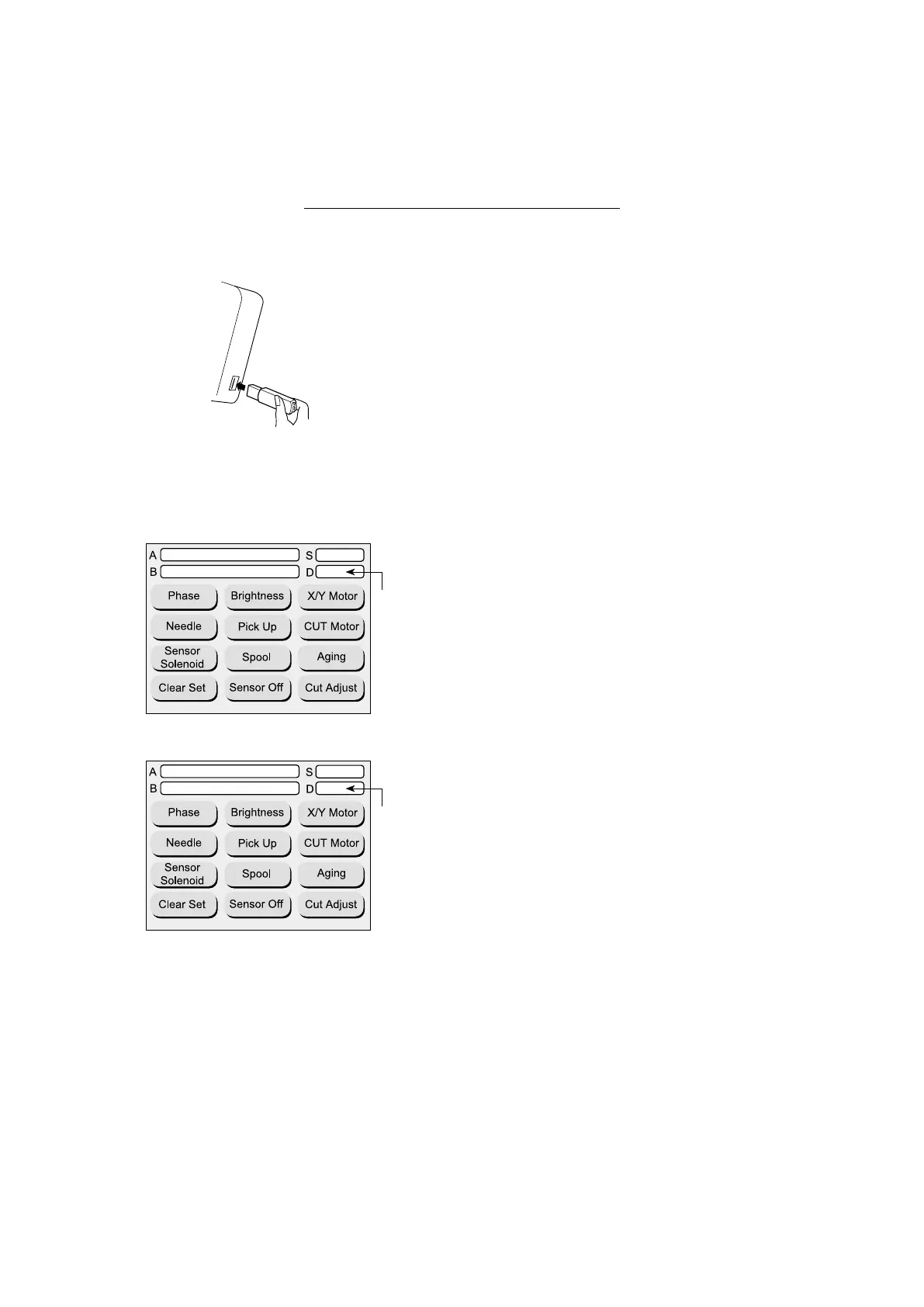
5. Make sure that the LCD display shows the version num-
ber as follows.
A: The LCD display shows “771A-A:1-2.00-002”.
B: The LCD display shows “771A-B:1-2.00-002”.
S: The LCD display shows “Ver.004”.
5
1
771A-B:1-2.00-002
771A-A:1-2.00-002
771A-B:1-3.00-005
771A-A:1-3.00-005
Ver.004
Ver.004
Instructions for Updating MB-7/eXpressive 970
(for RCS/machine)
Be sure to follow the steps in order.
1. InserttheupdatingUSBashdrive(forRCS/machine)
into the USB port of the RCS unit.
Follow the steps 1-4 of updating for machine only.
No
change
Version 2.00
Version 3.00
No
change
5. Make sure that the LCD display shows the version
number as follows.
A: The LCD display shows “771A-A:1-3.00-005”.
B: The LCD display shows “771A-B:1-3.00-005”.
S: The LCD display shows “Ver.004”.


 To Next Page