33
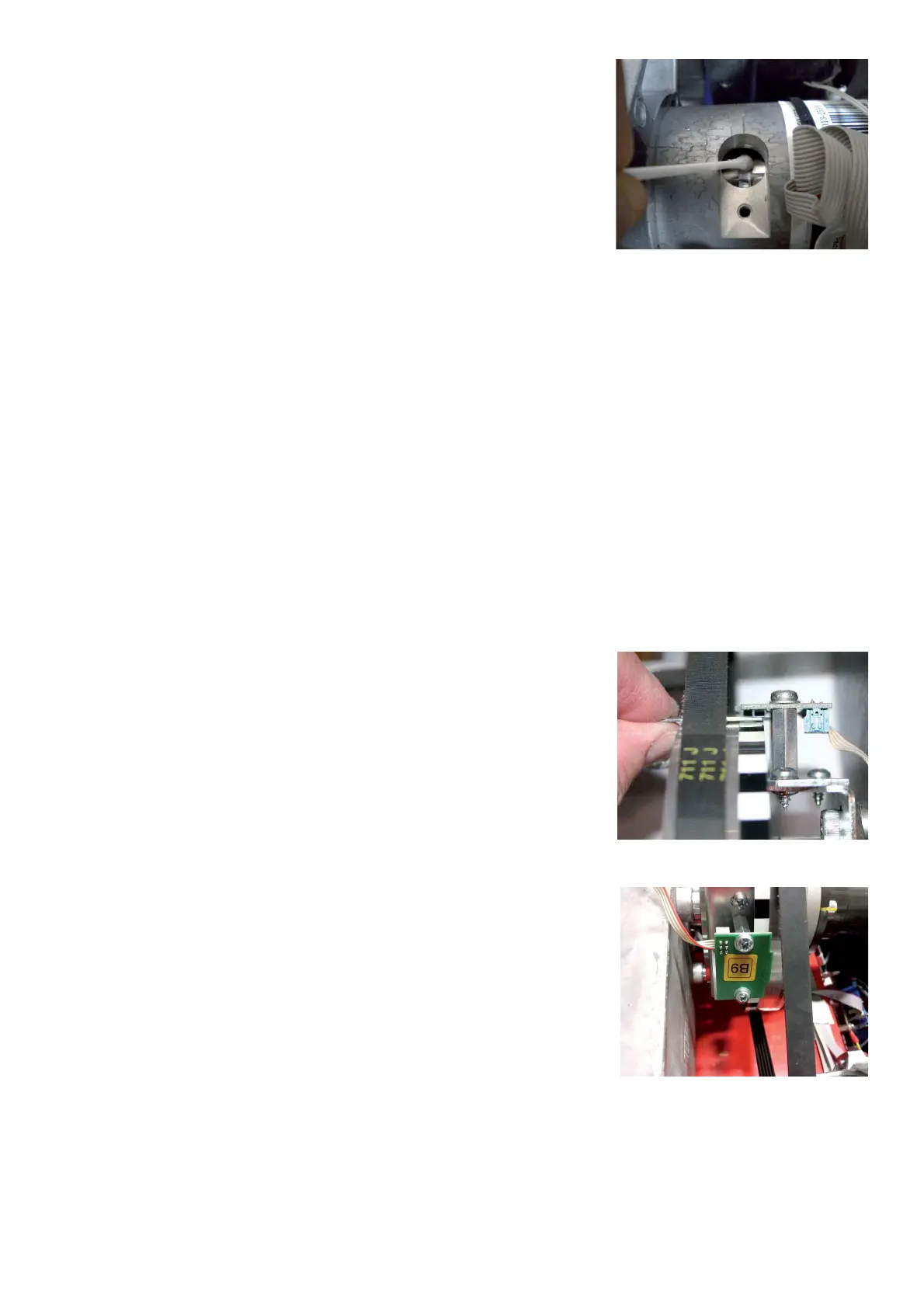
Ø Clean the polygon ring with humid or dry cotton bud. Use only water.
Do not use alcohol glass cleaner, degreaser or any other
aggressive liquids: This kind of substances are too aggressive
for the polygonal ring.
NOTE: BE CAREFUL NOT TO LET FOREIGN DEBRIS FALL INSIDE
THE TUBE.
Ø Install the encoder board.
Ø Apply again the plastic protection immediately.
Ø Connect Connector X6 onto the Optoencoder.
Ø Mount the weight tray.
Ø Perform service code C85.
4.15 CHECK AND REPLACEMENT OF ENCODER BOARD FOR POWER CLAMP
" : Medium and big Phillips screwdriver, 5mm allen key, Stop button with cable # EAW0283G09A, scissors.
6 : 1.5h
i : Defective optoencoder board may cause the following malfunctions:
1. The balancer shows error code E14.
2. The balancer shows error code E21
3. The balancer shows error code H23.
4. The balancer shows error code 0x1090 - 0x1091 - 0x1092 - 0x1093 - 0x1094 - 0x1095 - 0x1022
TO CHECK THE POWER CLAMP ENCODER BOARD
Ø Check the encoder with service code C98.
Ø Remove the weight tray.
Ø Verify if the board sensors are at 1mm above the pulley
Ø Verify if the encoder sensor read the wider strip zone.
Ø Make sure that the cable and connection are ! ne
Ø Make sure that the optoencoder is well tightened.



 To Next Page