7.3 SETTINGS
ņ34
7
yyy
yyyy
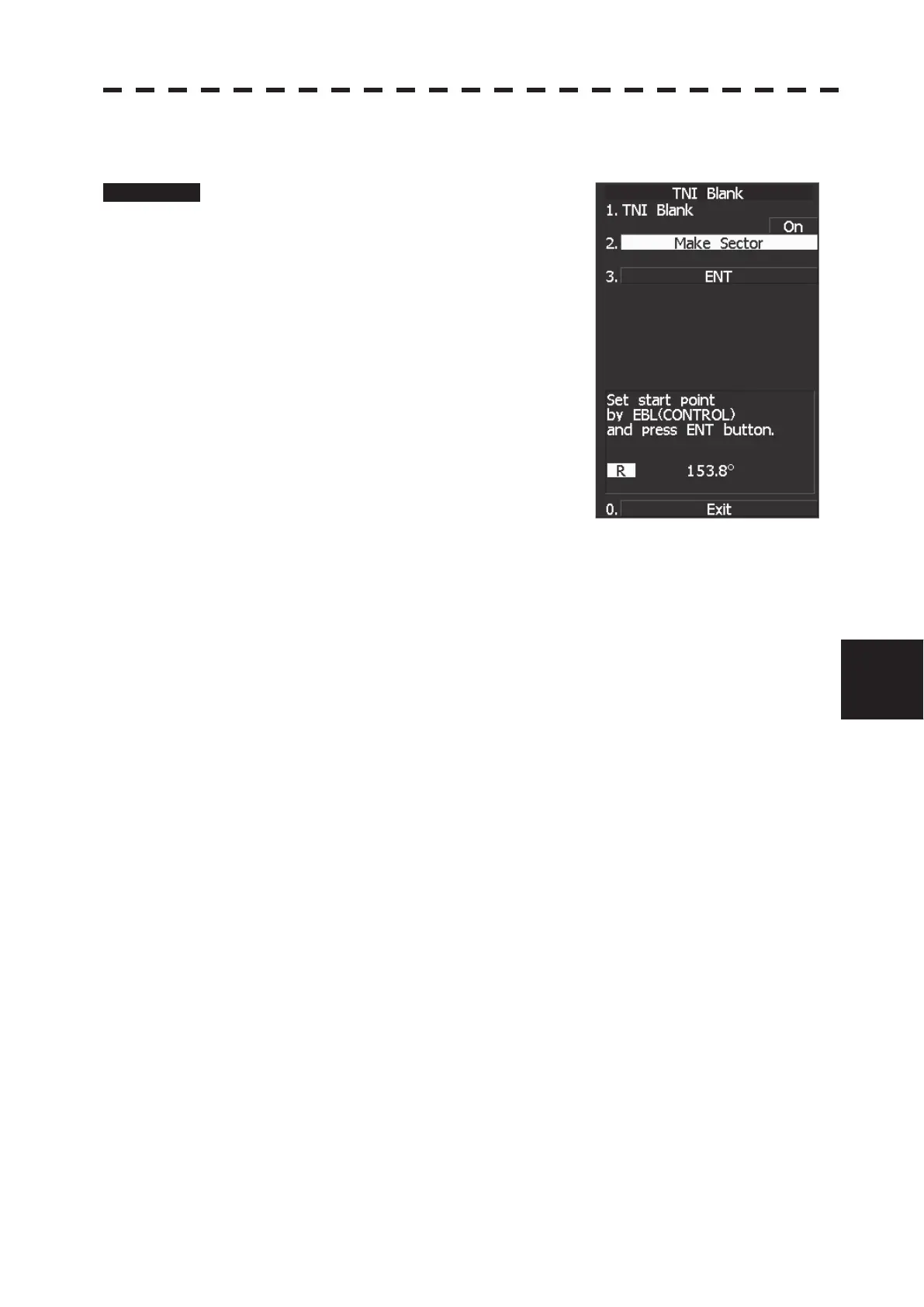
[II] TNI Blank Area Creation (Make Sector)
Procedure 1. Transmit the radar.
2 Hold down [RADAR MENU] key.
The Code Input Menu will appear.
3 Press [0] key.
4 Move the cursor onto the “ENT” button
in the Code Input menu, and press
[ENT] key.
The Adjust Menu will appear.
5 Press the following keys.
4 TXRX Setting
9 TNI Blank
2 Create sector
6 Set the starting bearing of the TNI blank by operating the [EBL] dial, and
press the [ENT] key.
7 Set the ending bearing of the TNI blank by operating the [EBL] dial, and
press the [ENT] key.
The TNI blank area is set.


 To Next Page
 Loading...