31
3 Operation and visualization
Positioning
the cursor
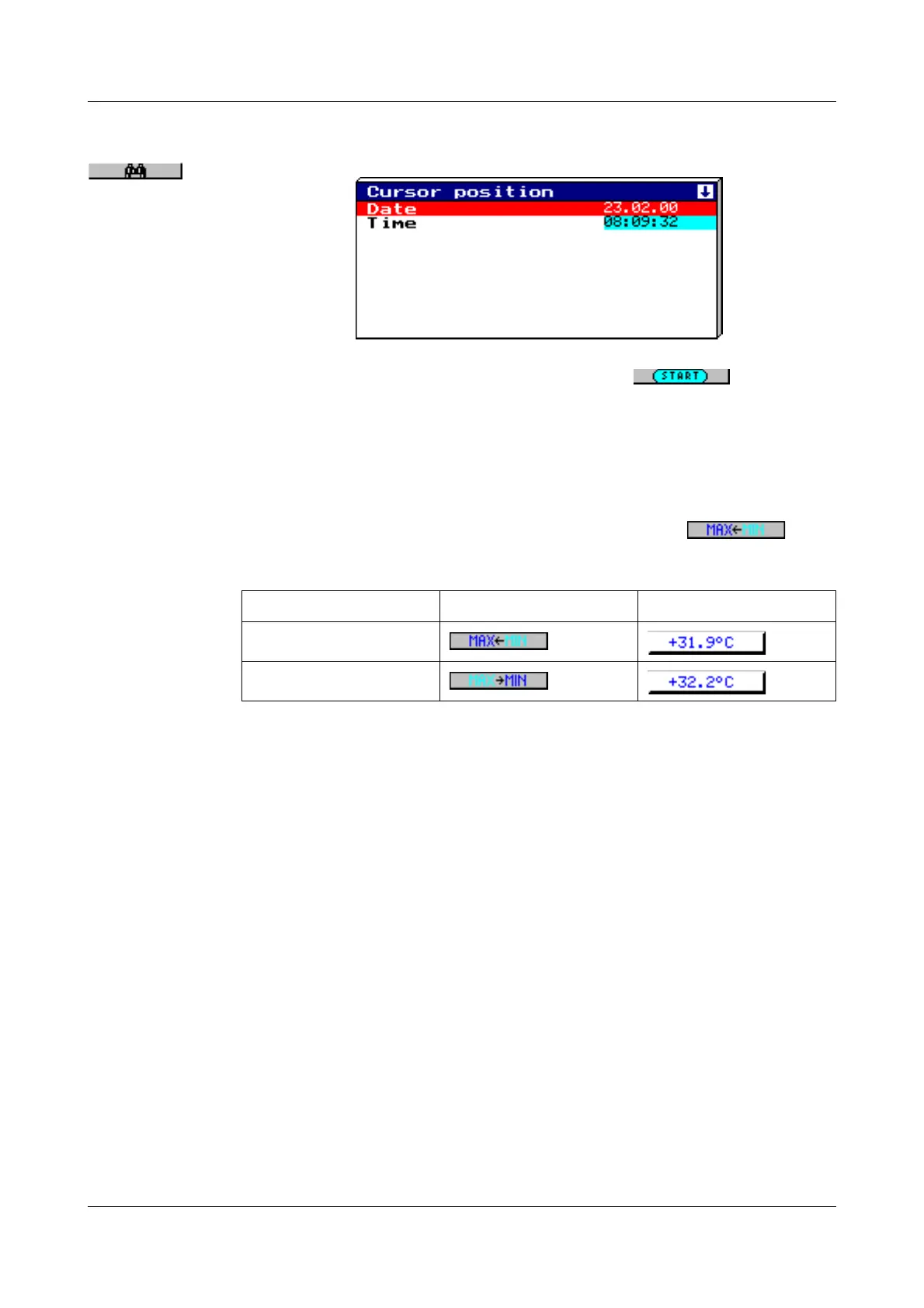
After pressing the key, the following dialog is available for positioning the cur-
sor on a specific time:
After the date and time have been entered and the key has been
pressed, the cursor is positioned on the selected time.
If no measurement data have been stored for the selected time, then the cur-
sor is positioned on the next possible time.
Peak value
acquisition
If the data have been recorded in the “peak value” mode, then two different
measurements (one minimum and one maximum value) may be displayed
graphically for one instant of time (storage rate). Using the key, it
is possible to switch between minimum and maximum value display within the
display mode “measurement”.
Peak value acquisition is programmed (activated) by the parameters:
- Configuration ➔ Measurement storage ➔ Normal display ➔ Stored value
- Configuration ➔ Measurement storage ➔ Event operation ➔ Stored value
- Configuration ➔ Measurement storage ➔ Timed operation ➔ Stored value
Further information on the “Measurement” display mode can be taken from
Chapter 3.2.1 “Diagram representation with digital display (small measure-
ment)” and Chapter 3.2.4 “Large digital display (large measurement)”.
Function key Channel line
Minimum
Maximum



 To Next Page