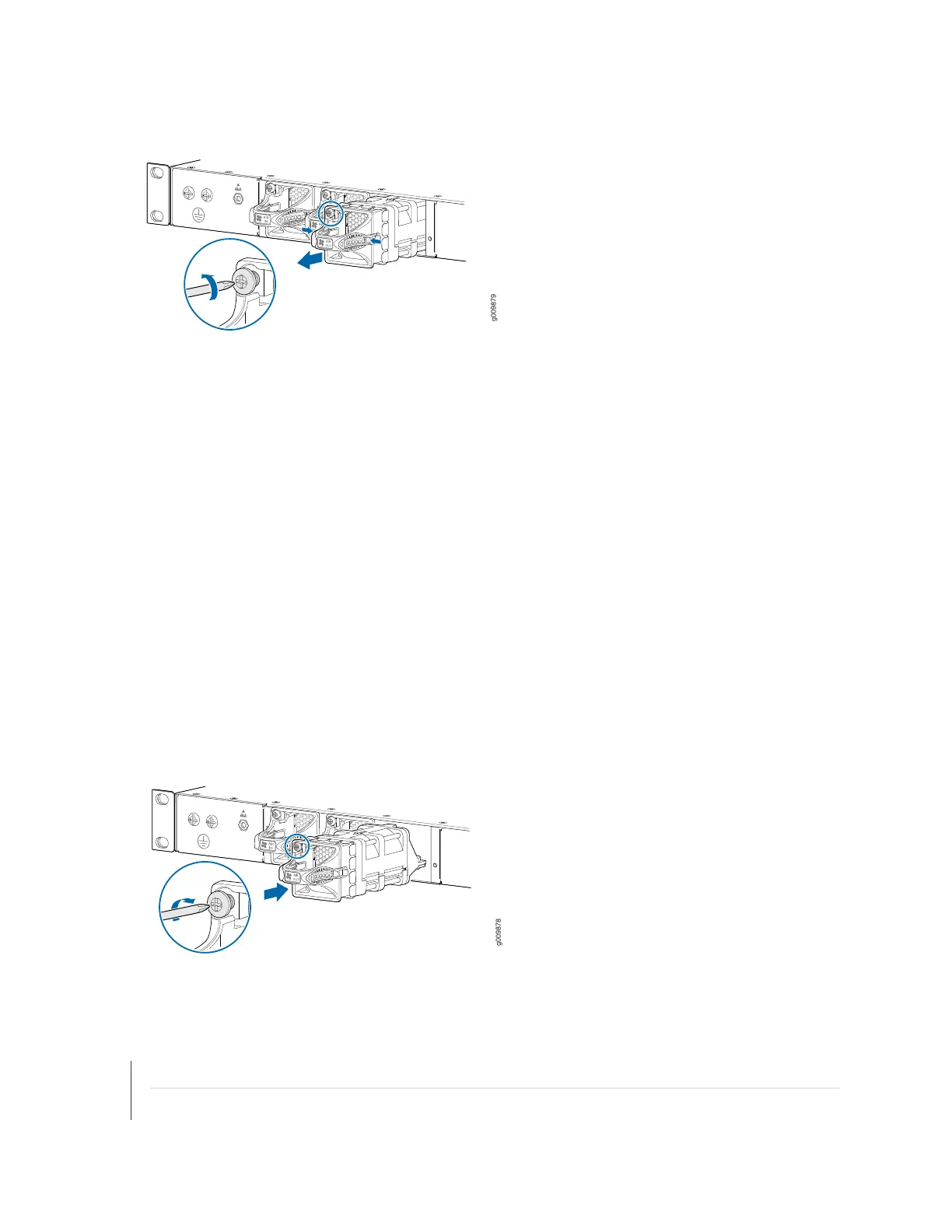
Figure 47: Removing the Fan Module
Installing an MX204 Fan Module
To install the fan module (see Figure 48 on page 125):
1. Attach an ESD grounding strap to your bare wrist and connect the strap to one of the ESD points on
the chassis.
2. Grasp the fan module by the handle, and place one hand under the fan module for support.
3. Place the fan module on the respective slot, and carefully push the fan module into the chassis until
the socket lock snaps into place and holds it.
4. Using a number-2 Phillips screwdriver, turn the locking screw on the fan module faceplate until it is
tight and secured.
Figure 48: Installing the Fan Module
SEE ALSO
MX204 Cooling System Description | 29
Prevention of Electrostatic Discharge Damage | 173
125



 To Next Page