CAUTION:
•
If you are installing more than one router in a rack, install the lowest one first. Installing
a router in an upper position in a rack or cabinet requires a lift.
•
Before front-mounting the router in a rack, have a qualified technician verify that the
rack is strong enough to support the router's weight and is adequately supported at
the installation site.
•
Lifting the chassis and mounting it in a rack requires two people (one person to hold
the router in place and a second person to install the screws). The fully loaded chassis
weighs approximately 22.7 lb (10.3 kg).
The MX204 router is designed for installation in a rack that complies with either of the following standards:
•
19-in. rack—A 19-in. (450 mm) rack as defined in Cabinets, Racks, Panels, and Associated Equipment
(document number EIA-310-D) published by the Electronics Industry Association
(http://www.ecianow.org/).
•
ETSI rack—A 21-in. (500 mm) ETSI rack as defined in the European Telecommunications Standards
Institute (ETS 300 119) published by the European Telecommunications Standards Institute (ETSI).
Based on the rack, follow the steps mentioned on the below topics to install the router:
Installing the MX204 Chassis in a 19-in. Rack
To install the router in a 19-in. rack or cabinet:
1. Position the router in front of the rack or cabinet.
2. Attach an electrostatic discharge (ESD) grounding strap to your bare wrist and to a site ESD point.
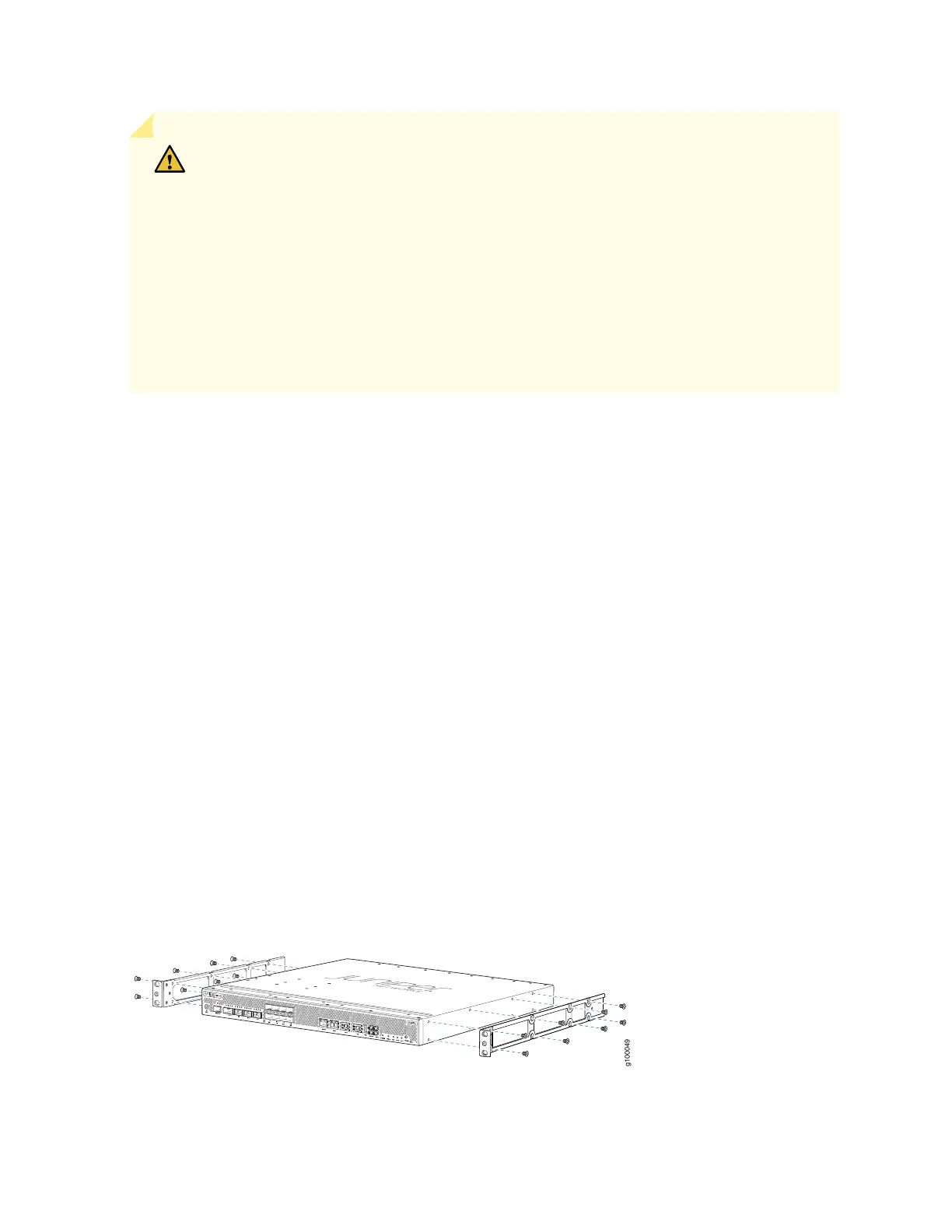
3. Align the holes in the front mounting brackets with the holes on the side of the chassis (see
Figure 20 on page 83).
Figure 20: Attaching the Mounting Brackets
83



 To Next Page