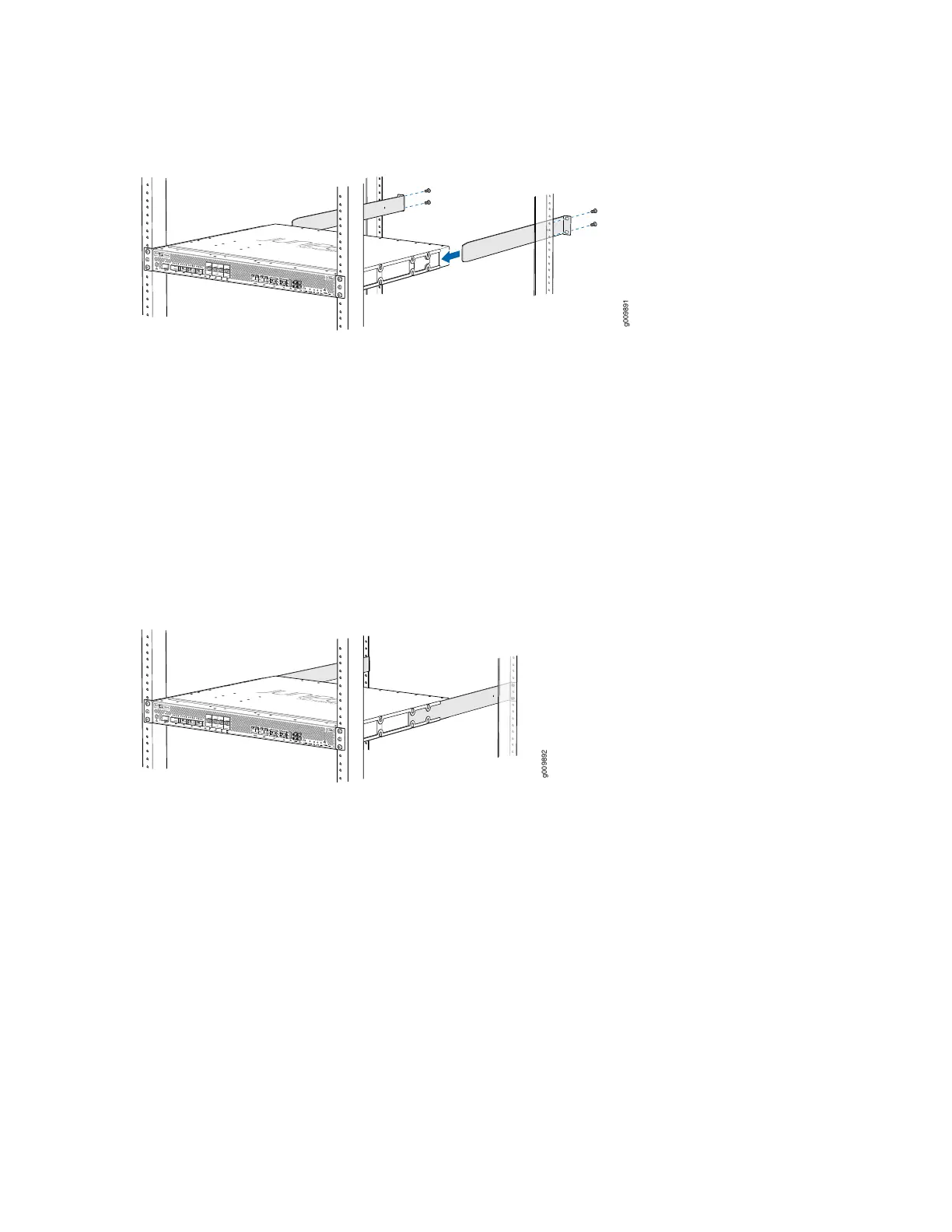
Figure 23: Installing the Rear-Mounting Brackets
9. Install mounting screws into each of the open rear-mounting holes aligned with the rack, starting from
the bottom, and secure them tightly.
10. Visually inspect the alignment of the chassis. If the chassis is installed properly in the rack, all the
mounting screws on one side of the rack are aligned with the mounting screws on the opposite side
and the router is level. Figure 24 on page 85 shows the router fully secured and installed in a four-post
rack.
Figure 24: Router Installed in the Rack
Installing the MX204 in a 21-in. ETSI Rack
The ETSI racks are little wider than the standard 19-in. rack. To install the router in an ETSI rack, you need
to install the ETSI brackets on to the router. Figure 25 on page 86 shows the ETSI brackets supported by
MX204 router.
85



 To Next Page