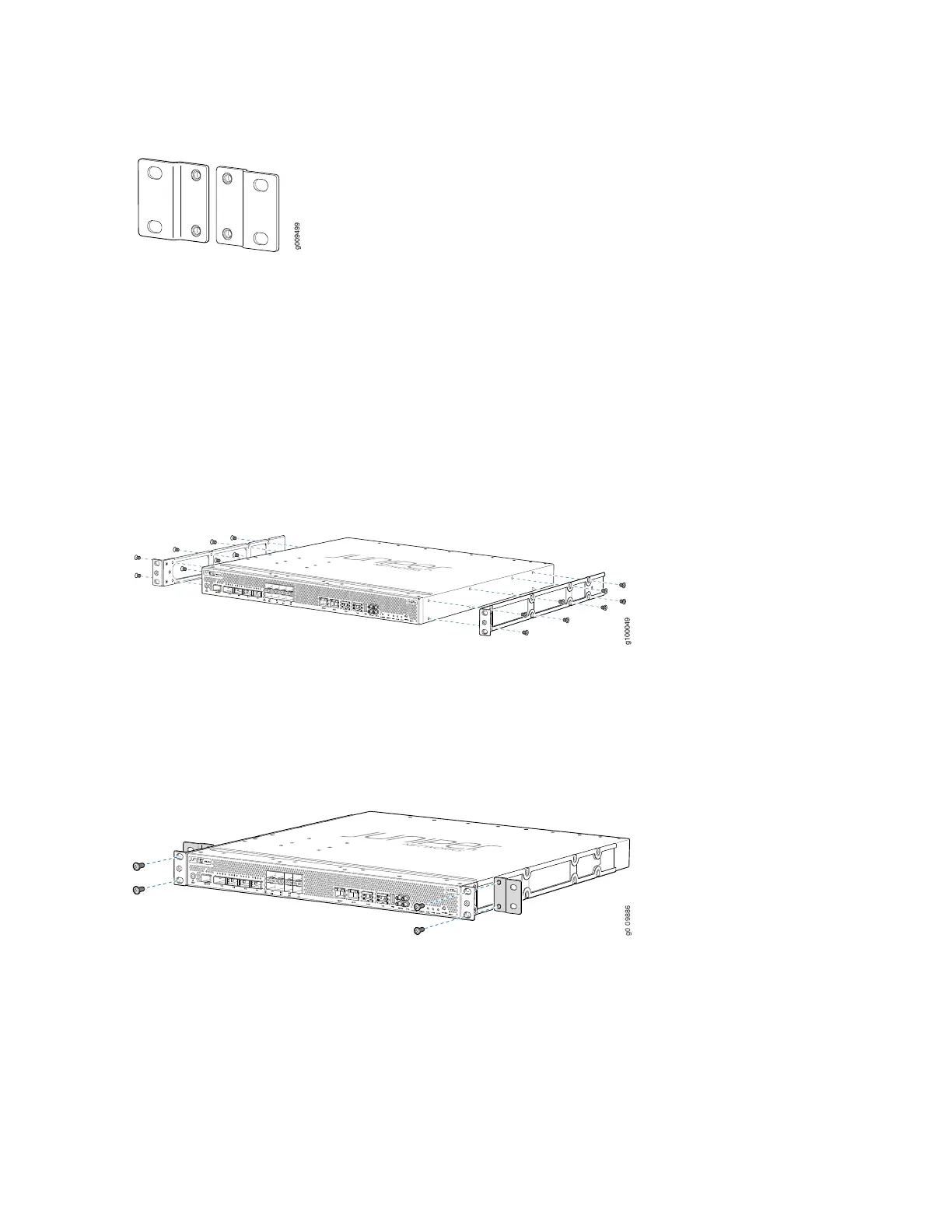
Figure 25: ETSI Brackets
To install the router in a 21-in. ETSI rack or cabinet:
1. Position the router in front of the rack or cabinet.
2. Attach an electrostatic discharge (ESD) grounding strap to your bare wrist and to a site ESD point.
3. Align the holes in the front mounting brackets with the holes on the side of the chassis (see
Figure 26 on page 86).
Figure 26: Attaching the Mounting Brackets
4. Install the two front ETSI brackets on the front-mounting brackets on each side of the chassis (see
Figure 27 on page 86).
Figure 27: Installing the Front ETSI Brackets
5. With one person on each side, hold on to the bottom of the chassis and carefully lift it so that the
mounting brackets contact the rack rails.
6. Carefully slide the router onto the mounting brackets until the front-mounting brackets attached to
the chassis contact the rack rails (see Figure 28 on page 87).
86



 To Next Page