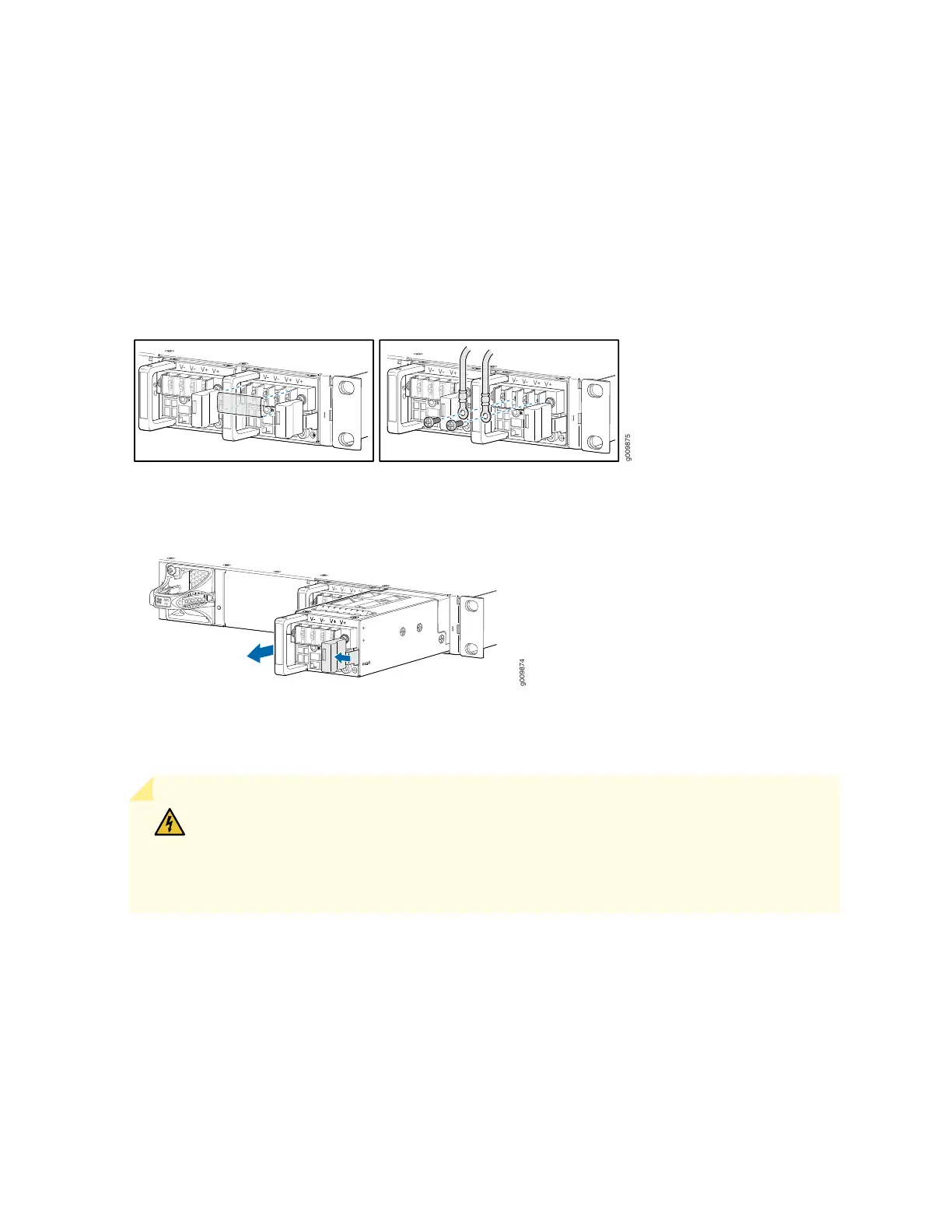
8. Carefully move the power cables out of the way.
9. Press the latch located on the DC power supply, to release it from the chassis.
10. Pull the power supply straight out of the chassis (see Figure 52 on page 132).
Figure 51: Disconnecting the DC Power Cables
Figure 52: Removing a DC Power Supply
Installing an MX204 DC Power Supply
WARNING: Before performing DC power procedures, ensure that power is removed
from the DC circuit. To ensure that all power is off, locate the circuit breaker on the panel
board that services the DC circuit, switch the circuit breaker to the off position, and tape
the switch handle of the circuit breaker in the off position.
To install a DC power supply (see Figure 53 on page 134):
1. Ensure that the voltage across the DC power source cable leads is 0 V and that there is no chance that
the cable leads might become active during installation.
2. Attach an ESD grounding strap to your bare wrist and connect the strap to one of the ESD points on
the chassis.
132



 To Next Page