NOTE: If more than one power supply is being installed, turn on all power supply modules at
the same time.
10. Observe the status LED on the power supply faceplate. If the power supply is correctly installed and
functioning normally, the status LED lights green steadily.
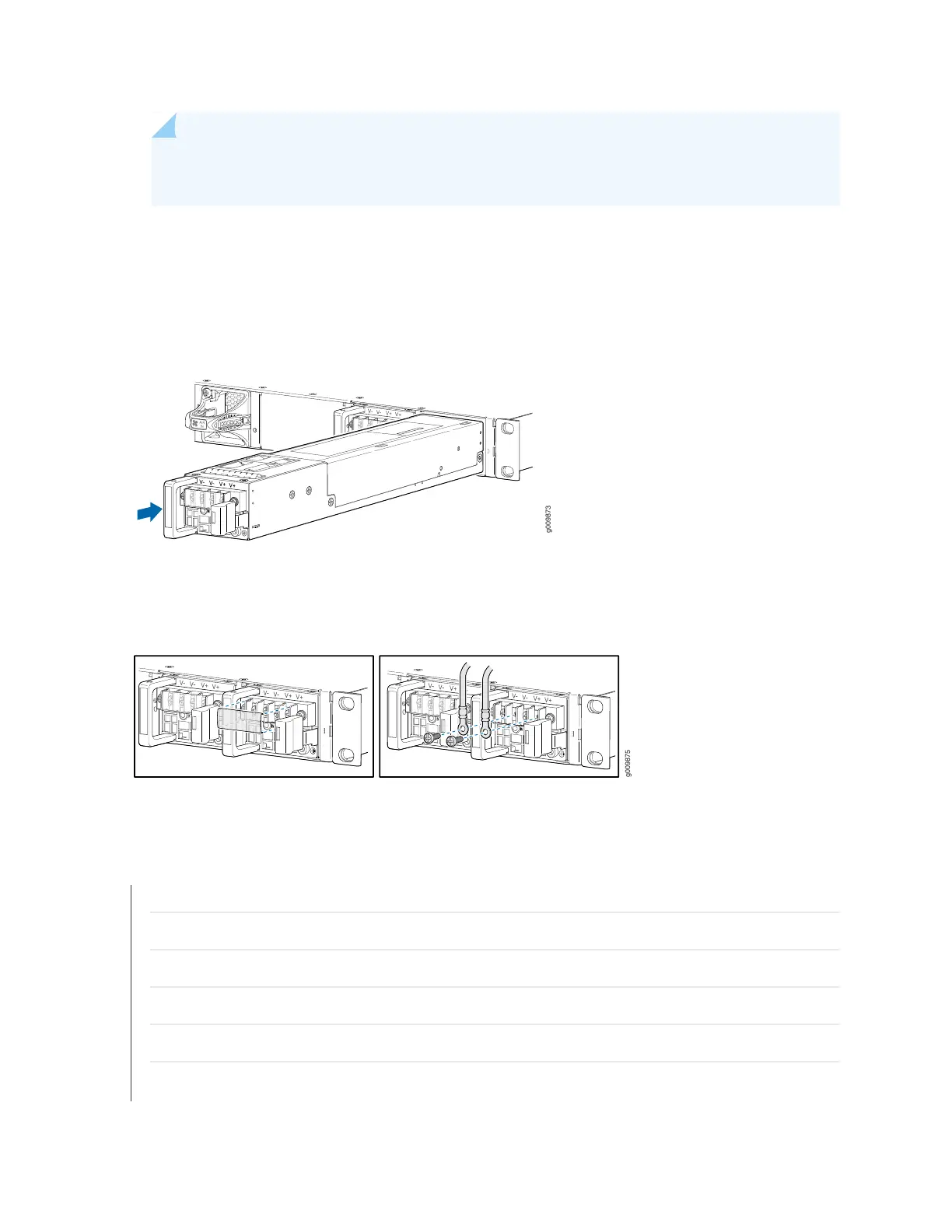
Figure 53: Installing a DC Power Supply
Figure 54: Connecting the DC Power Cables
SEE ALSO
MX204 Power System Description | 33
MX204 Router DC Power Specifications | 42
DC Power Circuit Breaker Requirements for the MX204 Router | 43
DC Power Source Cabling for MX204 Router | 44
DC Power Cable Specifications for MX204 Router | 45
Prevention of Electrostatic Discharge Damage | 173
134



 To Next Page