Appending/Deleting OK
Mark
0
You can append OK marks to the clips for
important scenes.
0
Clips appended with OK marks cannot be
deleted, thus protecting the important clips.
0
When the camera recorder is in Media mode,
you can delete the OK marks appended during
recording, or append/delete OK marks after
shooting.
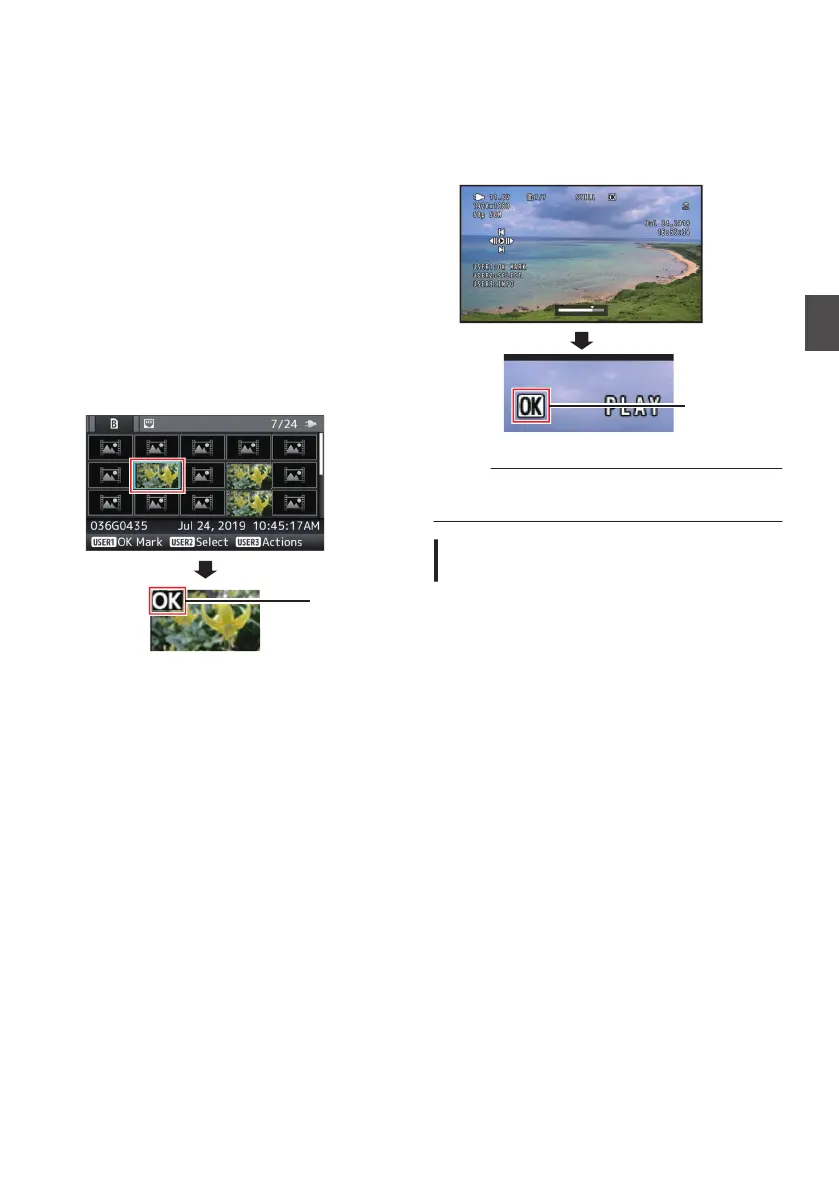
During Thumbnail Screen
1
Press the [FOCUS ASSIST/1] button.
0
If the clip does not have an OK mark, an OK
mark will be appended.
0
If the clip is appended with an OK mark, the
OK mark will be deleted.
.
During Playback or Pause Screen
1
Press [FOCUS
ASSIST/1] button during clip
playback.
0
If the clip does not have an OK mark, an OK
mark will be appended.
0
If the clip is appended with an OK mark, the
OK mark will be deleted.
.
Memo :
0
The
clip pauses when an OK mark is appended
or deleted during playback.
Appending/Deleting OK Mark of
Multiple Clips
To select and append/delete OK mark for multiple
clips, refer to “[Selecting and Performing
Operations on Multiple Clips] (A P
104)”.
Appending/Deleting OK Mark
103
Playback


 To Next Page
 Loading...