EasyManua.ls Logo

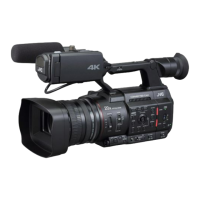
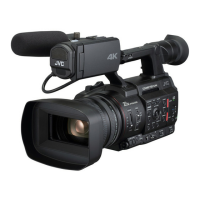
JVC GY-HC500E - User Manual

JVC GY-HC500E
268 pages
Print Icon
To Next Page IconTo Next Page
Loading...
.
4K MEMORY CARD CAMERA RECORDER
GY-HC550U/GY-HC550E/
GY-HC500U/GY-HC500E/GY-HC500SPCU
INSTRUCTIONS
.
.
Wireless LAN antenna is not included in GY-HC500U/GY-HC500E/GY-HC500SPCU.
The specifications and appearance of this product are subject to changes for further improvement
without prior notice.
Please check the latest version of the INSTRUCTIONS from the following Mobile User Guide. You can
also download the PDF from the Mobile User Guide.
Mobile User Guide
When you are outside, you can refer to the instructions from your Android phone or iPhone.
http://manual3.jvckenwood.com/pro/mobile/global/
You can view the Mobile User Guide using the browser on your Android phone or iPhone.
Thank you for purchasing this product.
Before operating this unit, please read the
instructions carefully to ensure the best possible
performance.
In this manual, each model number is described
without the last letter (U/E) which means the
shipping destination.
(U: for USA and Canada, E: for Europe)
Only “U” models (GY-HC550U/GY-HC500U/
GY-HC500SPCU) have been evaluated by UL.
Please read the following before getting started:
For Customer Use:
Model No.
Serial No.
Enter below the Serial No. which is located
on the body.
Retain this information for future reference.
GY-HC550U/GY-HC500U/GY-HC500SPCU
IM 1.05 B5A-2966-20

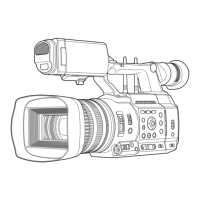
Table of Contents

Questions and Answers

  • C
    Chris DanielSep 8, 2025
    How to fix JVC GY-HC500E GPS signal cannot be received?
    • J
      James WalkerSep 8, 2025
      Signal reception from GPS satellites may be affected by buildings or trees. Try positioning in an unobstructed location with a clear view. Weather conditions such as cloudy or rainy days can also affect radio wave reception.
  • J
    Jonathan PerkinsAug 23, 2025
    What to do if JVC GY-HC500E Camcorder images on the LCD monitor and viewfinder screen appear dark or blurred?
    • M
      Monica SmithAug 23, 2025
      If the images on the LCD monitor and viewfinder screen appear dark or blurred, try these steps: Readjust the brightness of the LCD monitor and viewfinder. Check if the [ND FILTER] switch is set to “1/64”. Make sure the iris is not closed, the shutter speed setting is not too high, and the peaking level is not too low. Use the [PEAKING +/-] button to adjust the contour for the LCD monitor and the viewfinder screen.
  • J
    Joseph JacksonAug 25, 2025
    How to fix JVC Camcorder camera image not output on the LCD monitor and viewfinder screen?
    • P
      Pamela JacksonAug 25, 2025
      If the camera image is not output on the LCD monitor and viewfinder screen, ensure the camera recorder is set to the Camera mode using the [MODE] selection button. Remember that the LCD monitor and viewfinder screens cannot be displayed simultaneously. To display the viewfinder screen, close the LCD monitor or press and hold the [DISPLAY] button.
  • H
    hannah90Aug 26, 2025
    What to do if my JVC GY-HC500E Camcorder is unable to start recording?
    • B
      bwardAug 26, 2025
      If you're unable to start recording, check the following: Ensure the record trigger button/lock switch on the handle is turned on. Verify the write-protect switch of the SD card is turned off. Confirm the camera recorder is set to the Camera mode using the [MODE] selection button. Check if the SD card inserted is compatible with the recording format.
  • I
    Ian StevensAug 27, 2025
    What to do if the wireless LAN is disconnected on my JVC Camcorder?
    • K
      Katherine WestAug 28, 2025
      The wireless LAN may be disconnected depending on the environment. Try changing the usage environment or connect via wired LAN.
  • A
    Allison KingSep 22, 2025
    Why the clips cannot be uploaded to the FTP server from my JVC Camcorder?
    • H
      hayersSep 22, 2025
      Adjust the [Clip Server] settings. If a file size limit is set in the FTP server, set the size limit such that it is larger than the maximum size of the recorded clip. Take necessary action as described in “[List of FTP Transfer Errors] (A P 249).”
  • S
    Shane HowellSep 16, 2025
    Why the position is not accurate on my JVC Camcorder?
    • D
      dalekaufmanSep 16, 2025
      The precision error may be up to hundreds of meters if the GPS signal is weak or reflected off surrounding buildings.
  • K
    Kevin DavisSep 18, 2025
    Why the actual recording time is shorter than the estimated time on my JVC GY-HC500E?
    • S
      Shelly KingSep 18, 2025
      The recordable time may be shorter depending on the shooting conditions or the subject.
  • A
    Aaron BentleySep 7, 2025
    Why the time code and user’s bit are not displayed on my JVC GY-HC500E Camcorder?
    • W
      whitney91Sep 7, 2025
      The time code and user’s bit may not be displayed depending on the type of display, even in Camera mode or Media mode. Check if [LCD/VF] B [Display On/Off] B [TC/UB] is set to “Off”. To display the date and time, set it to “On.”
  • D
    Dennis CarsonSep 4, 2025
    Why the [CH1/CH2] recording level adjustment knob does not work on JVC GY-HC500E?
    • C
      Christopher WeberSep 4, 2025
      The [CH1/CH2] recording level adjustment knob may not work if the [CH1/CH2 AUTO/MANUAL] switch is set to “AUTO”, or if the [FULL AUTO] switch is set to “ON”, and [A/V Set] B [Audio Set] B [FULL AUTO] is set to “Auto”.

JVC GY-HC500E Specifications

General IconGeneral
BrandJVC
ModelGY-HC500E
CategoryCamcorder
LanguageEnglish

Related product manuals