Loading a Setup File
1
Display the [Setup File] menu.
Select [System] B [Setup File
] and press the
Set button (R).
(A P154 [ Setup File ] )
2
Select [Load File] and press the Set button
(R).
3
Select [Picture File], [User File] or [All File],
and press the Set button (R).
The existing files are displayed.
4
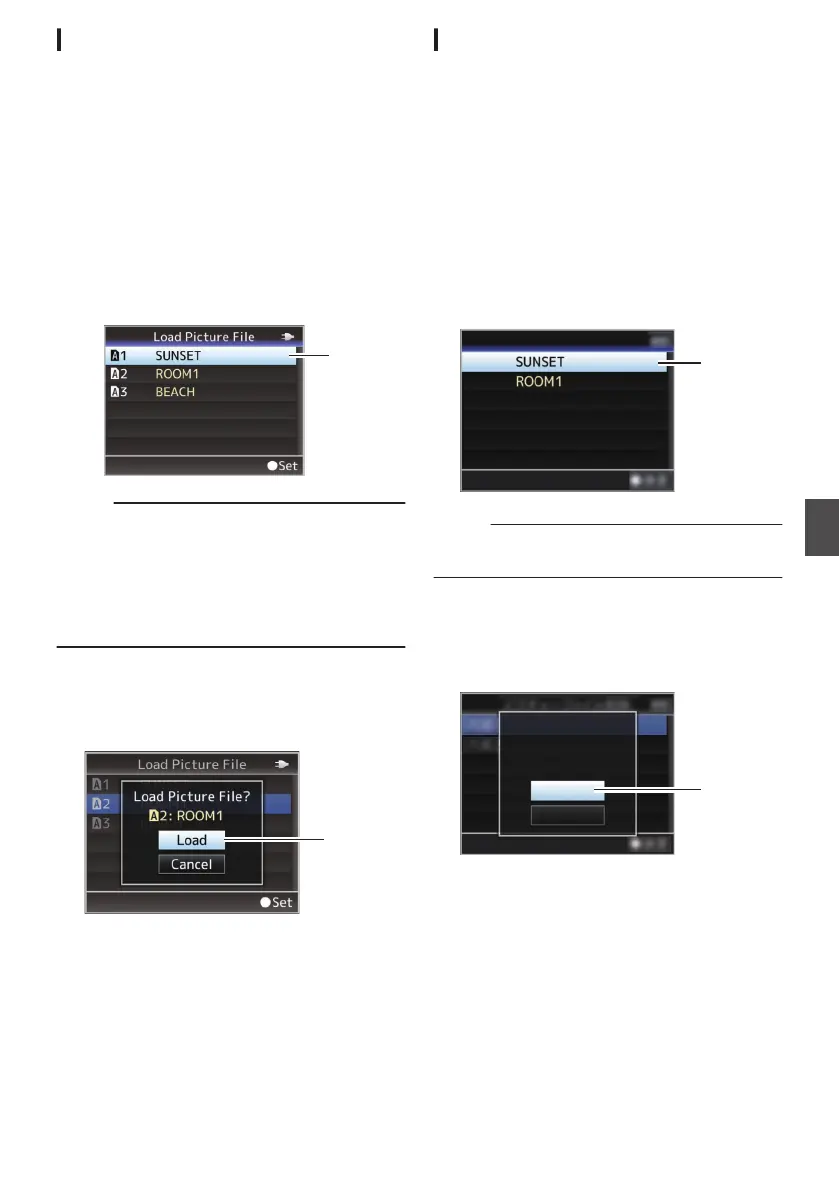
Select the file to load using the cross-
shaped button (JK), and press the Set
button (R).
.
Memo :
0
When
the write-protect switch of the inserted SD
card is set, a z mark appears beside the SD
card icon. Setup files can be loaded from an SD
card even if the write-protect switch is set.
0
Setup
files that are completely incompatible will
not be displayed.
(A P179 [Configuring Setup Files] )
5
Select [Load] on the confirmation screen,
and press the Set button (R).
Loading starts, and “Loading...” appears
on the
screen.
.
6
Reading is complete.
After reading of the file is complete, “Complete
”
appears on the screen, and the menu screen
closes automatically.
Deleting Setup Files
1
Display the [Setup File] menu.
Select [System] B [Setup File
] and press the
Set button (R).
(A P154 [ Setup File ] )
2
Select [Delete
File] and press the Set button
(R).
3
Select [Picture File], [User File] or [All File],
and press the Set button (R).
The existing files are displayed.
4
Select the file to delete using the cross-
shaped button (JK), and press the Set
button (R).
.
4
CAM2
CAM1
Delete Picture File
Memo :
0
Setup File saved on the SD card cannot be
deleted.
5
Select [Delete] on the confirmation screen,
and press the Set button (R).
Deletion starts, and “Deleting...”
appears on the
screen.
.
:SUNSET
5
Cancel
Delete
CAM1
Delete Picture File?
6
Deletion is complete.
After file deletion is complete, “Complete”
appears on the screen.
Configuring Setup Files
181
Camera Features


 To Next Page
 Loading...