16.2 Fault Diagnosis
Noise in the Crankcase
Engine stops automatically
Spare pars falling off or broken in the crankcase
Stuck clutch
16.3 Crankcase
16.3.1 Crankcase Removal
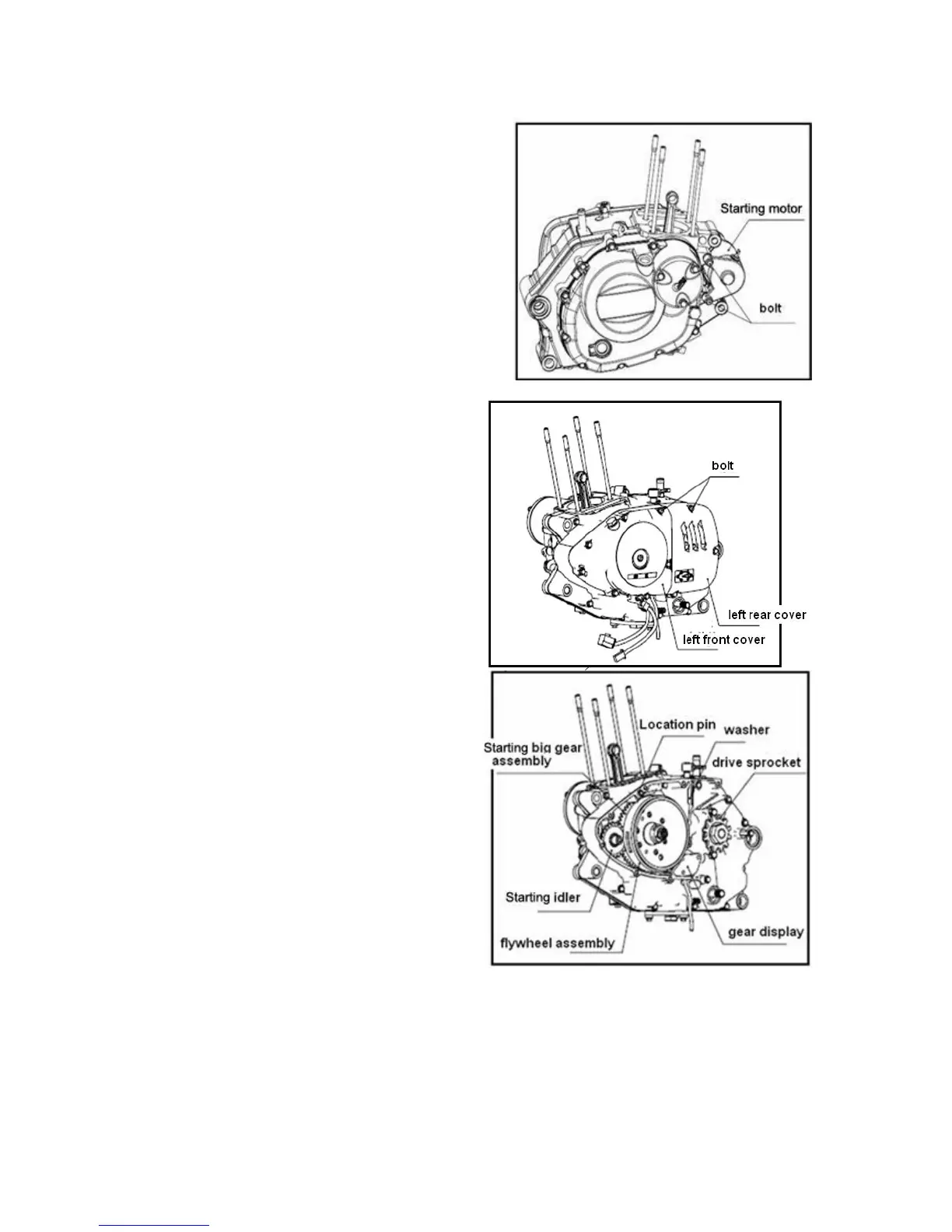
Screw off starting motor mounting bolts,and remove
starting motor.
Release starting motor gear chamber cover mounting
bolt and remove gear chamber cover.
Remove starting motor gear, needle bearing and washer.
Screw off bolts on left front cover and left rear cover of
crankcase.
Remove left front cover and left rear cover.
Remove starting motor idle gear.
Remove washer and location pin.



 To Next Page
 Loading...