Voicetron
REVERB
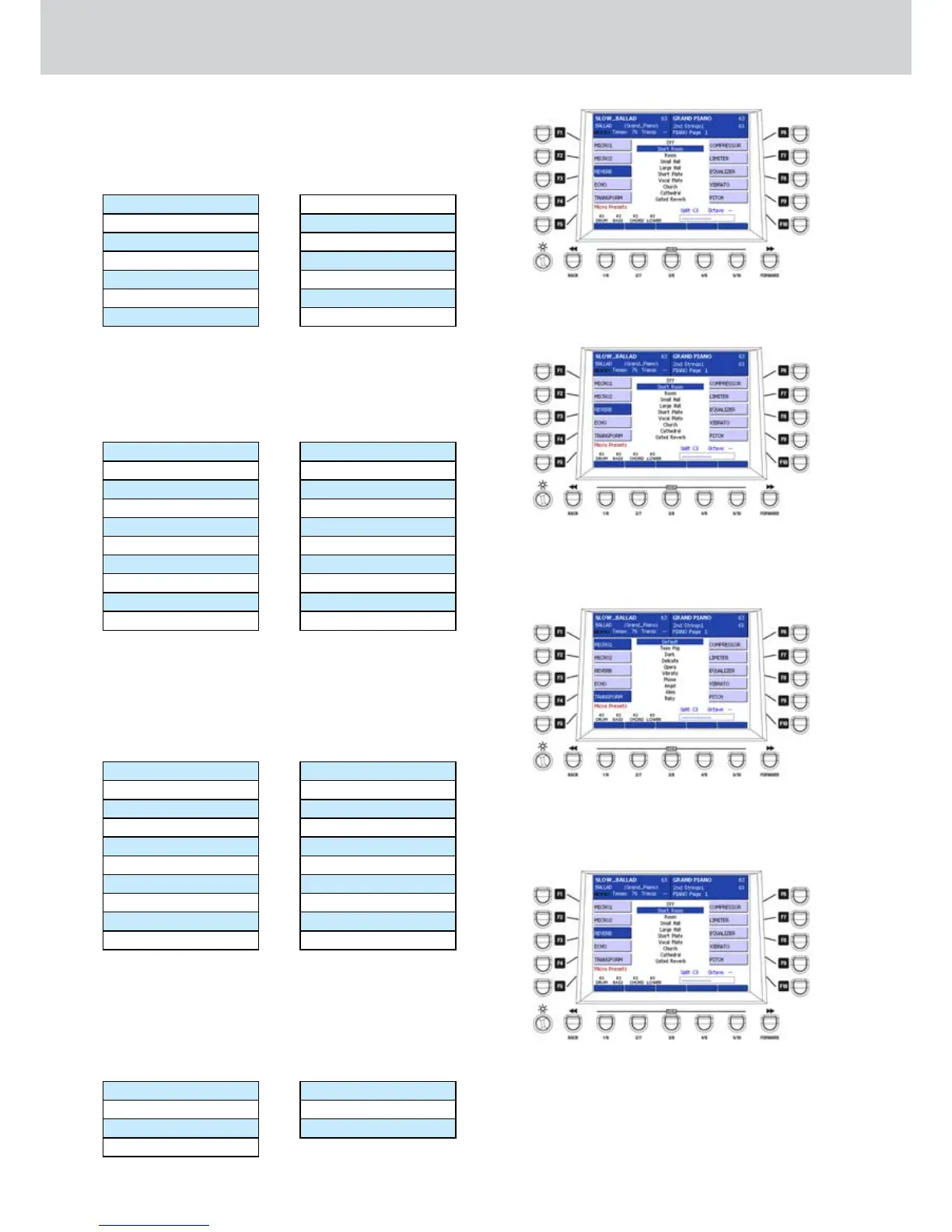
By selecting the F3 button a REVERB screen like
Figure 294 will appear where you can choose one
of the available reverbs by using the CURSOR § ¶
buttons or the DATA/VALUE wheel:
Off (nessun effect)
Short Room
Room
Small Hall
Large Hall
Short Plate
Vocal Plate
Church
Cathedral
Gated Reverb
Gated Plate
User1
User2
User3
ECHO
By selecting the F4 button a ECHO screen like Figure
295 will appear where you can choose one of the
available Echo effects by using the CURSOR § ¶
buttons or the DATA/VALUE wheel:
Off (nessun effect)
Mono
Stereo
Mono 3/4
Stereo 3/4
Mono 4/4
Stereo 4/4
Mono Triplet
Stereo Triplet
Mono Tap
Stereo Tap
Mono 3/4 Tap
Stereo 3/4 Tap
Mono 4/4 Tap
Stereo 4/4 Tap
Mono Triplet Tap
Stereo Triplet Tap
User1
User2
User3
TRANSFORM
By selecting the F5 button a TRANSFORM screen
(only for MICRO1) like Figure 296 will appear where
you can choose one of the available Transform effects
by using the CURSOR § ¶
buttons
or the DATA/
VALUE wheel:
Default
Teen Pop
Dark
Delicate
Opera
Vibrato
Phone
Angel
Alien
Baby
Cartoon
Nasal
Strange
Bariton
Deep
Girl
Drunk
User1
User2
User3
COMPRESSOR
By selecting the F5 button a COMPRESSOR screen
(only for MICRO1) like Figure 297 will appear where
you can choose one of the available compressors by
using the CURSOR § ¶
bu
t
tons
or the DATA/VALUE
wheel:
Off
-18 dB 2:1
-15 dB 3:1
-18 dB 5:1
-21 dB 7:1
-24 dB 12:1
User
Figure 294
Figure 295
Figure 296
Figure 297



 To Next Page