Program
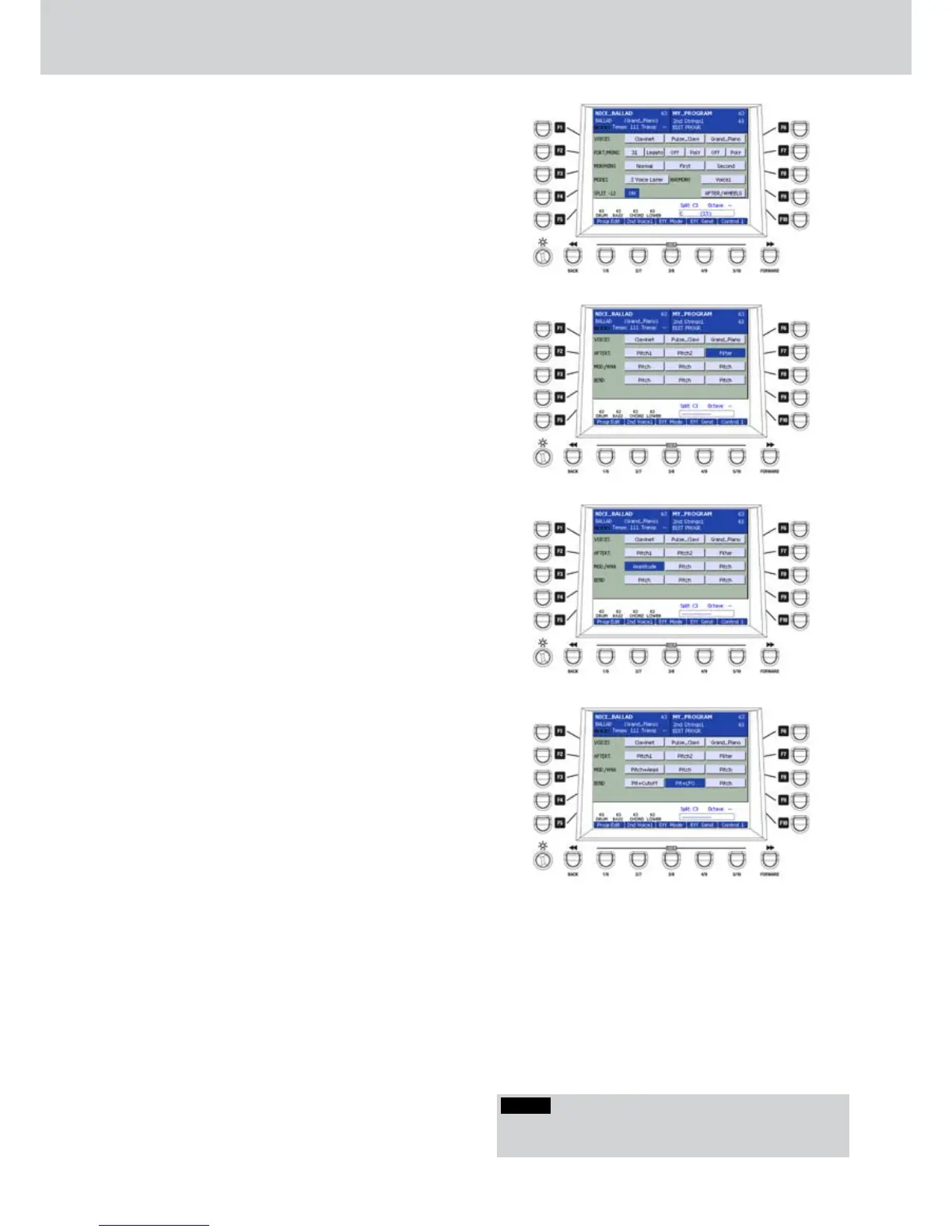
F5–SPLIT -12 (ON/OFF) (
•
Figure 99): you can
enable/disable the SPLIT to -12 semitones
function. That is, when SPLIT mode is set, the
RIGHT hand will sound a -1 octave, instead, when
PIANIST mode is set, the keyboard will sound the
original octave.
F10–AFTER/WHEELS: opens a further edit
•
window for the Aftertouch and of Modulation
Wheel parameters.
AFTER/WHEELS
From the AFTER/WHEELS window you can
•
modify the parameters using the F1... F10
buttons. Once you have selected the parameter,
the value can be modified by using the DATA/
VALUE wheel or the CURSOR Ó Á buttons.
F1/F6–VOICES: you can assign up to three
•
VOICES to the same PROGRAM, as already seen
in the first PROGRAM EDIT screen.
F2/F7–AFTERT. (
•
Figure 100): you can assign an
Aftertouch control to each instrument. If stored
in the PROGRAM and then enabled in Aft&Port
Autoswitch (Menu > Keyboard Control >
Aftertouch) you can activate it from the button on
the front panel.
For example:
Pitch1, Pitch2: changes the pitch
Filter: changes the filter
Amplitude: changes the amplitude
Cutoff: changes the cutoff of the filter
Pit+Cutoff: changes pitch and cutoff
Pitch+Filt: changes pitch and filter
Pitch+Ampl: changes pitch and amplitude
Pit+Fil+Amp: changes pitch, filter and amplitude
Pi+Fi+Am+Cut: changes pitch, filter, amplitude
and cutoff
Slide 1, Slide 2, Slide 3, Slide 4: applies a slide
effect
Slide Bend: applies a note bending
Soft Pitch: applies a slight untuning
By pressing the CURSOR Ó Á buttons together
you can switch the parameter OFF.
F3/F8–MOD/WHA (
•
Figure 101): you can assign
a Modulation wheel control to each VOICE. For
example:
Pitch: changes the pitch
Filter: changes the filter
Amplitude: changes the amplitude
Cutoff: changes the cutoff of the filter
Pit+Cutoff: changes pitch and cutoff
Pitch+Filt: changes pitch and filter
Pit+Fil+Amp: changes pitch, filter and amplitude
Wha To Pedal: applies a wha-wha effect to the
pedal
Wha To Wheel: applies a wha-wha effect to the
wheel
F4/F9–BEND (
•
Figure 102): you can assign a
Bend control to each VOICE. For example:
Pitch: changes the pitch
Pit+Ampl.: changes the pitch and the amplitude
Pit+Cutoff: changes pitch and cutoff
Pit+Amp+Cutt: changes pitch, the amplitude and
the cutoff
Pit+TVF: changes pitch and the envelope of the
filter
Pit+LFO: changes pitch and LFO amount
Figure 99
Figure 100
Figure 101
Figure 102
NOTE
You can activate wha-wha effect as User Assignable
control.



 To Next Page