Program
F1/F6–VOICES: you can assign up to three
•
VOICES to the same PROGRAM, as already seen
in the first PROGRAM EDIT screen.
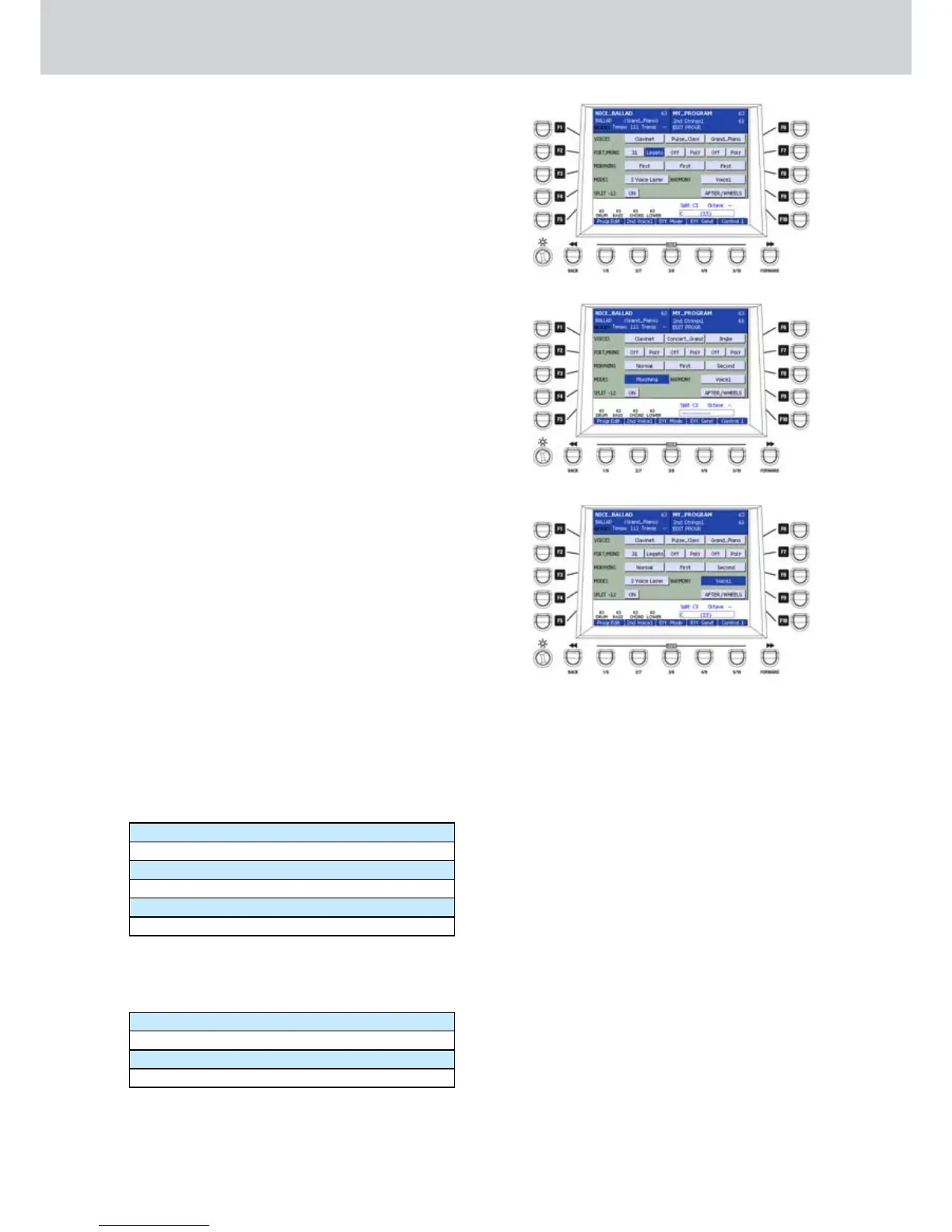
F2/F7–PORT/MONO (
•
Figure 96): you can set the
PORTAMENTO time with choosing values from 5
to 127. By pressing the CURSOR Ó Á buttons
together you set the value to OFF.
When the portamento is OFF you can set the
MONO or POLY mode for the VOICE.
When you set the portamento to any value
between 5 and 127, the portamento can be
set to LEGATO or POLY: on the first case the
portamento acts on the sound in “legato” mode,
until a note is released.
In the second case, it acts in polyphonic manner,
retriggering the portamento every time a note is
played.
If the PORTAMENTO effect is stored in one
PROGRAM and enabled by the Aft&Port
Autoswitch parameter (Menu > Keyboard Control
> Aftertouch) you can activate it from the button
on the front panel.
F3/F8–MORPHING (
•
Figure 97): you can set the
Morphing modes from one VOICE to another
choosing one of the NORMAL, FIRST and
SECOND parameters. The MORPHING will affect
the sound by moving the Modulation Wheel, with
the wording MORPHING in blue.
You can set the MORPHING effect between two
or three VOICES by changing the MODES to
MORPHING or MORPH. COUPLING (see below).
F4–MODES: by using this parameter you can
•
choose the interaction modes between the
VOICES. For example, if you select MORPHING,
you can move the Modulation Wheel and the
sound of the (FIRST) VOICE will morph gradually
to the (SECOND) VOICE. If the parameter is set
to NORMAL no MORPHING will be applied to that
VOICE. Further interaction parameters between
the VOICES are:
3 Voice Layer
Duet 1, Duet 2
Trio 1, Trio 2
Steel
Double
2 Hands
F9–HARMONY (Figure 98): you can set the
harmonization type choosing from th following
parameters:
Voice1
Voice2
Voice3
Off
Figure 96
Figure 97
Figure 98
Duet1, 2 mode
When you select DUET, you can set one VOICE to
FIRST and the other to SECOND. If you play one
single note only the VOICE set to FIRST will sound,
while the SECOND will sound only if you play two or
more notes.
1, 2 changes the speed of playing notes.
Trio1, 2 mode
As above but with three notes.
Steel mode
It’s a particular Pitch Bend control on the voices. The
Pitch Bend acts only on the lower played note.
Double and 2 Hands mode
They are the copy of the Double and Harmony-2
Hands buttons on the panel. By recalling one VOICE,
you can automatically activate the functions stored in
the VOICE.



 To Next Page