BASS
▀
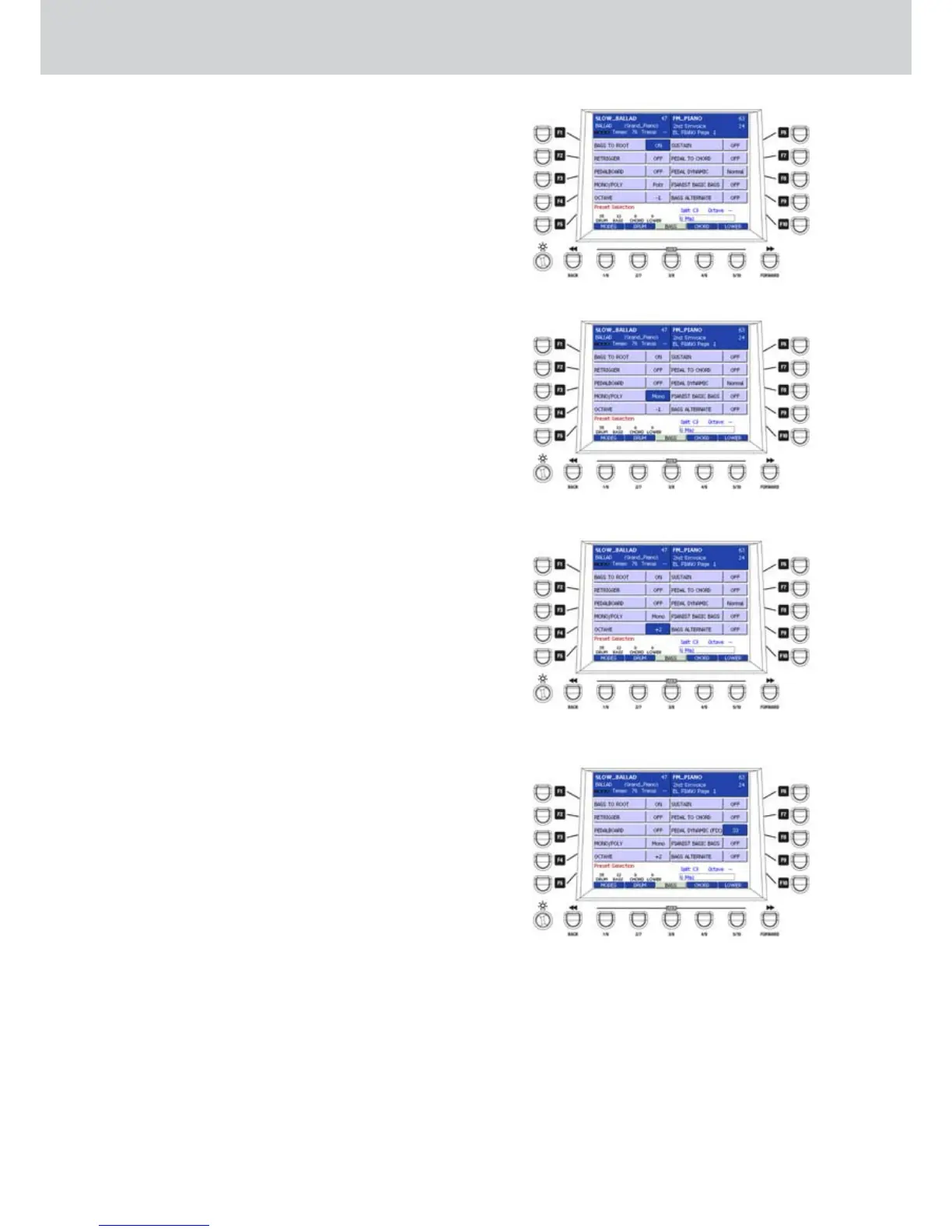
The USER 3 button (BASS) opens the edit window •
for the bass part of the Arranger. By using the F1-
F10 buttons you can set the following options:
F1–BASS TO ROOT: (Figure 154) brings all the
automatic bass notes to the root of the recognized
chord.
F2–RETRIGGER: the bass re-triggers by using the
root note each time the chord is recognized.
F3–PEDALBOARD: enables the functionality of
the bass MIDI pedalboard.
F4–MONO/POLY: (Figure 155) sets the
monophonic or polyphonic behaviour of the
manual bass and the pedalboard.
F5–OCTAVE: (Figure 156) octave selection for the
manual bass and for the pedalboard, within +/- 2
octaves range.
F6–SUSTAIN: Sustain length for the manual bass
and for the pedalboard, values from 0 to 64.
F7–PEDAL TO CHORD: the bass pedalboard
takes a part in the chord recognition. In this way
you can control the automatic bass by using
the pedalboard while the automatic chords are
always controlled by using the left hand.
F8–PEDAL DYNAMIC: (Figure 157) dynamic
control by using the pedalboard. Use the
CURSOR Ó Á
buttons to set a fixed dynamic
value from 0 to 127. Press the buttons together to
return to normal mode.
F9–PIANIST BASIC BASS: special feature of the
automatic bass within PIANIST mode. You can
play the root note of the chord for the beat length.
When the beat ends, the bass will follow its
original line.
F10–BASS ALTERNATE: special mode for the
alternate bass that follows the chord change
accordingly to the correct harmony rules. For
example, when you don’t play again the root note
or the fifth that you have just played. The function
works only with the styles in which the alternate
root/fifth bass was programmed.
Style Mode
Figure 154
Figure 155
Figure 156
Figure 157



 To Next Page