CHORDS
▀
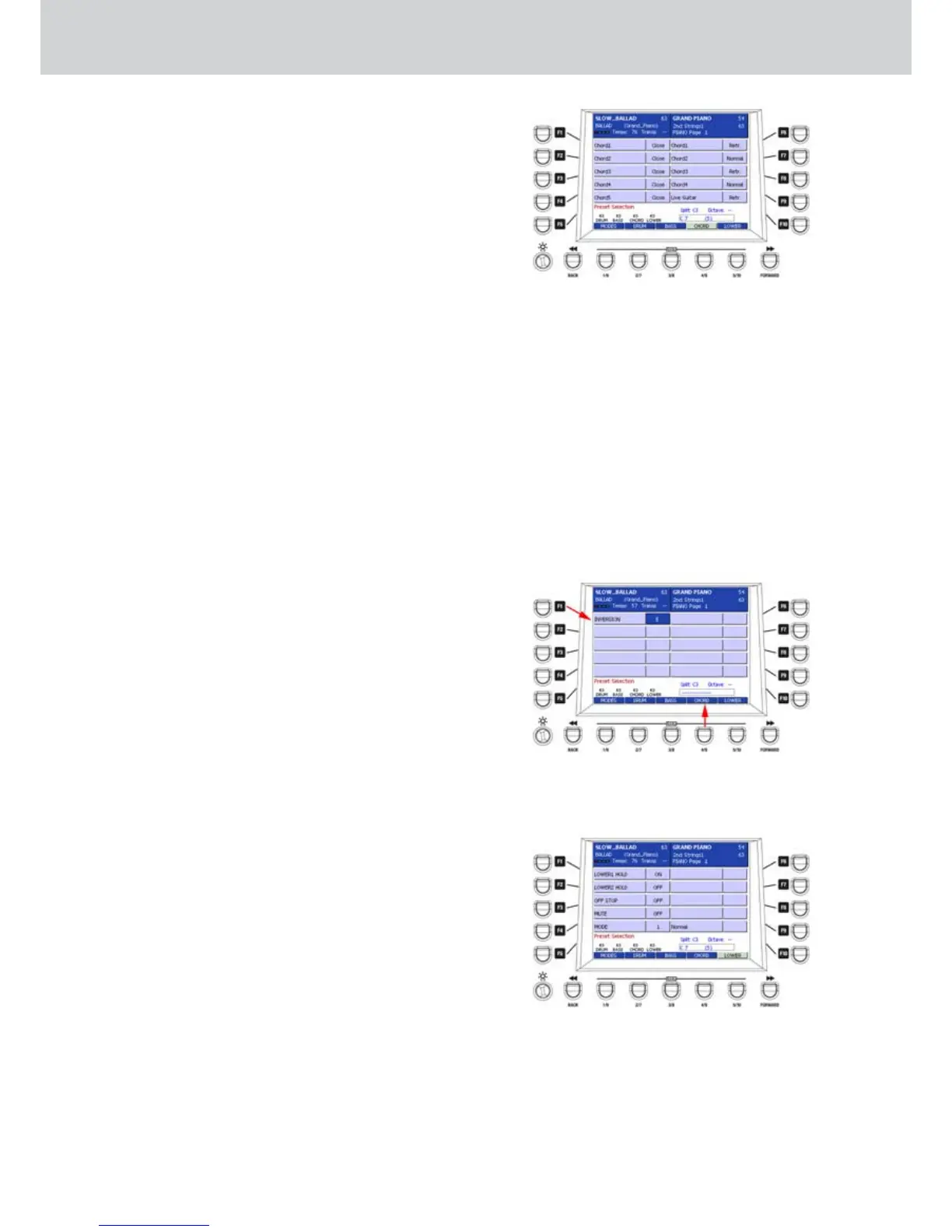
The USER 4 button (CHORDS) allows to access •
the chords settings (Figure 158). You can select
the CLOSE/PARALLEL mode (except Live Guitar)
and NORMAL/RETRIGGER mode for the 5 chords
of the Style.
In CLOSE mode the chords follow the intervals of
the notes closer to conventional harmony rules.
In PARALLEL mode the notes of the chords will
be transposed without changing the intervals.
F1–CHORD 1 (CLOSE/PARAL.): sets the Close or
Parallel mode.
F2–CHORD 2 (CLOSE/PARAL.): as above.
F3–CHORD 3 (CLOSE/PARAL.): as above.
F4–CHORD 4 (CLOSE/PARAL.): as above.
F5–CHORD 5 (CLOSE/PARAL.): as above.
F6–CHORD 1 (NORMAL/RETR.): sets how the
chord plays. In RETRIGGER mode, the chord re-
trigger each time it is played.
F7–CHORD 2 (NORMAL/RETR.): as above.
F8–CHORD 3 (NORMAL/RETR.): as above.
F9–CHORD 4 (NORMAL/RETR.): as above.
F 10–CHORD 5 (NORMAL/RETR.): as above.
By pressing the USER 4 button again (CHORD turns
off as shown by the lower arrow on Figure 159) you
can access the INVERSION function corresponding
to F1 button. This function allows the control of the
notes and the transposition threshold, so the notes
are automatically moved to the lower octave instead
of being played on the higher octaves. By using the
CURSOR Ó Á but
tons or the DATA/VALUE wheel
you can set the Eb E F F# G notes, as shown by the
arrow on top of Figure 159.
LOWER
The USER 5 button (LOWER) opens the edit •
window for the left hand (Figure 160):
F1–LOWER 1 HOLD: enables the hold control
(Hold) on the first Lower section. The setting is
valid for all the Styles.
F2–LOWER 2 HOLD: enables the hold control
(Hold) on the second Lower section. The setting
is valid for all the styles.
F3–OFF STOP: when is ON it exclude the the
Lowers during the Stop condition.
F4–MUTE: global mute of the two Lowers. The
setting is valid for all the Styles.
F5–MODE: sets various modes for the Lower
sections.
By using the CURSOR Ó Á
buttons or
the DATA/VALUE wheel you can set the following
values:
Normal: standard mode, with the Lower always
active.
Bas+Lower: only when the Arranger is stopped,
the manual bass and the chord play together.
Hold Stop: holds the Lower also when the
Arranger is stopped, instead of being disabled in
normal condition.
Style Mode
Figure 158
Figure 159
Figure 160



 To Next Page