FILT. TX/RX (USER 2)
▀
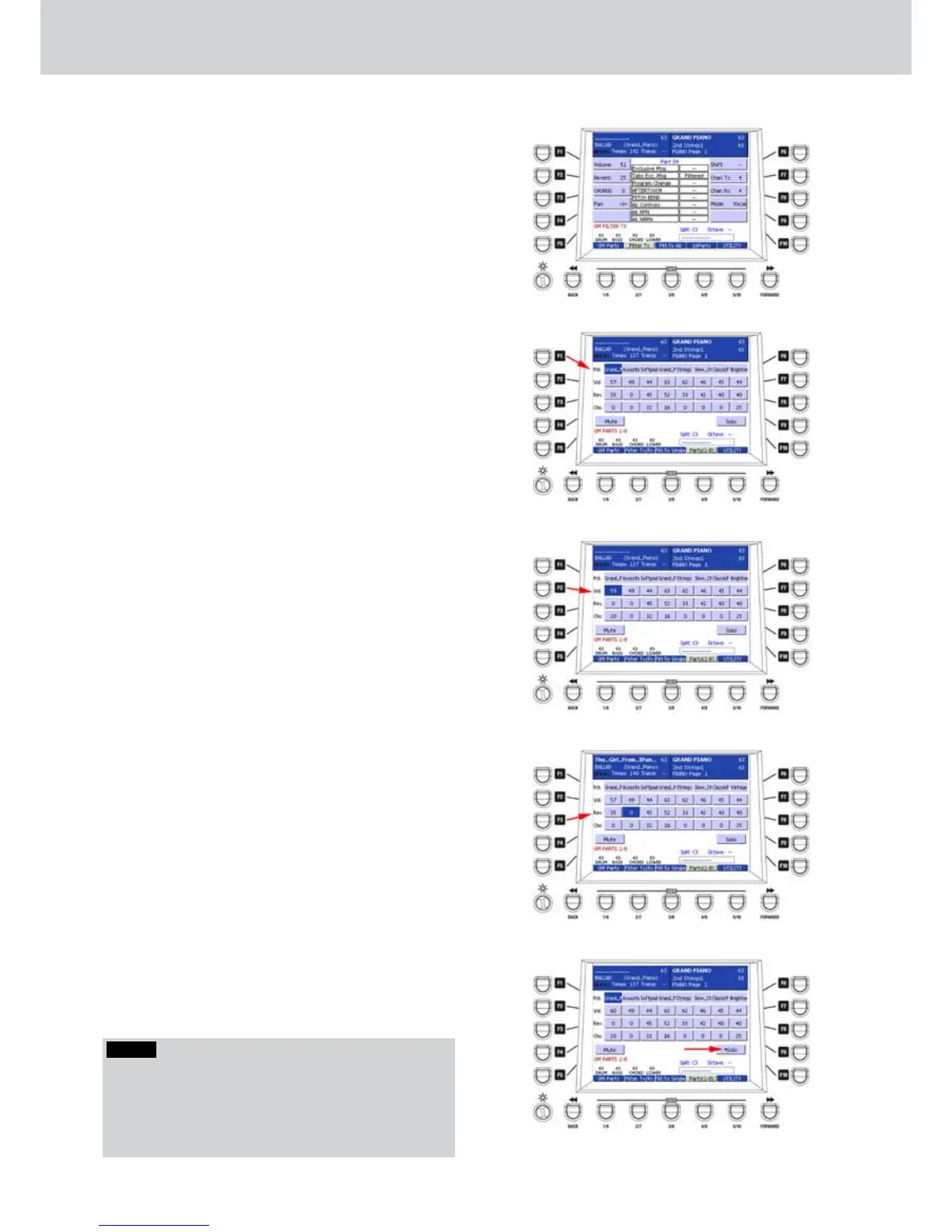
By pressing FILT. TX you can access the window
where to edit the MIDI transmission filters (Figure
164).
By pressing the button again you can access the
window where to edit the MIDI reception filters.
To change the MIDI transmission/reception
parameters, please see the MENU>MIDI section.
FILT. TO ALL (USER 3)
▀
By pressing FILT. TO ALL, you can set the filter to
all (ALL) or to a single MIDI channel (SINGLE).
16 PARTS (USER 4)
▀
By pressing 16 PARTS, you can access the
window where the status of the 16 parts appear,
divided into two windows of 8 parts each. From
each of the two windows you can change all the
tracks parameters by using the F1-F10 buttons
and the DATA/VALUE wheel.
Press the F1 or F6 buttons repeatedly to choose
1.
the Program Change of the part/track. In this way
you see the 16 parts/tracks of the MIDI file. By
using the CURSOR
Ó Á
buttons
or the DATA/
VALUE or the VOICE buttons you can select the
GM instrument for each part/track (Figure 165).
Press the F2 or F7 buttons repeatedly to hilight
2.
one of the 16 parts/tracks of the MIDI file. By
using the CURSOR
Ó Á
buttons
or the DATA/
VALUE you can set the volume from 0 to 63. By
pressing the CURSOR
Ó Á
buttons
you set the
value to 0 (Figure 166).
Press the F3 or F8 buttons repeatedly to highlight
3.
one of the 16 parts/tracks of the MIDI file. By
using the CURSOR
Ó Á
buttons
or the DATA/
VALUE you can set the Reverb from 0 to 63. By
pressing the CURSOR
Ó Á
buttons
you set the
value to 0 (Figure 167).
Press the F4 or F9 buttons repeatedly to highlight
4.
one of the 16 parts/tracks of the MIDI file. By
using the CURSOR
Ó Á
buttons
or the DATA/
VALUE you can set the Chorus from 0 to 63. By
pressing the CURSOR
Ó Á
buttons
you set the
value to 0.
Press the F5 and F10 buttons to set the MUTE
5.
and SOLO function of the selected part,
respectively. When the part is in MUTE or in
SOLO condition, an asterisk will appear. In Figure
168 the part 1 is in SOLO condition. While more
parts can be muted, only one part can be soloed.
Figure 164
Figure 165
Figure 166
Figure 167
Figure 168
NOTE
To find one or more parts in MUTE condition, press the
F1-F6, F2-F7, F3-F8 or F4-F9 buttons repeatedly. Press
F5 or F10 to disable the MUTE condition. Press the F10
button (SOLO) twice if you want to disable quickly the
MUTE condition on any part.
GM Part



 To Next Page