LEFT/GM REVERB
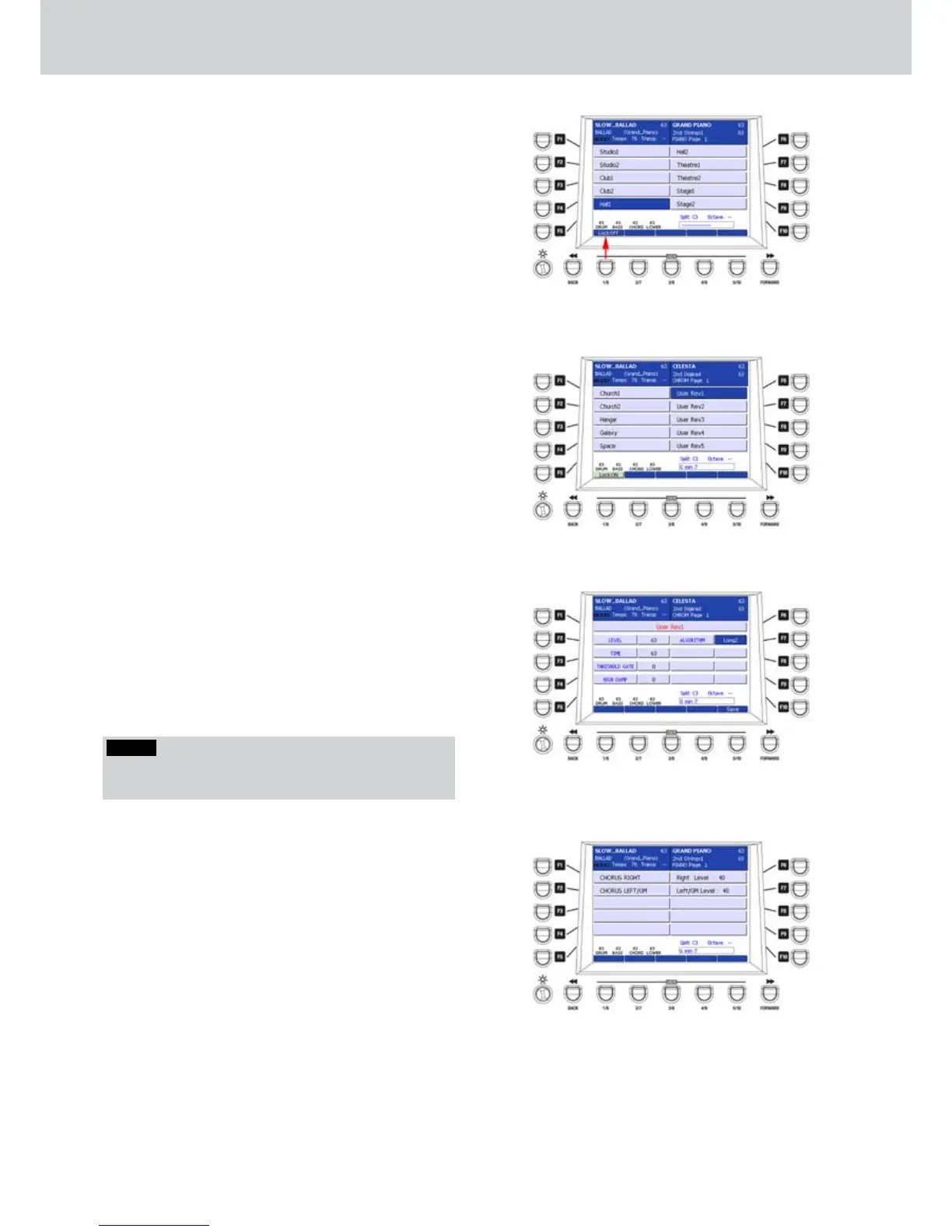
From the REVERB page, by pressing the F2 button
(LEFT/GM REVERB) you can access the page for the
selection of the reverb for the left hand and the GM
parts (Figure 230). The available reverb Preset are the
same of those for the right hand seen before.
To lock the reverb also when changing Program or
Registration or at start-up, press the Lock: ON button,
corresponding to the USER 1 button, as shown by the
arrow on Figure 230.
After the effect type selection, exit by pressing the
EXIT button or directly by pressing the MENU button.
USER REVERB
When you select the reverb for the right hand or the
left hand and the GM parts, you can choose one of
the 5 USER REVERBS (Figure 231) corresponding to
the F6-F10 buttons of the second REVERB page.
By pressing the EDIT button on the front panel you
can customize the user reverbs and store them as
User Rev1, User Rev2, User Rev3, User Rev4 and
User Rev5.
The Figure 232 shows the parameters of User Rev1
that you can modify by using the F1-F10 buttons
and the CURSOR
Ó Á
buttons
or the DATA/VALUE
wheel:
F1– User Rev (choose from 1 to 5)
F2– LEVEL: reverb level (values 0–63)
F3– TIME: reverb time (values 0–63)
F4– THESHOLD GATE: threshold of gate (values 0–63)
F5– HIGH DAMP: high frequencies damp (values
0–63)
F7– ALGORITHM: algorithm type (Long1, Long2,
Medium, Short1, Short2)
After you set the parameters you can to store the
custom reverb by pressing the USER 5 button (SAVE)
or the SAVE button on the front panel. A brief SAVE
DATA TO DISK message will appear.
CHORUS
By pressing the F2 button on the DSP page, you can
access the CHORUS screen, as shown in Figure 233.
Here you can select the following parameters:
F1– CHORUS RIGHT: selection of the Chorus for the
right hand (opens another window).
F2– CHORUS LEFT/GM: selection of the Chorus for
the left hand and the GM parts (opens another
window).
F6– Right Level: settings of the Chorus level for the
right hand (values 0-63).
F7– Left/GM Level: settings of the Chorus level for the
left hand and the GM parts (values 0-63).
Figure 230
Figure 231
Figure 232
Figure 233
NOTE
By pressing the CURSOR
Ó Á
buttons together you
set the value to 0.



 To Next Page