09 Creating your own voices | 103
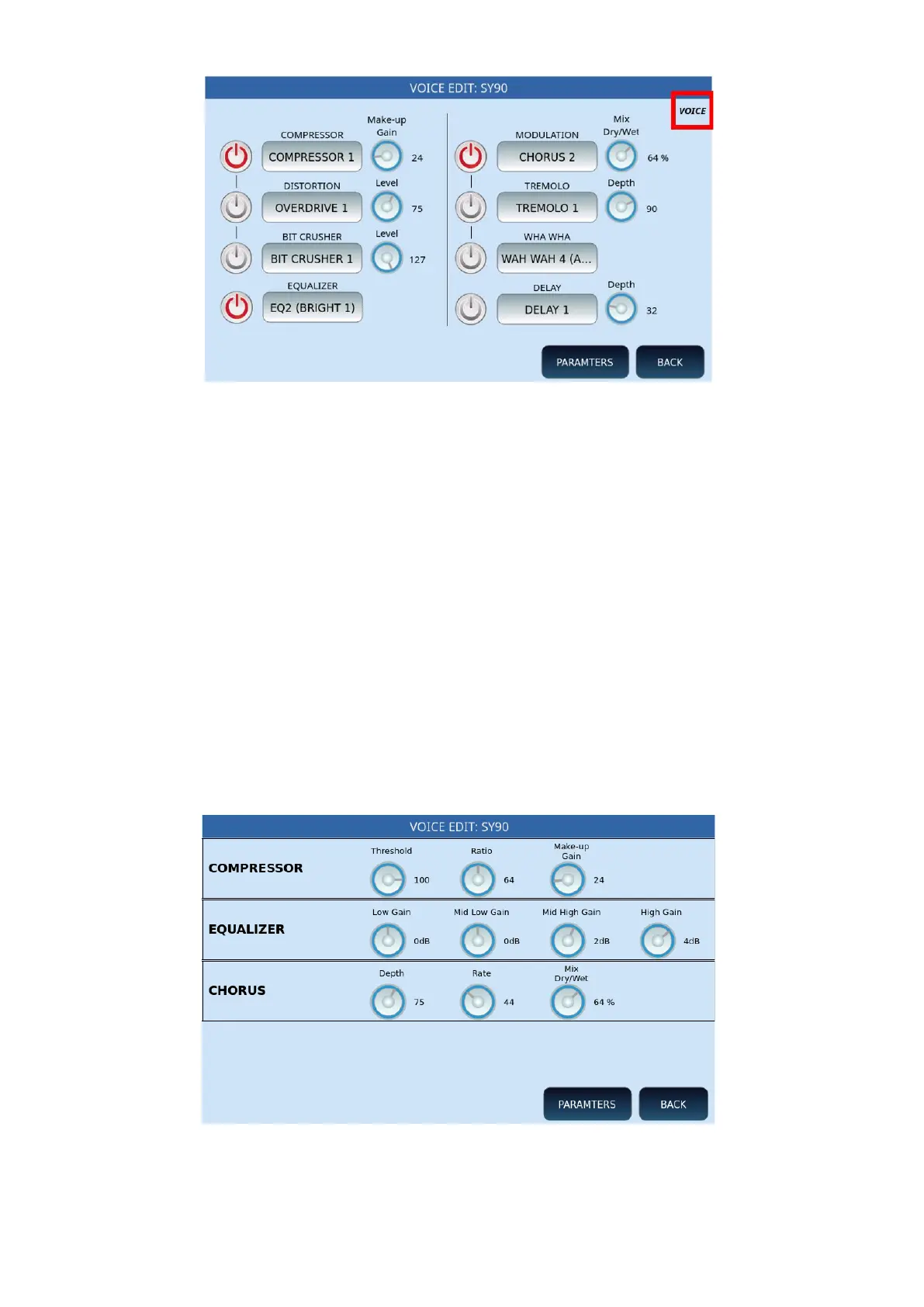
On this page you can activate/deactivate the different effects using the ON/OFF buttons on
the screen, in the two columns.
• COMPRESSOR, DISTORTION and BIT CRUSHER can be selected alternatively and, for
each of them, customize the Make-Up Gain or the level through the dedicated knob
on the screen.
• EQUALIZER: At the bottom of the screen, you can activate the equalizer by selecting
one of the available settings, such as EQ1 (FLAT), EQ2-3-4 (BRIGHT), EQ5-6-7
(LOUDNESS), EQ8-9-10 (BASS), EQ11-12-13 (MIDI) and USER-1-13.
• On the second DSP, you can activate another effect between MODULATION,
TREMOLO, WHA WHA and DELAY, with its Dry/Wet mix knob or depth.
• BACK: returns to the previous page on the screen, equivalent to the EXIT button on
the front panel.
• PARAMTERS: this button opens the following page to allow you to adjust the
parameters of each effect for compressor, EQ and chorus.



 To Next Page