02 Playing the voices | 13
Lead Voices: VOICE 1 and VOICE 2
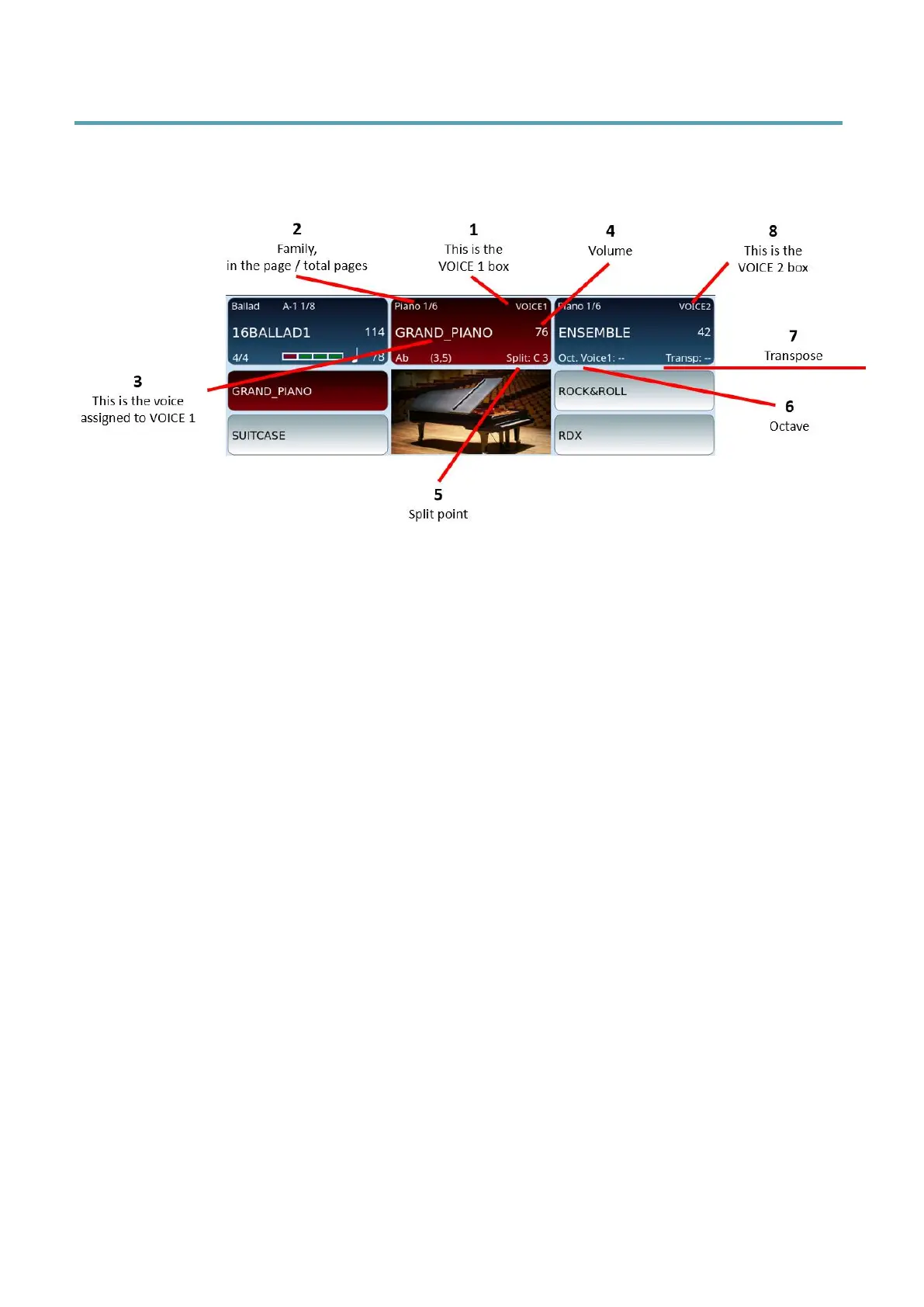
On the HOME page, the frame at the top centre and the one to its right on the screen
control the two main voices:
1. The frame at the top centre controls VOICE 1.
2. Shows the instruments bank and how many pages of sounds are left. In the
example, “Piano 1/6” means that the GRAND_PIANO voice is on the first page of
voices in the Piano bank, and this PIANO Bank has six pages in total.
3. Name of the selected voice. (ART appears above if voice has articulation).
4. Volume (move the volume slider to adjust the level).
5. The selected split point note: The EVENT-X keyboard can be split into two zones
to assign different voices and roles. The split note is the one that divides the two
areas (for left hand and right hand). You can edit this note using the SPLIT button
on the front panel.
6. You can change octave with the OCTAVE -/+ buttons.
7. You can transpose keys with TRANSPOSE -/+ buttons.
8. On the right, there is a similar frame where you can see VOICE 2 and its
corresponding voice name and volume.
When you turn on EVENT-X, the instrument is ready to be played with the lead voice -
VOICE 1 set to the GRAND_PIANO program that includes the Classic Grand sample, and to
the left of the split point with the LOWER 1 and 2 voice parts set by the default style (default
is set to Softpad and El Piano 1).
If you don’t hear any sound, please check:



 To Next Page