104 | 09 Creating your own voices
ADSR Filter
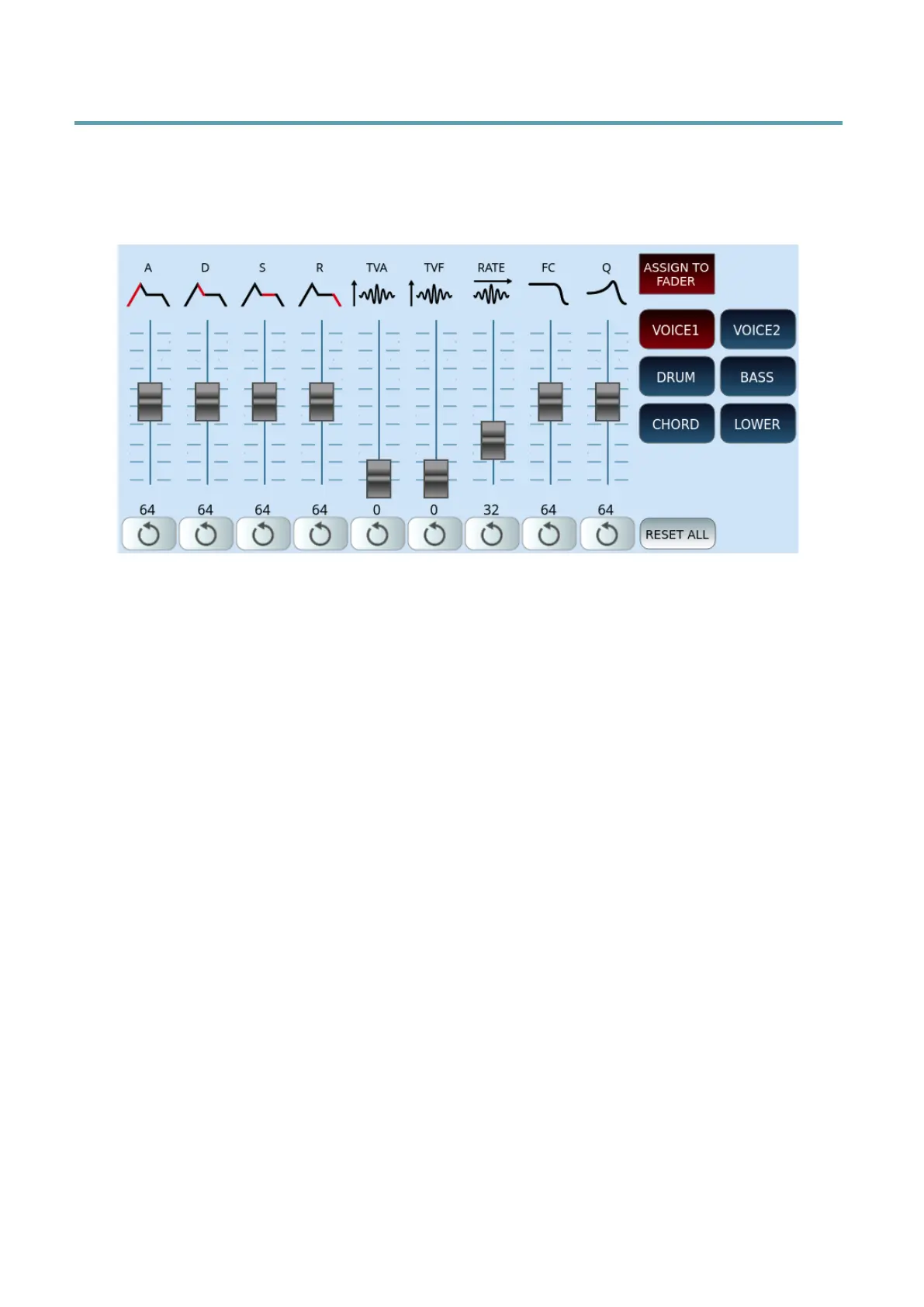
Press the ADSR Filter button on the front panel to open the screen page dedicated to the
transformation of voices over time, customizing the envelope generators: attack, decay,
sustain and release.
Virtual sliders on the screen allows you to assign values to each parameter:
• A=Attack. It is the initial phase of the sound: the lower value gets an immediate attack
of the sound, the higher value determines a gradual growth of the sound.
• D=Decay. Immediately after the attack, decay kicks in. This value indicates the time it
takes to transition from the initial peak to the next stage.
• S=Sustain. Determines the period in which the tone remains constant.
• R=Release. It establishes the duration of time necessary, with the key released, to
attenuate the sound until total silence.
• TVA=Time Variant Amplifier, i.e. amount of volume applied to the tone in relation to
ADSR settings.
• TVF=Time Variant Filter, i.e. amount of LFO on the filter applied to the tone in relation
to ADSR settings.
• RATE=Speed of ADSR parameters.
• FC=Filter control.
• Q=Resonance control.
The row of buttons at the bottom of each slider resets the value to its original data: 64 for all,
except TVA and TVF which go to zero and RATE which goes to 32. At the bottom on the
right, the RESET ALL button acts on all nine parameters by restoring them.
Other buttons, on the right side of the screen:
• The ASSIGN TO FADER button allows you to activate the control of the above values
through the physical panel sliders.



 To Next Page