180 | 13 Global menus and settings
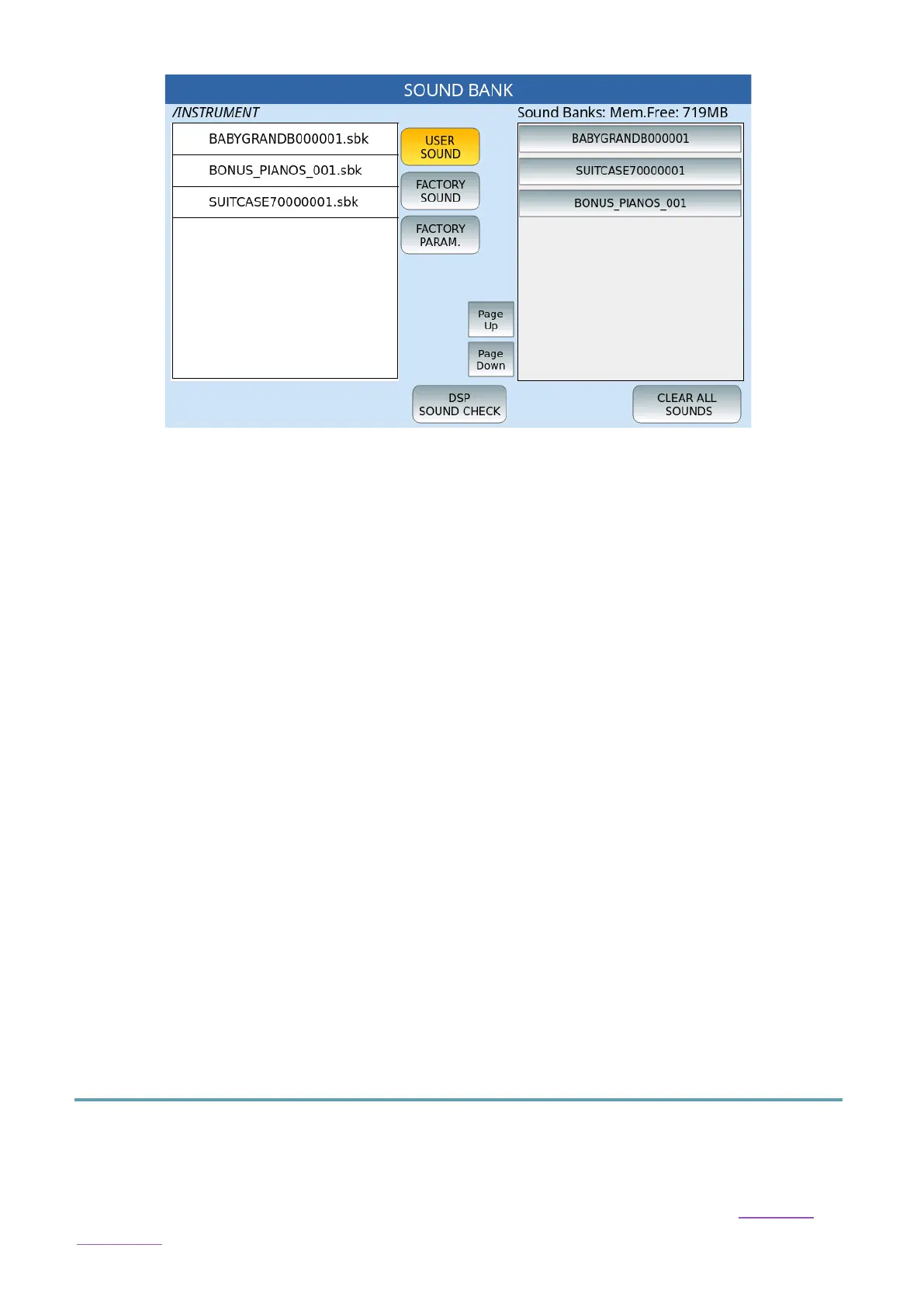
Options:
• USER SOUND: Select this button and then touch the USER sounds on the left side of
the screen to load the sound bank. A window appears on the screen to which you can
answer EXIT to leave or YES to confirm the upload.
• FACTORY SOUND: Restore factory sounds. Once the function is selected, the LOAD
PCM DSP button appears at the bottom left: press it to confirm the reset.
• FACTORY PARAM.: Resets factory parameters. Once the function is selected, the LOAD
PARAM DSP button appears at the bottom left: press it to confirm the reset.
• DSP SOUND CHECK: This may take a few minutes.
• CLEAR ALL SOUNDS: Erases all Sound Bank instruments from flash memory.
(formatting).
Once a Sound Bank is loaded, you can call up the INSTRUMENTS:
• Voices: Once the sounds contained within the Sound Bank are saved, they are visible
in the GM sound lists and displayed in the assigned family. They can then be treated
like any GM sound and assigned to vocals or parts of tracks in styles or MIDI files. The
bench number is 95 and individual incremental Program Changes range from 1 to
128.
• Drum sets: These are visible in the Drum list and can be assigned to styles or MIDI
files.
Key Tune
Press the MENU button on the panel and then tap KEY TUNE to access the Key Tune
Management page.
You can use Key Tunes to recall audio files from keyboard keys, as we saw in the Key Tune
paragraph.



 To Next Page