94 | 09 Creating your own voices
09 Creating your own voices
Programming and creating your own sounds
When you purchase EVENT-X, you find many ready-to-use and effective voices for most musical needs.
However, the most demanding musicians often need to shape the sounds according to their tastes.
Therefore, some create original sounds to get an exclusive musical repertoire. EVENT-X offers the
possibility to control everything you need. On the one hand, you can adjust the main parameters of the
entries in layers and drawbars immediately. In more depth, most experts can work on ADSR filters to
shape a sound in detail. As for the percussive parts, it is possible to build the mappings of the
instruments according to the most personal occurrences. Those who play oriental music can activate the
specific scales of that repertoire too.
The Voice Editor
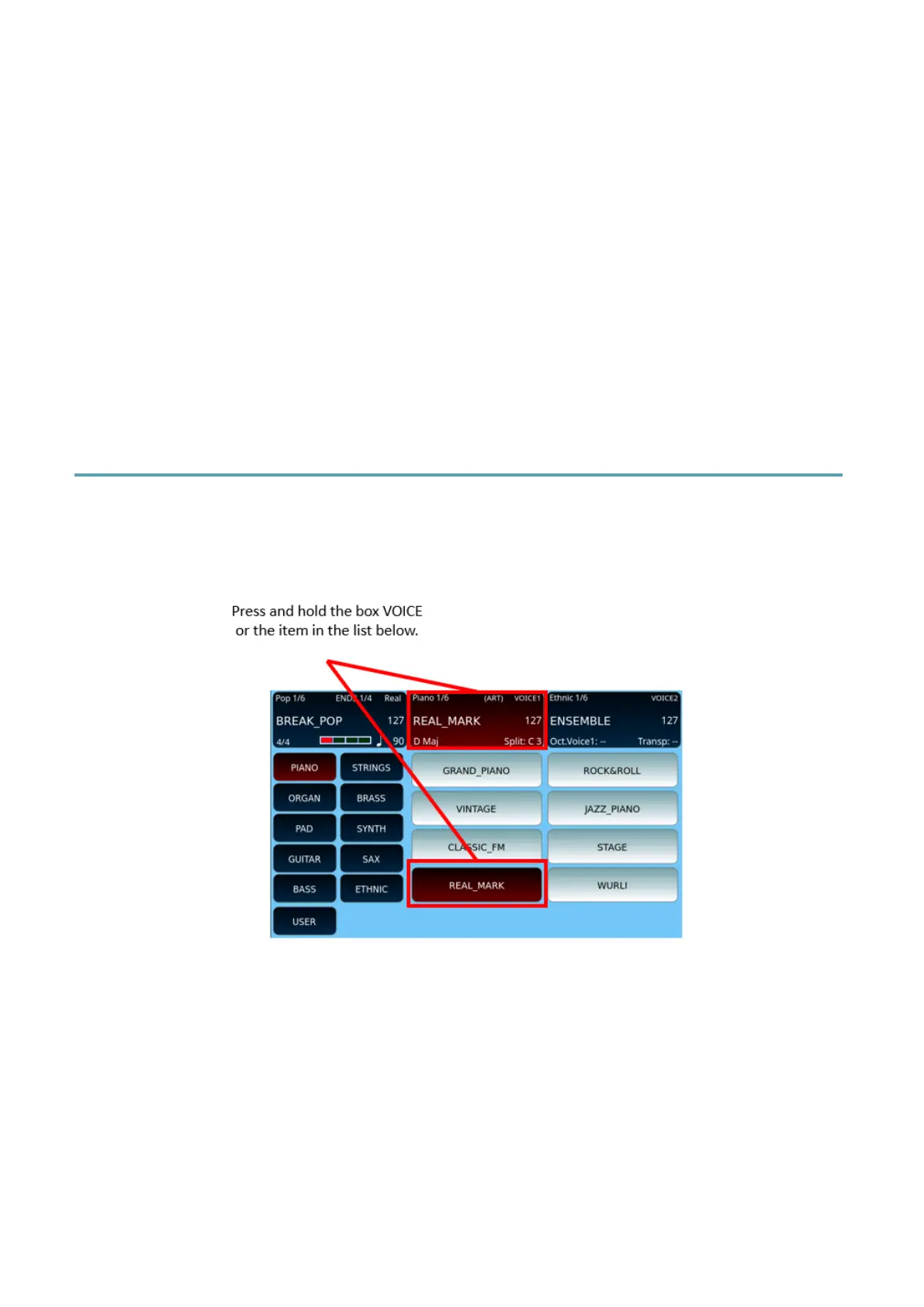
When you touch and hold down for 2 seconds the top centre screen frame of VOICE 1 or the
name of an item from the list on the screen (VOICE 1 or VOICE 2), the VOICE EDIT page
appears, where you can check for yourself the three-layer entries that make up the program.
Attention! The VOICE EDIT functionality is possible only with VOICE 1. Once you have
created the preset with VOICE 1, you can upload it to VOICE 2.
On the following page, you can edit the parameters of each layer.



 To Next Page