09 Creating your own voices | 105
• A series of buttons allows you to activate/deactivate the parts to which ADSR filter
changes are assigned: VOICE 1, VOICE 2, DRUM, BASS, CHORD and LOWER.
Editing or customizing Drawbar voices
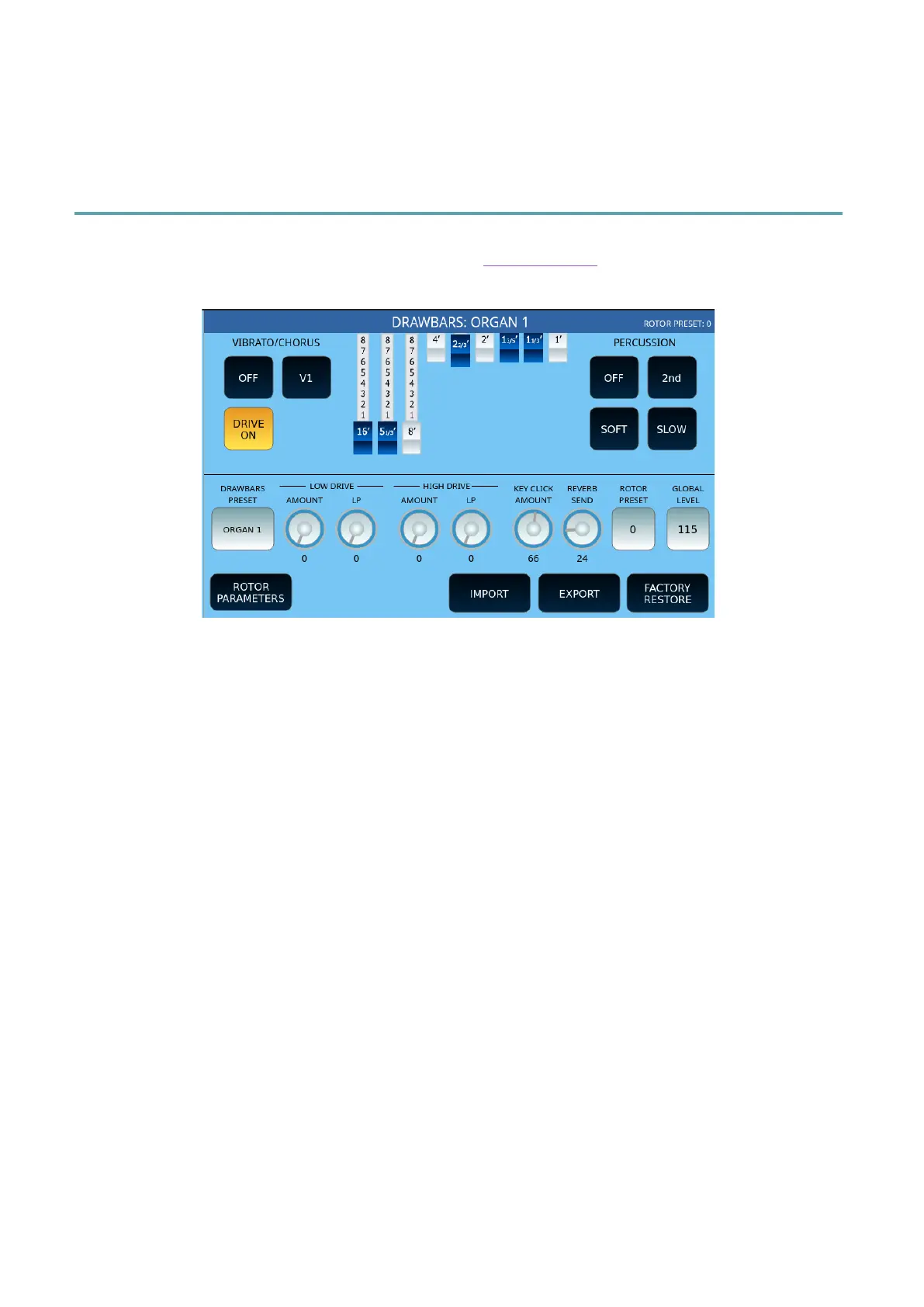
After selecting a Drawbar item and activating the Drawbar View, the video page appears on
the screen.
Options:
• Activate/deactivate the VIBRATO/CHORUS. Please note that the DRAWBARS section
has a dedicated effects section separate from the main DSP section. Its purpose is to
allow the best emulation of the Vibrato Scanner.
• Invoke the various effects:
o V1, V2 and V3 are three levels of the vibrato effect, depending on the
delay line signal.
o C1, C2, and C3 are three levels of the Chorus effect, depending on the
mix of the delay line signal with the original signal.
• Activate/deactivate DRIVE ON/OFF,i.e., the Overdrive that intervenes on the
DRAWBARS section.
• TO FADERS: Allows you to disable the ability to control Drawbars with physical panel
sliders, to make them available for their standard operation (volume levels of the
PLAYER and parts of the accompanying style).
• At the centre stands the area of action of the nine digital Drawbars. By sliding your
finger over the individual sliders on the screen, the value increases from 0 to 8
positions.
• In the PERCUSSION area, typical percussion controls are available:
o ON/OFF.
o 2nd/3rd to use the second or third harmonica for percussion.
o NORMAL/SOFT: refers to the volume of percussion.
o SLOW/FAST: refers to percussion decay.



 To Next Page