05 Player | 59
EVENT-X allows you to set the Tempo in BPM value ranging from 65 to 250 for MIDI files,
while for audio files the value is expressed in % (-49/+49).
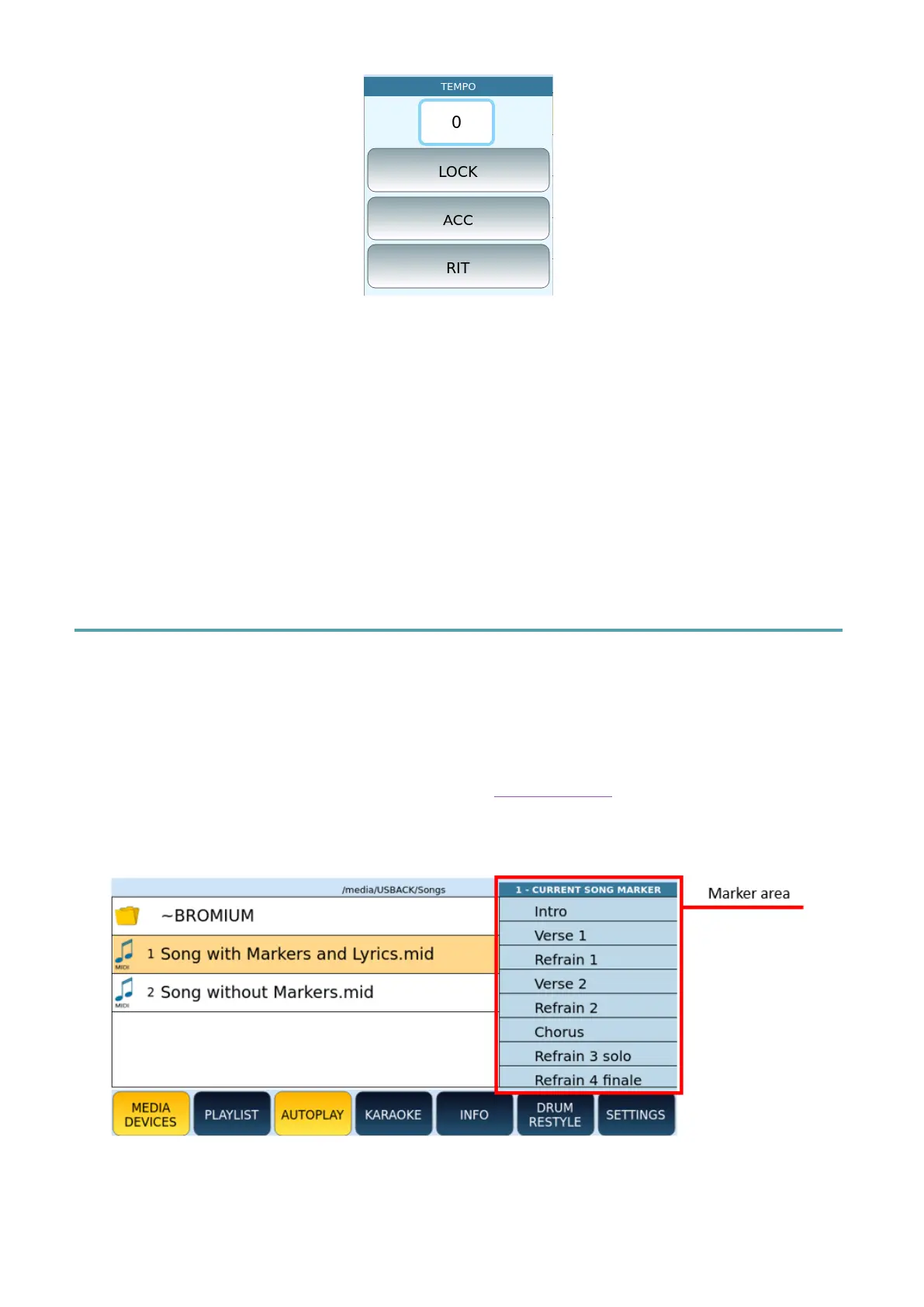
• TEMPO: The number corresponds to the current BPM (MIDI file) or variation % (MP3).
• LOCK: Freezes Tempo between consecutive songs and ignores MIDI Tempo change
events (MIDI files only).
• ACC: (“Accelerando”). Accelerates Tempo of the song to a speed of 5 BMP/down beat
(MIDI files only).
• RIT.: (“Ritardando”). Slows down song Tempo to 5 BMP/beat down (MIDI files only).
Showing Markers in Songs
Markers of a MIDI file allow you to quickly switch from one point to another of a piece of
music (verse, chorus, ending). They can also be used to repeat a pass several times in a loop.
EVENT-X displays markers under two conditions:
• You have activated the AUTO SHOW on the MARKER page of the SETTINGS function.
• The MIDI file contains MARKER MIDI events (you can insert these events via any DAW
software application).
How to use Markers:
1. Open the MIDI file containing the marker events with the PLAYER.



 To Next Page