144 | 12 Effects
Vocal Harmonizer and Voicetron Edit
The Voicetron is a vocal effect that harmonizes the input audio and replicates the signal
with intonation that does not overlap with the original signal: in this way, they can create
new chords and vocal effects if combined with the melody. The Voicetron has a four-band
parametric equalizer. The Pitch Shift amount is controlled by notes played on the keyboard
or notes saved in a MIDI track.
Press and hold the VOICETRON button on the front panel to open the page dedicated to
customizing this effect.
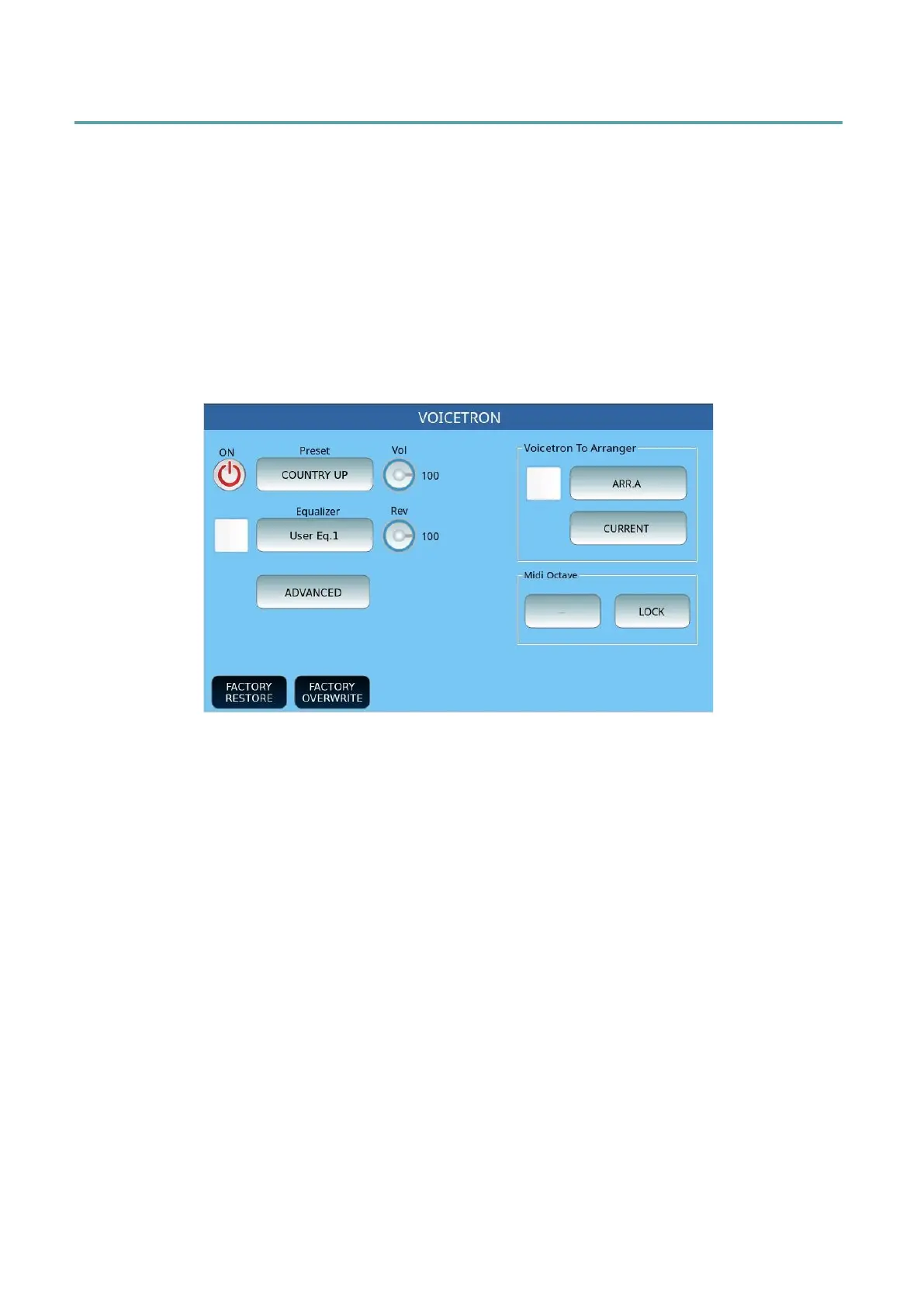
VOICETRON page
• ON/OFF: Enable or disable Voicetron.
• Preset: Touch this part of the screen to select a preset Voicetron memory from RIGHT
MANUAL, LEFT MANUAL, UNISON, MIDI MODE, DUET, TRIO.
• Equalizer: Touch check box to activate the equalizer and press this button to open the
customization page, where you can select one of the four preset programs (Standard,
Flat, Hi-Fi and Studio) or act on the knobs of Gain (between -12 and +12 dB) and / or
frequency (the range is from 80 to 2000 Hz for bass, from 60 to 3000 Hz for mid
frequencies, from 60 to 10300 Hz for mid-high and from 500 to 15000 Hz for higher
frequencies) and tailor your setting to be saved in one of the four user locations.
• Voicetron To Arrange: Touch check box to enable the feature that allows you to
assign a different Voicetron preset for each of the Arranger ABCD arrangements.
Pressing the specific button opens the ABCD variation selection window ; the STOP
option allows you to stop the harmonizer when the accompanying style is not
running. Current settings include:
o OFF
o CURRENT (default value)
o RIGHT MANUAL
o LEFT MANUAL
o UNISON



 To Next Page