82 | 07 Registration, Playbox, Performance
• If you want to avoid spending too much time searching or looking for Registrations
live , you can facilitate your work by copying all the songs needed into specific folders
according to the logic of your preference and simply open them on the screen and
use as needed.
• Save time from exiting and entering different menus (such as PLAYER and
REGISTRATION) and bring all the files you need for your performance to one place.
CREATING A PLAYBOX: To create/prepare the PLAYBOX environment, you need to work
from the Disk Edit mode: copy your favourite files (MIDI files, MP3 and WAV) to one of the
four folders via the DISK menu where the PLAYBOX folder (root) is located, which contains
the four folders PLAYBOX 1, PLAYBOX 2, PLAYBOX 3 and PLAYBOX 4.
Once the folders are created, they are ready to use.
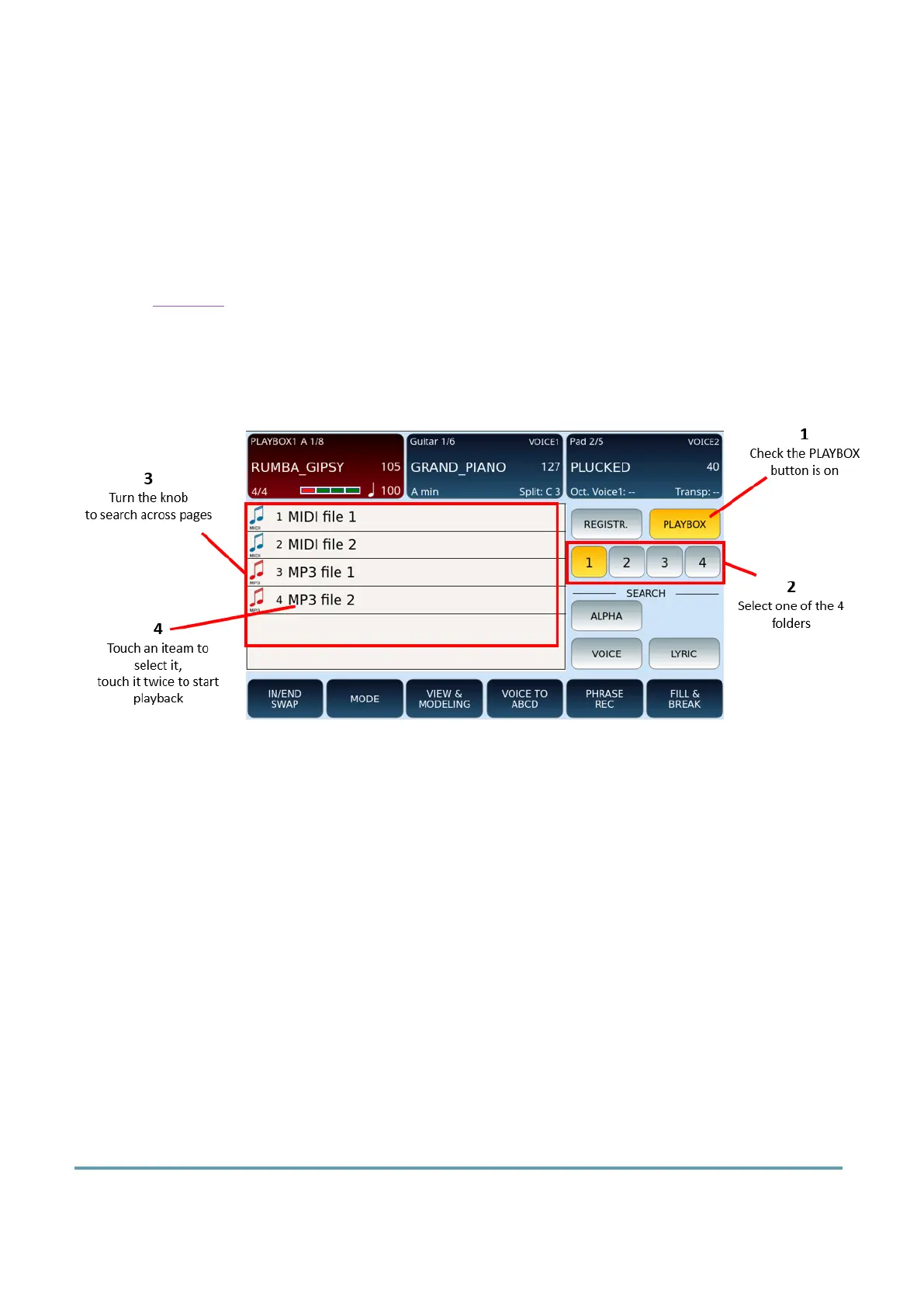
PLAYING FROM/USING THE PLAYBOX:
1. Press the REGISTR. button on the front panel (or touch the Registration section of
the screen from the home page) and touch the PLAYBOX icon on the screen.
2. Select one of the 4 PLAYBOX folders on screen by touching either buttons 1, 2, 3
or 4.
3. The screen displays the list of music tracks that you have previously copied to the
specific folder. If necessary, turn the data knob to scroll through the list across
multiple pages.
4. Touch a file once and then the START button on the front panel to start playback,
or – if you want to start immediately – double-touch the file.
Performance
Performance is a feature of EVENT-X that allows you to organize your favourite resources,
including accompaniment styles and Registration. It is a helpful feature for many EVENT-X



 To Next Page