78 | 07 Registration, Playbox, Performance
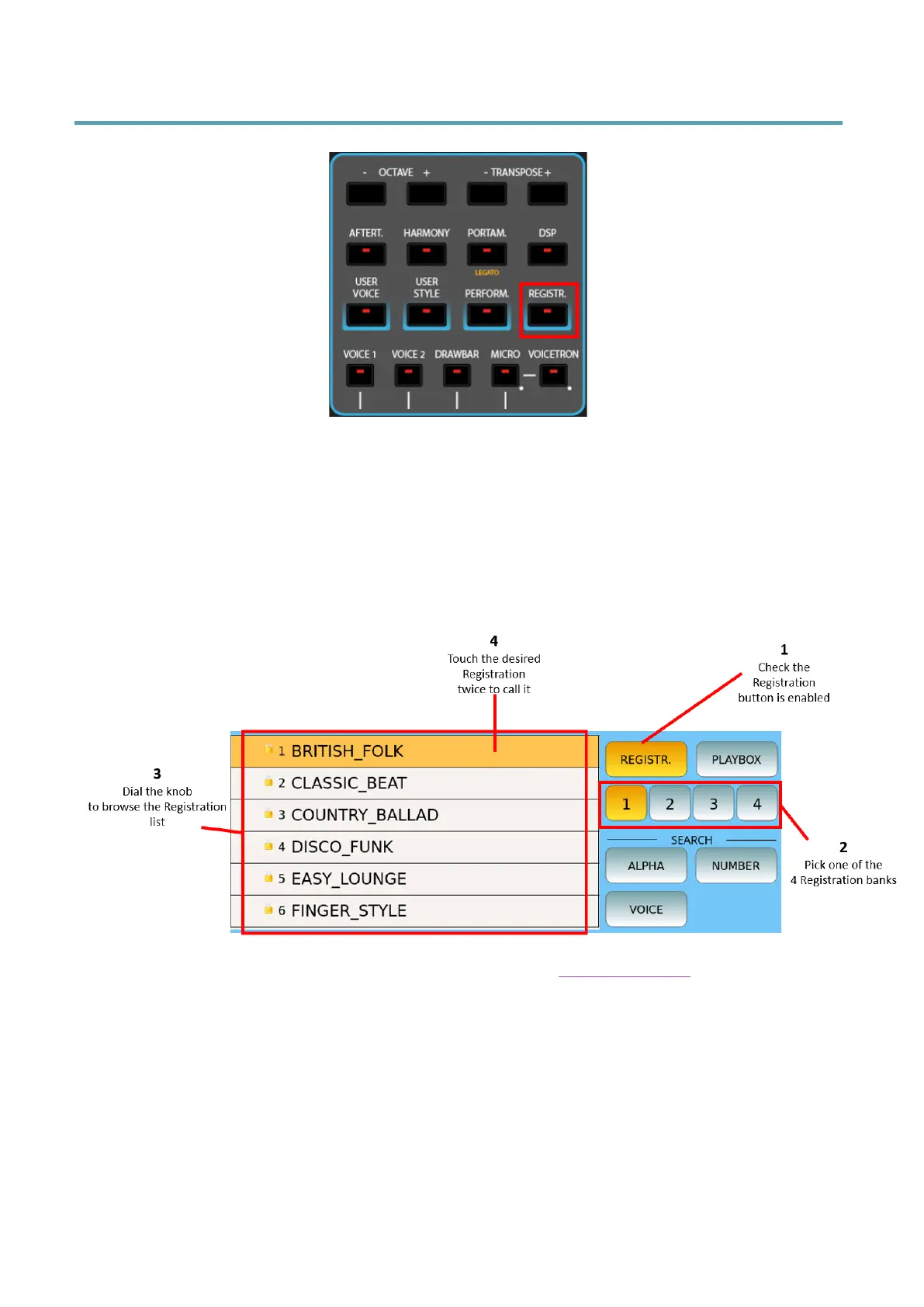
Recalling a Registration (e.g. on Stage)
1. Press the REGISTR. Button on the front panel.
2. On the touch screen, select one of the four available banks where your registration
resides.
3. Touch the desired Registration from the list displayed on the screen (touch the
screen quickly twice to enable it).
The order of Registrations follows the same settings as for File View option in the Settings of
the Player.
You can search for songs using the search function: press the ALPHA button in the SEARCH
area of the screen, type the text (even partial) and press Enter on the screen to search. If you
enable the Lock, the EXIT button goes to upper level of directory, unless the current folder is
the root.



 To Next Page