03 Playing with the styles | 31
Global, the keys are reassigned to each context. (Settings can be saved in CUSTOM
STARTUP).
You can also customize all the other interactive parts of the style (VOICE 2, LOWERS) but, to
do this, you need to enter the View & Modeling mode illustrated in the paragraph that you
will find later in this manual.
At the end of everything, remember to save these settings in the style by pressing the SAVE
button on the front panel and storing the changed style among the USER STYLES. Don’t be
scared – the factory styles cannot be over-written so even if you start off with a factory style,
the stored changes will be replicated in an equivalent style but in the USER STYLES section.
Tempo in accompaniment styles
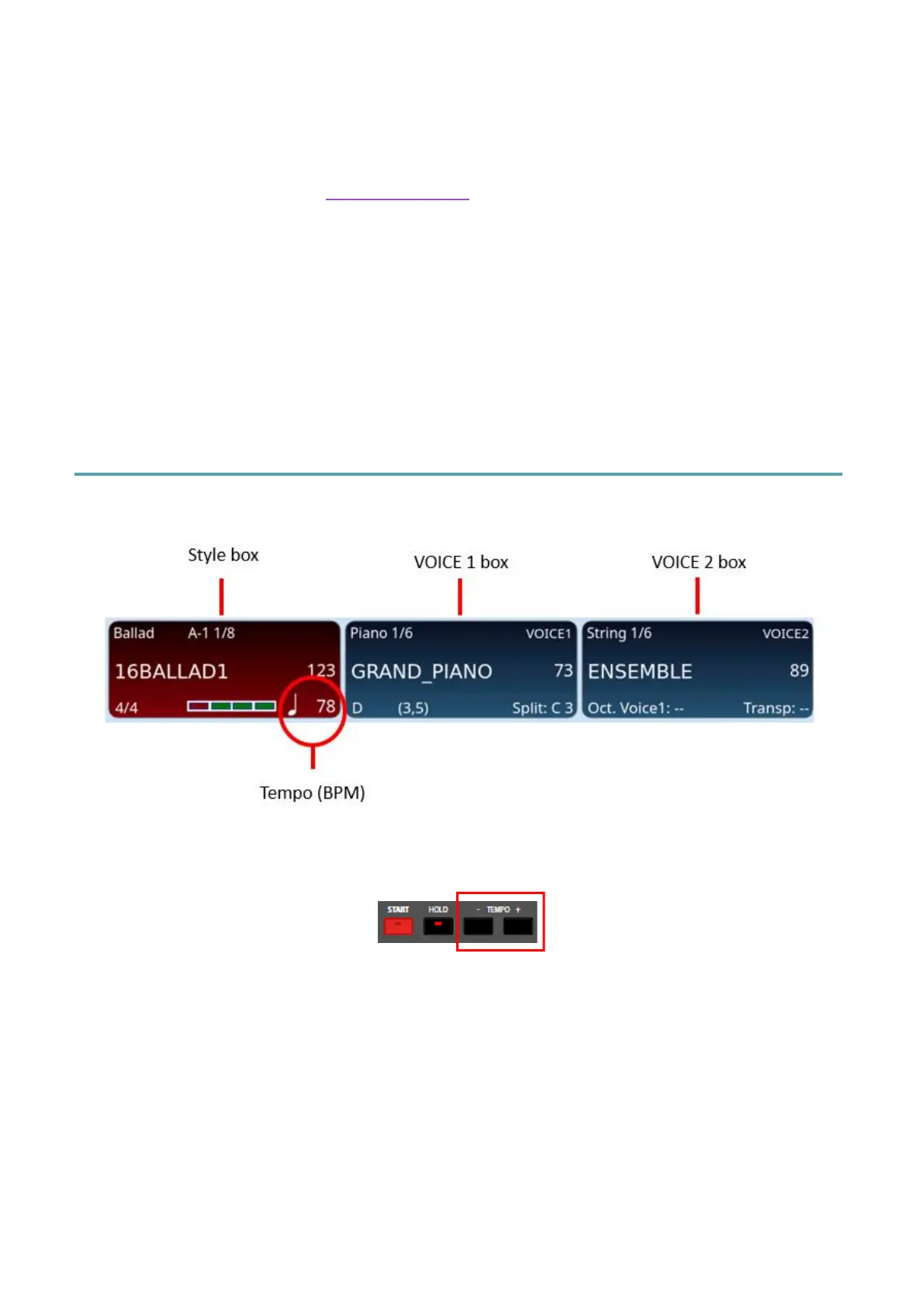
Tempo is normally displayed in the style frame.
To increase or decrease the Tempo / BPM (beats per minute) of a style, simply turn the data
knob or press one of the TEMPO –/+ buttons on the panel.
Alternatively, you can tap the screen in the style box, in the area related to the tempo
display: a pop-up will open that allows you to change the tempo without using the Dial,
simply by entering the numerical value of the BPM.
Pressing both buttons together opens the Tempo control window.



 To Next Page