30 | 03 Playing with the styles
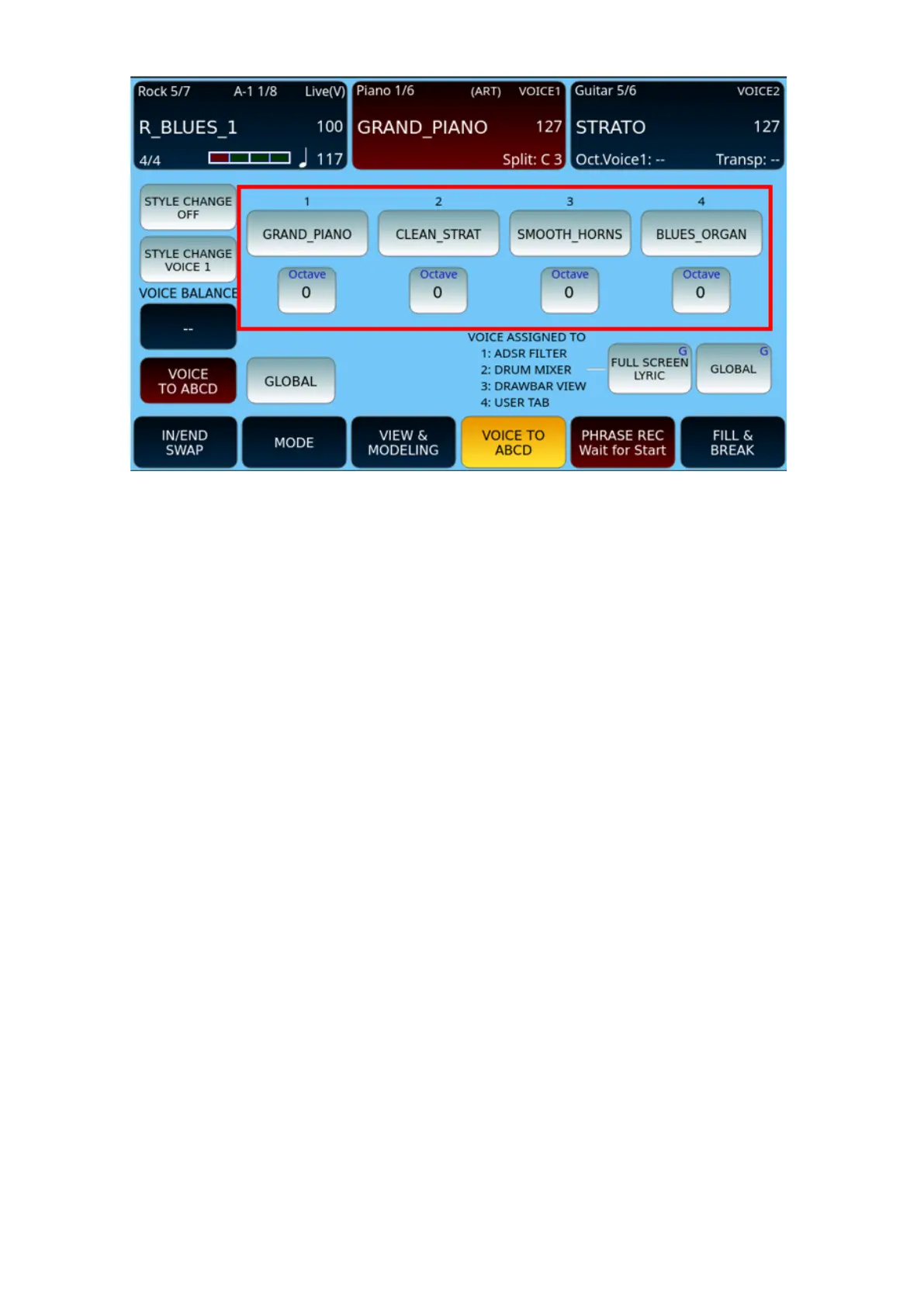
You can set which voices to assign to which variations as follows:
1. Select the desired style.
2. Touch the VOICE TO ABCD button at the bottom of the screen. It turns yellow.
3. The page where the voices associated with each ABCD variation are highlighted is
now displayed.
4. Press and hold the voice of a variation on the screen to open the voice selection
page.
5. Touch a new voice from the list and press the EXIT button to confirm your
selection.
6. Important! Don’t forget to turn on the VOICE TO ABCD function by touching the
first icon on the left: it turns to red when active. Otherwise, these settings will have
no effect and the current selected voice will be heard through all variations.
7. Press VOICE BALANCE and set the volume balance of each of the voices with
respect to the arranger section and the other voices: the value 0 is the perfect
balance, negative values (up to -30) unbalance the volume in favour of the
arranger section, while positive values (up to +30) are in favour of keyboard
voices.
8. . After tapping one of the OCTAVE buttons, you can change the octave via the
DIAL.
9. Set the FULL SCREEN LYRIC option to VOICE TO ABCD. When activated with
lyrics (txt/pdf) in full screen, the ADSR FILTER, DRUM MIXER, DRAWBAR VIEW,
USER TAB keys perform the functions of User Tab VOICE 1,2,3,4, respectively. If



 To Next Page