11 Recording | 131
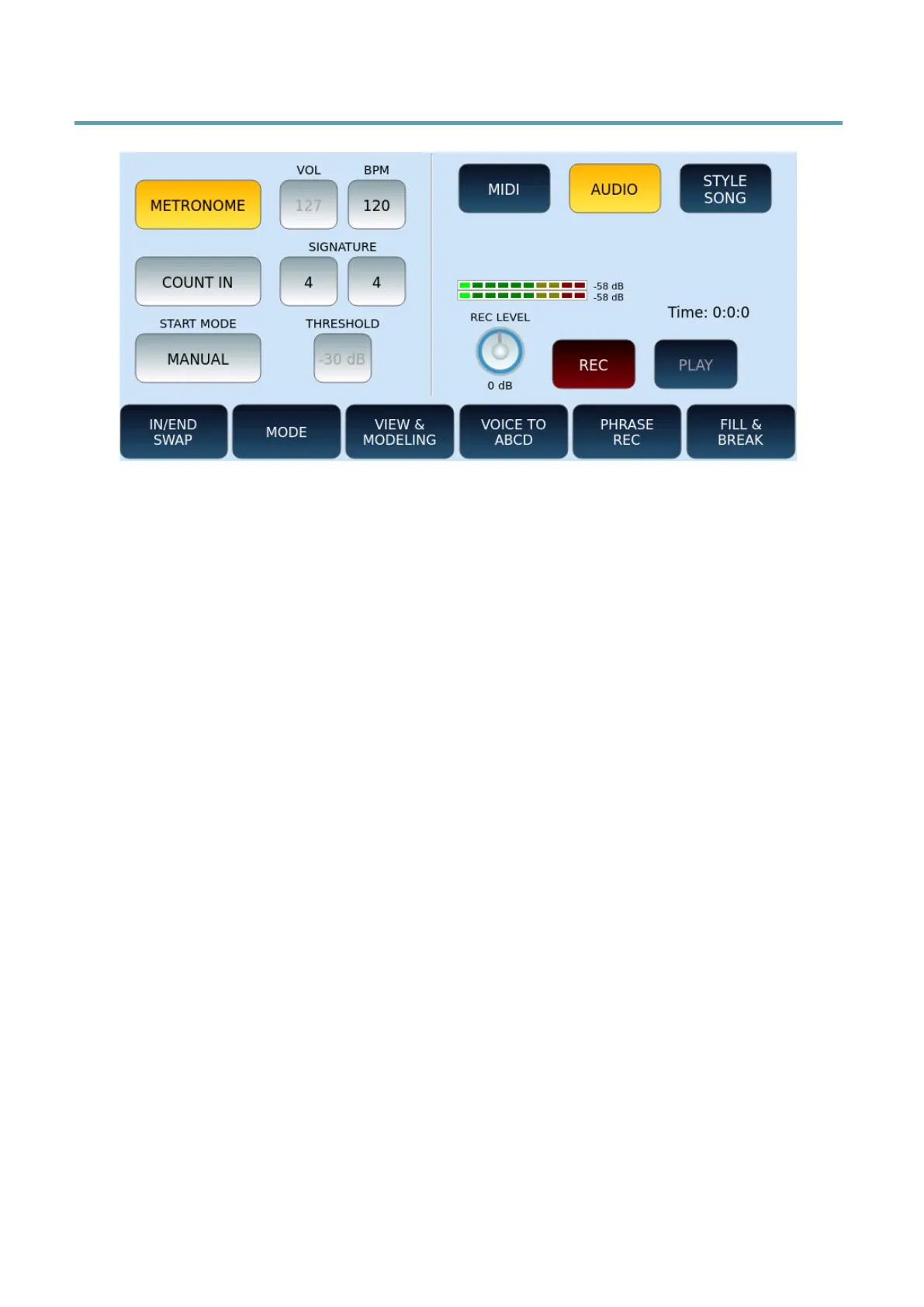
Recording in AUDIO format (Wave)
To record an AUDIO file:
• After pressing the RECORD button on the front panel, touch AUDIO button on the
screen.
• The management of METRONOME, VOL, BPM, COUNT IN, SIGNATURE and START
MODE corresponds exactly to what we saw above for MIDI recording, except for the
following.
• If you choose the AUTO option for START MODE, the THRESHOLD button is
activated on the screen to set the threshold value from -60dB to 0dB (the default
assumed value is -30dB).
• In addition, in the right part of the screen, digital peak meters appear to monitor the
dynamic level of the recording volume. You can set the REC LEVEL to a value between
-8dB and +8dB. Be careful: with a level that is too high, you risk saturating the audio
signal during recording.
• The progression of time is no longer in terms of measurements, but rather advancing
hours, minutes, and seconds (00:00:00).
• As we saw above, set the voices to be recorded, VOICE1, VOICE2 and DRAWBAR
(sounds, volume, controller).
• Press the REC button on the screen and start recording according to the selected
START MODE, as described above in the MIDI recording. The only difference concerns
the AUTO mode, in this case the recording starts when the output volume exceeds a
certain threshold (THRESHOLD).
• Everything you play on the keyboard is recorded in stereo audio format.
• When you are done, press REC again to stop recording.
• Make sure the PAUSE button on the front panel is not active and touch PLAY button
on the screen to listen to your recording.
• If you want to re-record, you must start over. To erase the previous recording and
redo it, touch the REC icon on the screen again.



 To Next Page